


Participant
February 24, 2024
Question

Transform effect doesn't work on 3d layers

  • February 24, 2024
  • 2 replies
  • 485 views

1. Create new project, create a new layer. 

2. Apply transform and change the scale - the scale of the layer changes.

3. Make the layer 3d

4. Apply transform and change the scale - the scale of the layer no longer changes


example: 
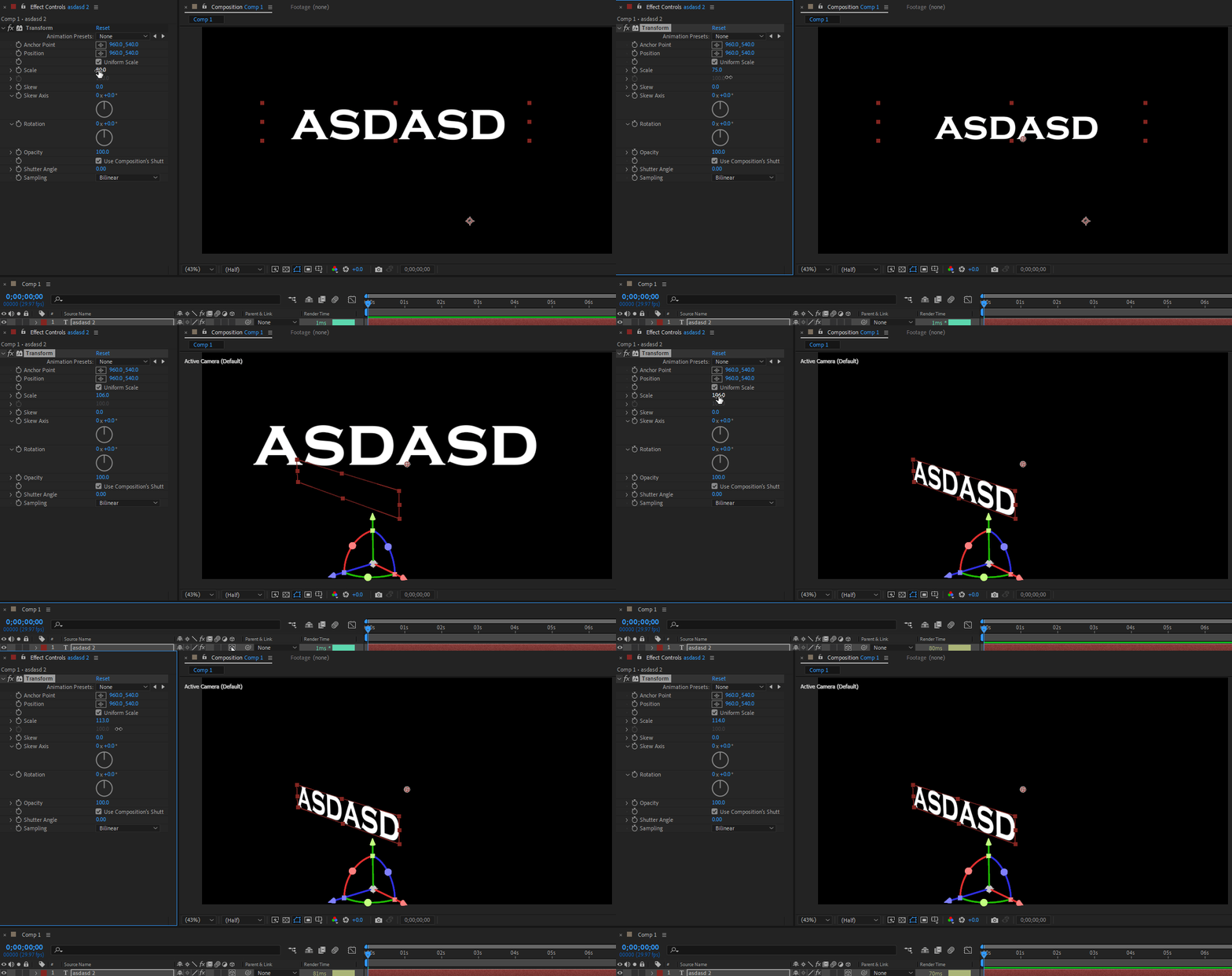
This topic has been closed for replies.

2 replies

DaciaSaenz
Inspiring
February 27, 2024

oh! I was also informed that this IS possible in the Classic 3D render engine but not the Advanced 3D engine. 

Does the Transform work the way you expect if you change the renderer to "Classic 3D"?


- Dacia Saenz, AE & PR Engineering Teams
DaciaSaenz
Inspiring
February 27, 2024

Hi @Iulian Mircea


The Transform effect is 2D. It can't work on a 3D layer because they live in different spaces. 😞 
This is true of all effects, as far as I know. 

If you want to add Transforms to a text layer then you need to use something that are called Text Animators.


These can be added via that little arrow button next to the word "Animate" when you untwirl a text layer.


If you want to add other kinds of effects to 3D layers, there are a couple of workarounds. You can Precomp the 3D layers and add the effects to the 2D comp. 

Or you can choose some compositing magic where you need to:

  • Make a Solid,
  • Add the effects CC Composite or Calculations to the solid
  • Point that effect to the 3D layer you want to add effects to with the dropdown parameter for that effect 
  • Change the Blending Mode to Copy and then add your desired effects below 
- Dacia Saenz, AE & PR Engineering Teams