Inspiring
July 20, 2019
Answered

transform handles missing.

  • July 20, 2019
  • 6 replies
  • 29020 views

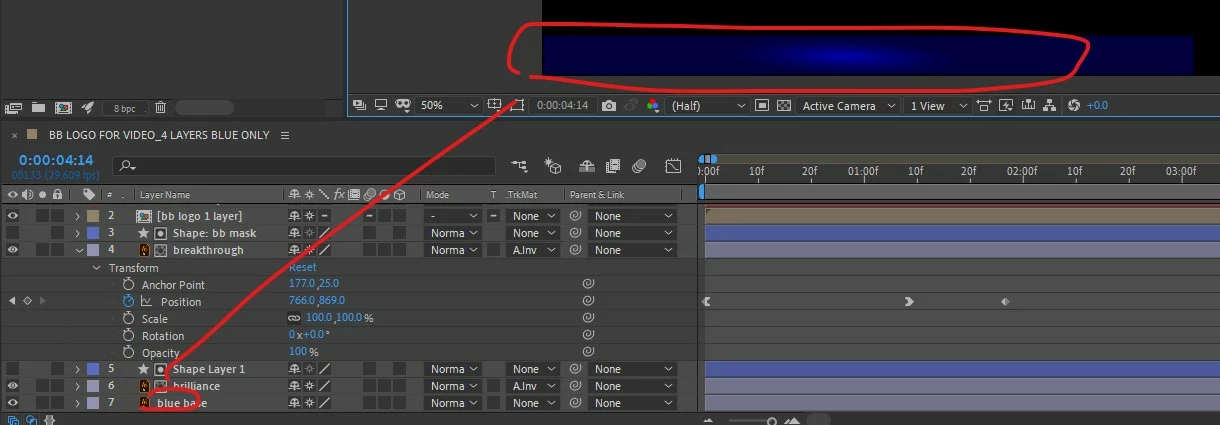
why would my transform handles be missing?

I`m using the V tool but no handles are visible..
    This topic has been closed for replies.
    Correct answer caroline_edits

    We have a quick tutorial showing where those controls are here on Youtube

    6 replies

    Participant
    September 13, 2022

    No, it's shift COMMAND h, not control

    caroline_edits
    Community Manager
    caroline_editsCommunity ManagerCorrect answer
    Community Manager
    September 6, 2022

    We have a quick tutorial showing where those controls are here on Youtube

    John Hepworth
    Inspiring
    June 7, 2022

    Is there a way to selectively hide layer handles?  I'm trying to get a handle on a composition that has layer bloat...

    Kyle Hamrick
    Community Expert
    Community Expert
    June 7, 2022

    If you're looking to hide controls for specific layer types, then yes. 
    Under View > View Options, you'll find a variety of ways to fine-tune what's shown. 


    If you're wanting something more specific than this, you're looking at some third-party tools. Many of these have semi-overlapping functionality, and not all are directly relevant to your question, so just providing a list of possible options for workflow woes:
    https://aescripts.com/flatten-layers/
    https://aescripts.com/free-compose/
    https://eyedesyn.com/product/sort-it-for-after-effects
    https://aescripts.com/squirrel/
    https://1resonant.gumroad.com/l/CptBs
    https://web.archive.org/web/20160602080225/http://goodmotion.se/GM_FoldLayers_1.0.1.zip 

    John Hepworth
    Inspiring
    September 6, 2022

    Thanks!  

    Another thing I learned since posting this is how each view can have it's own view options - which seems pretty useful.  And that you can open another viewer if you want more than 4 views.

    Sort of a follow up question : is there a way to have more than 3 custom views?  I've been using different cameras as a kind of work around... thanks !

    Participant
    May 26, 2022

    Shift+COMMAND+H on mac 😄

    Kyle Hamrick
    Community Expert
    Community Expert
    May 26, 2022

    Also available in either OS under the View menu > "Show Layer Controls," for folks who don't like hotkeys!

    Inspiring
    October 29, 2020

    Thanks a lot man. I've spent half an hour trying to discover it

    imeilfx
    Inspiring
    July 20, 2019

    Just press Shift+CTRL+h on your keyboard. That is shortcut for showing/hiding layer handles.

    Inspiring
    July 20, 2019

    thanks very much imeilfx!

    imeilfx
    Inspiring
    July 20, 2019

    You are welome. If you have any more questions - don't hasitate to ask.
