

Trim Layer In (and Out) Point to Current Time shortcut not working in After Effects 2020 (macOS)
Hello,
I'm running macOS 10.14.5 and After Effects 2020 17.1.1 (Build 34). The Option+[ or ] shortcut to Trim Layer Point to Current Time is simply no longer working. I get a system error chime each time I try to use it.
The After Effects Deafult keyboard settings current has two operations assgined to the Option+[ or ] shortcut which include Trim Layer Point to Current Time and Set Point (Out or In) of 'Motion Tracker Points' in Layer Panel (See attached screen shot). If I edit out the latter function, the Trim Layer shortcut still does not work.
If anyone can provide help or advice on how to fix this shortcut I'd grestly appreciate it. This particular shortcut I use frequently and the manual method of trimming layers is very time consuming.
Thank you for your time and consideration. 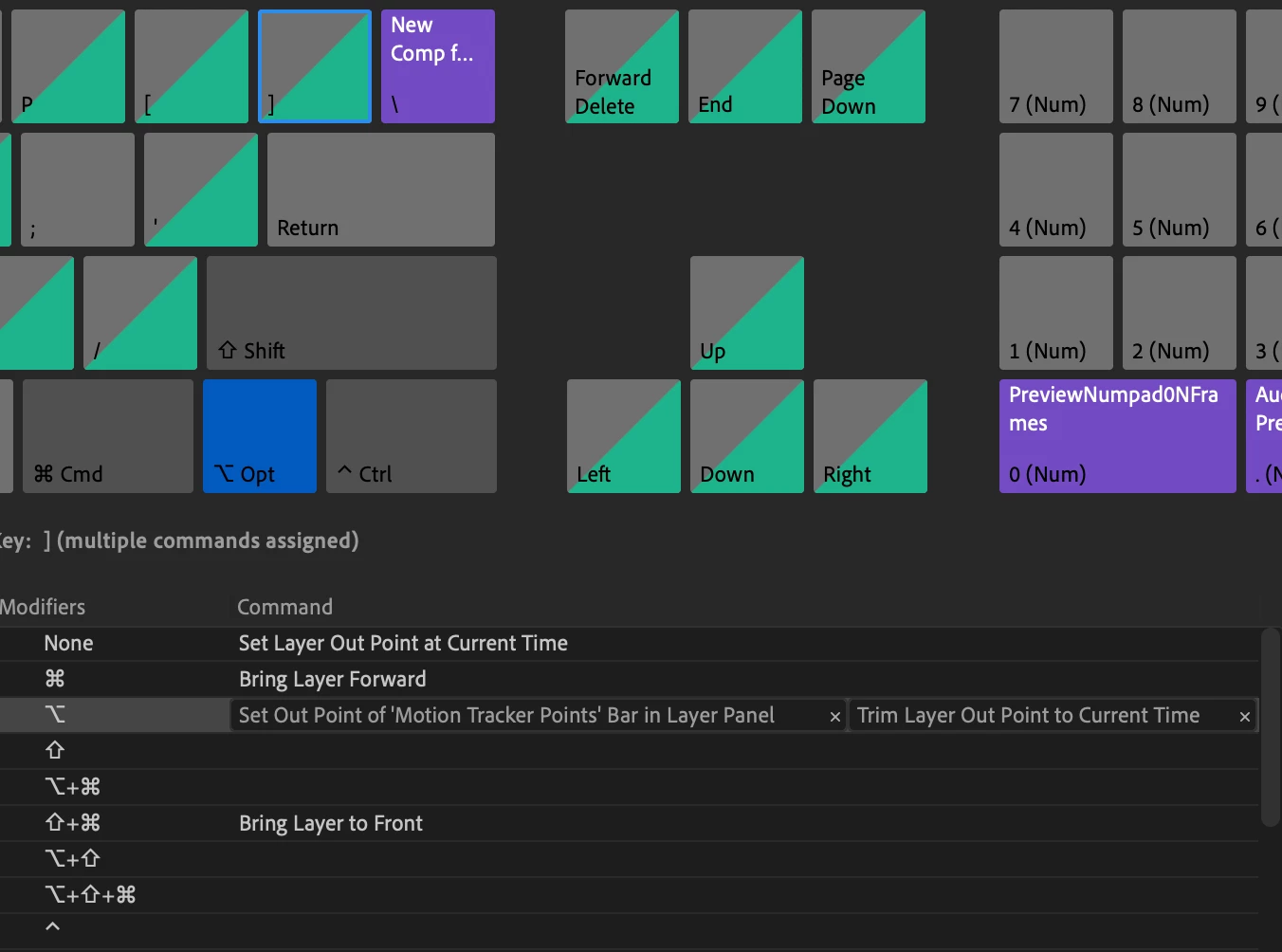
 AdChoices