

Answered
Trim Paths Causing Weird Effects
I imported an outline of the United States from Illustrator into After Effects CC 2017 and am trying to make it appear that it is being drawn on. I right-clicked the imported AI layer and clicked "Create Shape From Vector Layer". Next, I went into the shape layer and added the Trim Paths effect to it. When I try to change the End Percentage, with the intent to establish keyframes from 0% to 100%, making it look like the shape is being drawn onto the page. However, when I do this, I'm getting weird fills that show up, and the stroke outline isn't being drawn on like I was hoping. I just want the outline to be drawn on, with no fill. Here is an example of what it's doing:
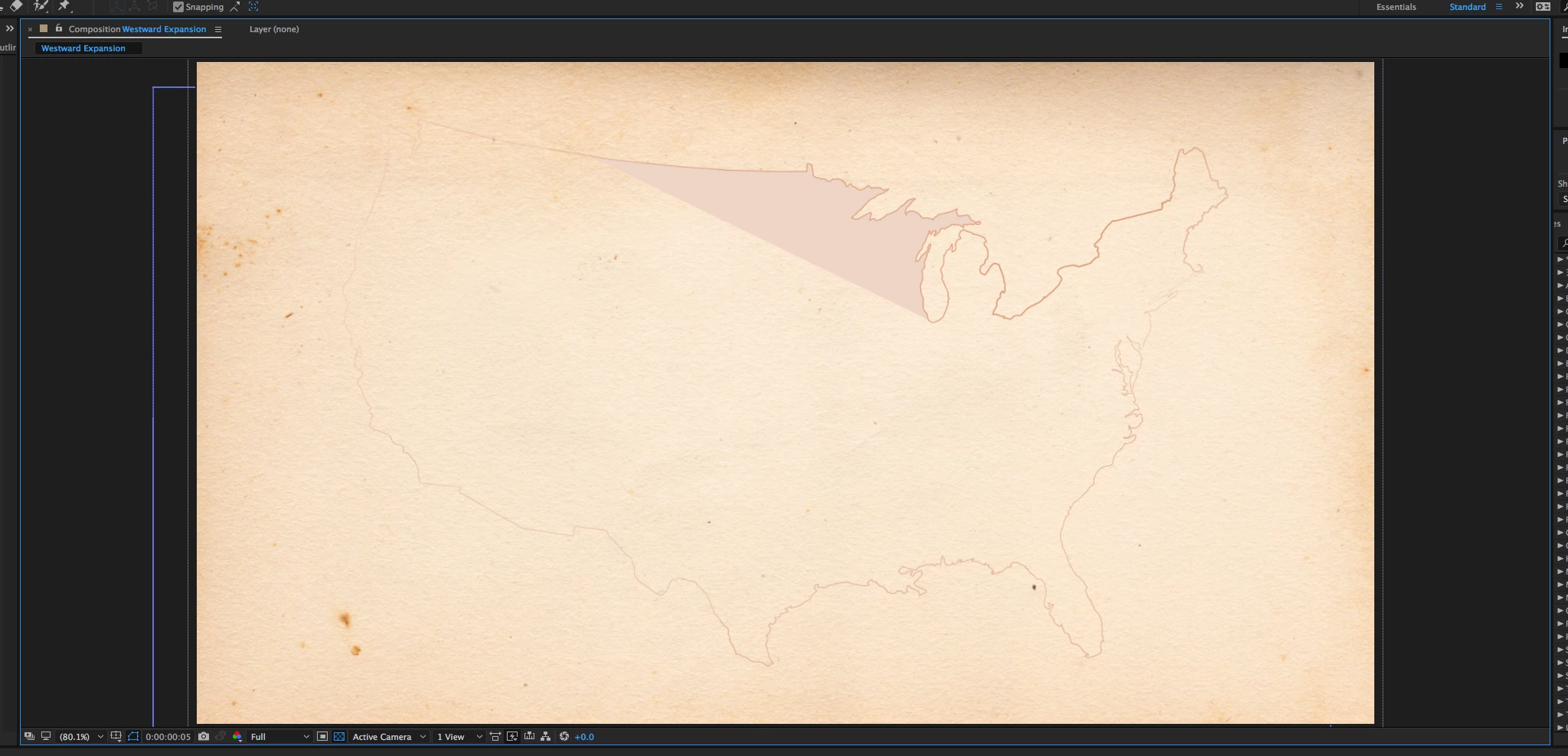
Any ideas about what I'm doing wrong? Thank you so much!
 AdChoices