
Noyster2
Inspiring
February 14, 2025
Answered

Trim paths line animation not working

  • February 14, 2025
  • 2 replies
  • 414 views

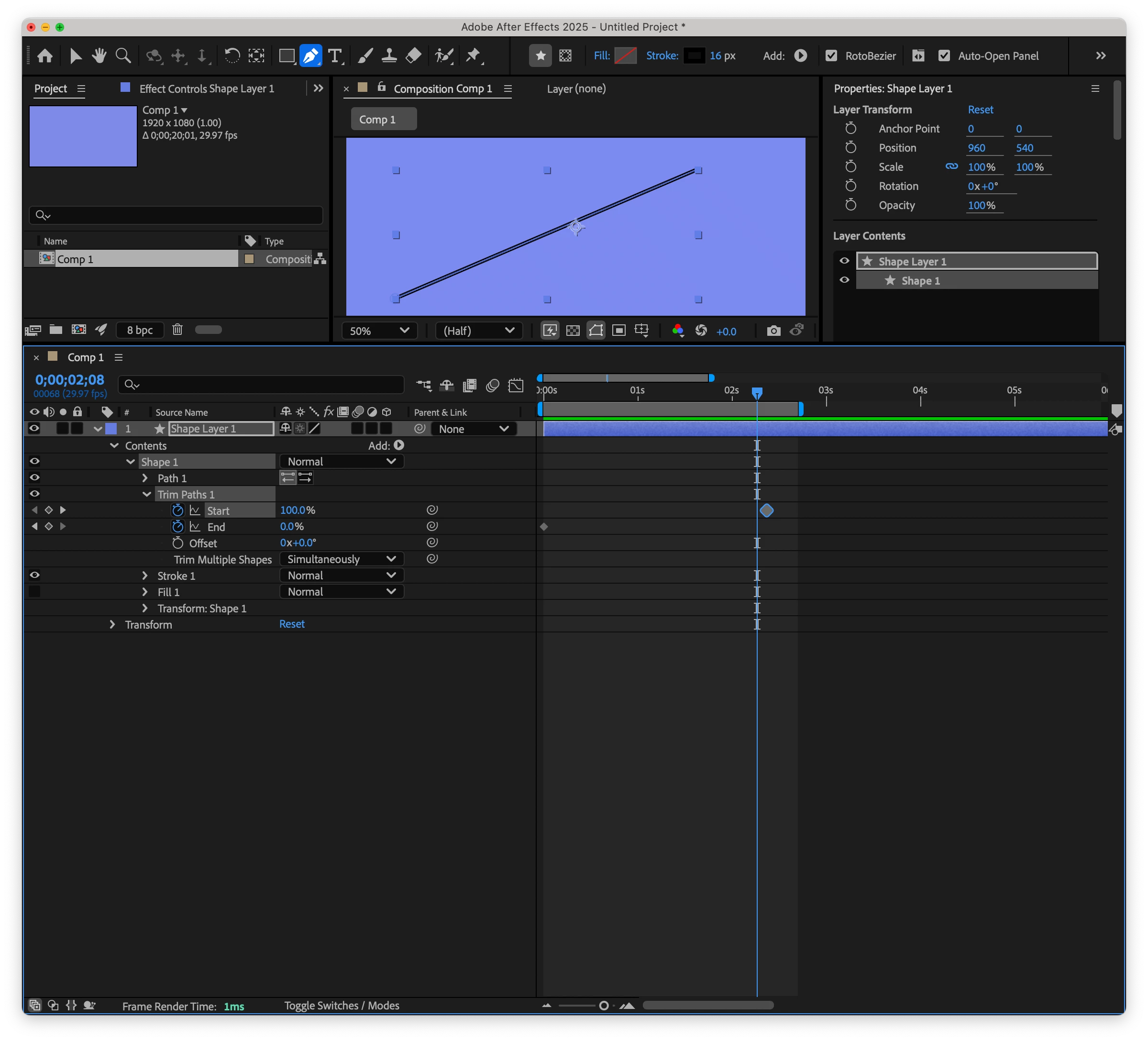
I'm just learning. Trying to recreate the I Love Lucy opening sequence. I needed a heart outline to draw itself but I cannot get trim paths line animation to work. The line just sits there the whole time. I know this is probably something stupid, so I apologize in advance, but....any help?
Correct answer Rick Gerard

You need at least two keyframes on a property to create an animation. I only see one. 


Maybe this quick tip I just produced will help you figure it out.

My Quick Tips Playlist

2 replies

Rick GerardCommunity ExpertCorrect answer
Community Expert
February 15, 2025

You need at least two keyframes on a property to create an animation. I only see one. 


Maybe this quick tip I just produced will help you figure it out.

My Quick Tips Playlist

Noyster2
Noyster2Author
Inspiring
February 15, 2025

You are so patient! THANK YOU!


Kevin J. Monahan Jr.
Community Manager
Community Manager
February 14, 2025

Hello @Noyster2,

Thanks for the question. You might try focusing on the "End" parameter. Set a keyframe at the beginning of the timeline for End and set the value to 0. Move to the second keyframe and set that value to 100. See if that works for you. I sure hope so. Take care.


Thanks,
Kevin


Kevin Monahan - Sr. Community and Engagement Strategist – Adobe Pro Video and Audio