frankmaherae
Inspiring
May 26, 2018
Answered

Trouble Creating Shape Layer from Vectors

  • May 26, 2018
  • 3 replies
  • 1178 views

Hi there,

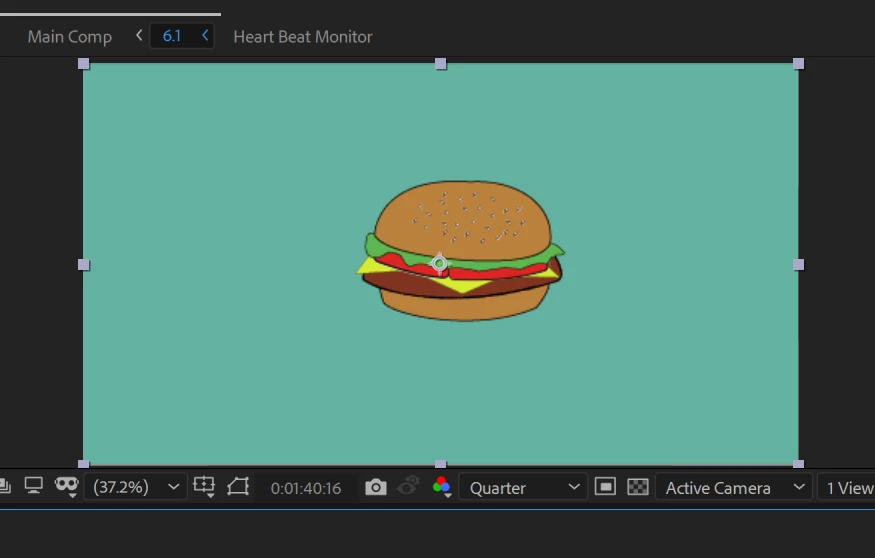
I'm just learning after effects and this is probably a very simple thing but I'm trying to import an illustrator .ai file into after effects, convert it to a shape so that I can then use the repeater to create many copies of it. This is the image:
When I then 'Create Shapes from Vector Layers' and click on the shape layer this is what I'm getting:
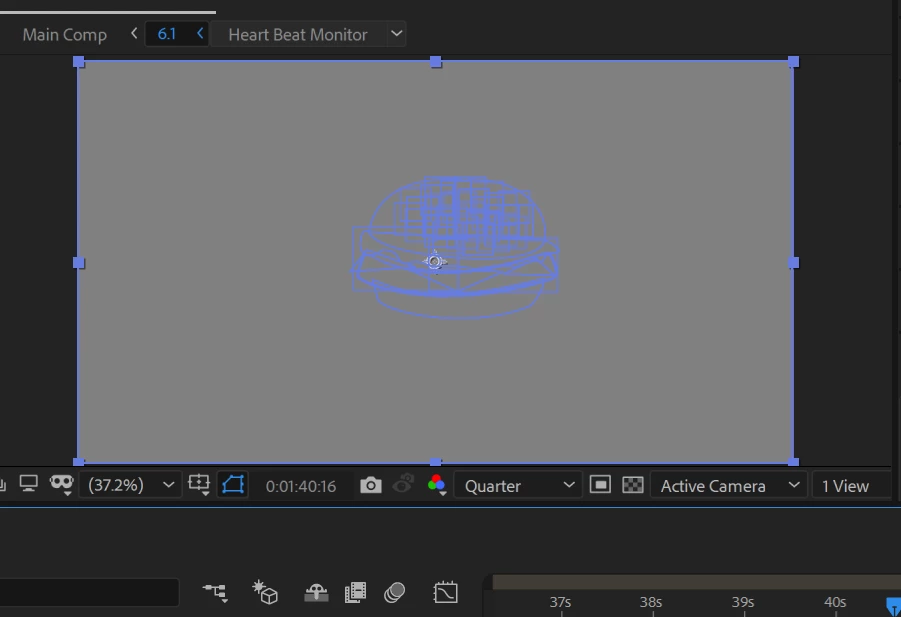
There is only one layer in the original illustrator file as I don't need to do anything with individual layers. I don't understand why the outline of the original illustrator artboard is showing up also and am wondering if the burger is hidden behind that? There seem to be many more groups in the shape layer than there were in the original illustrator file also. Any help would be much appreciated, thanks,

Frank

    This topic has been closed for replies.
    Correct answer Roei Tzoref

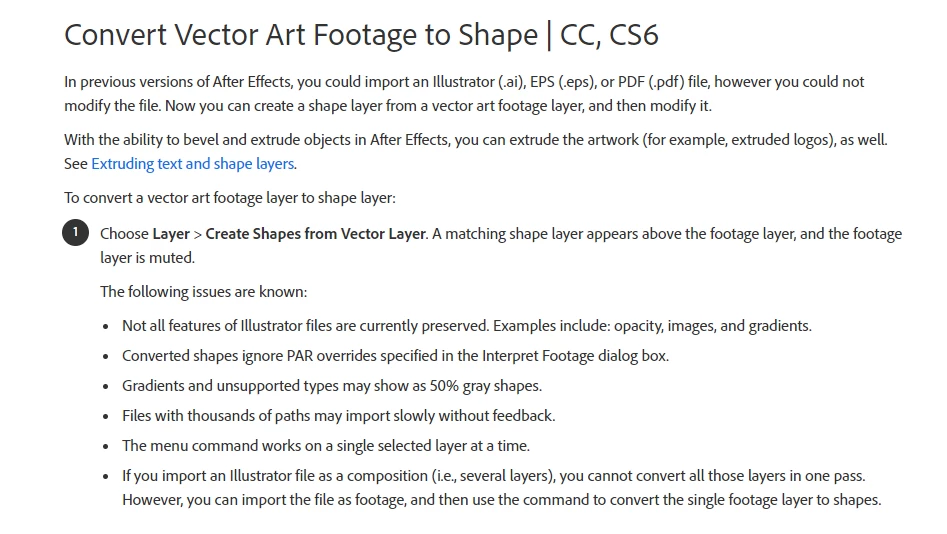
    not all features are preserved when converting to shapes. look here:

    from the help files:

    Create and customize shapes and masks in After Effects

    if all you want to do is repeat a layer, there are other ways but the repeater to achieve that and converting to shape, especially for a complex artwork with many vectors, may prove to be inefficient.

    here are some effect that can repeat:
    Motion Tile
    CC Repetile
    Tiler

    and there is this tool which is name your own price tool:
    Layer Repeater - aescripts + aeplugins - aescripts.com

    3 replies

    Community Expert
    January 20, 2024

    Unless you are using shape layer animators, animating the vector path, or extruding the layer, there is no advantage at all in converting a vector layer to a shape layer. If the vector shapes are complex, you will actually increase render time. 


    If you must have full access to complex vector layers (Illustrator files with gradients, brushes, effects, and some other things), open Adobe XD, start a new document using the File New, then use the File/Import menu to Import a PDF compatible Illustrator file, then immediately use the File/Export/Export to After Effects. After Effects opens, you will have comp containing shape layers instead of Illustrator layers. 

    If your file is really complex, you could end up with hundreds of layers and dozens of nested comps, but the layers will all be shape layers, and most of the common Illustrator features will be preserved.

    Ko.Maruyama
    Community Expert
    Community Expert
    May 26, 2018

    Are you using special Appearances to achieve your Illustrator art?

    Check (cmd+Y) in Illustrator to see what your vector art looks like.

    You may need to expand appearances before bringing it to Ae to get a better translation of those vectors to shapes.

    Participant
    January 19, 2024

    my drawing while pressing cmd+ y is black and white thats why i am also getting same error like above screenshot 
    how to fixx


    Roei Tzoref
    Roei TzorefCorrect answer
    Legend
    May 26, 2018

    not all features are preserved when converting to shapes. look here:

    from the help files:

    Create and customize shapes and masks in After Effects

    if all you want to do is repeat a layer, there are other ways but the repeater to achieve that and converting to shape, especially for a complex artwork with many vectors, may prove to be inefficient.

    here are some effect that can repeat:
    Motion Tile
    CC Repetile
    Tiler

    and there is this tool which is name your own price tool:
    Layer Repeater - aescripts + aeplugins - aescripts.com

    frankmaherae
    Inspiring
    May 26, 2018

    Thank you Roei,

    The Layer Repeater suited my needs perfectly. Appreciate the help!

    Cheers,

    f