


Legend
Oct 23, 2025 10:41 PM UTC
Answered

Troubleshoot volume change in AE

Hi there, I have a 24bit/48k .wav audio file (music) that I've been using for years in Premiere.


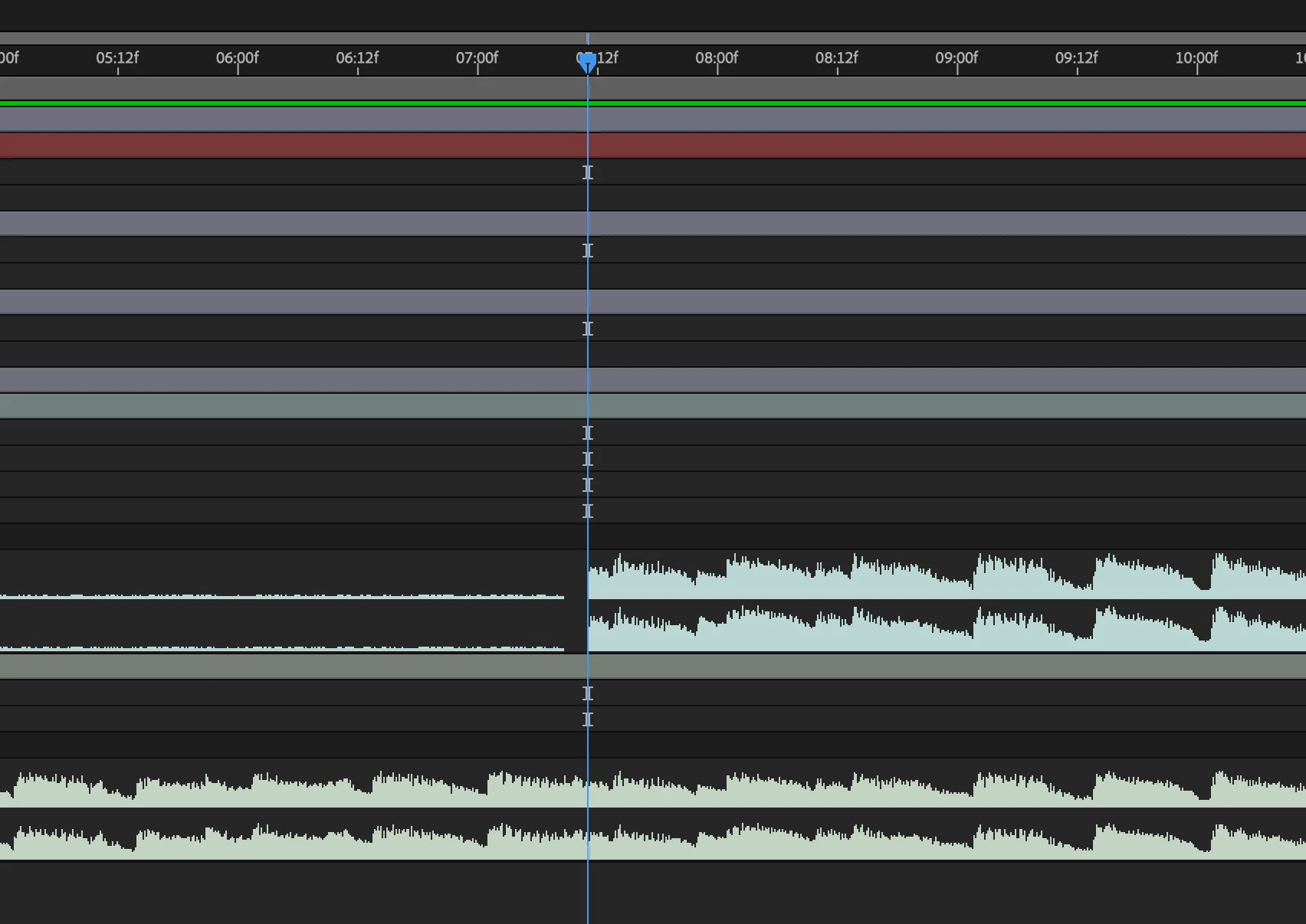
I've just started some social ads in AE but whenever the audio is in certain Comps, it jumps in volume by about 5db at around 7seconds - this volume change also renders in final renders.


In the Comps in question, there are no keyframes or effects on the audio file, nor keyframes on any other layer at that point. I've removed and re-added to the comp, purging Memory & Cache, and restarting AE. But no joy.


If I add to a new comp, there's no volume change so clearly something is causing this - does anyone know how to it track down? Have never seen this before.


Any help much appreciated. Cheers, Ben
csscmsCorrect answer
Legend
Oct 23, 2025 10:47 PM UTC

OK, found the issue.


The video layer above, somehow has a copy of the music starting at the 7sec mark - have I somehow recorded a copy of the audio into the other video layer?


I haven't seen this before - is there a shortcut I accidentally hit maybe?


2 replies

csscmsAuthorCorrect answer
Legend
Oct 23, 2025 10:47 PM UTC

OK, found the issue.


The video layer above, somehow has a copy of the music starting at the 7sec mark - have I somehow recorded a copy of the audio into the other video layer?


I haven't seen this before - is there a shortcut I accidentally hit maybe?


Translate
Kevin J. Monahan Jr.
Legend
Oct 24, 2025 1:00 AM UTC

Glad you found the issue!


Cheers,
Kevin


Translate
Kevin Monahan - Sr. Community and Engagement Strategist – Adobe Pro Video and Audio