liberty_7405
Participating Frequently
September 12, 2026
Question

Trying to create this inner glow/concentric copies in after effects

  • September 12, 2026
  • 3 replies
  • 31 views

Hi, really hoping someone can help me. Spent the last 4 hours trying every tutorial I can find on this and absolutely zero progress, pretty much given up.

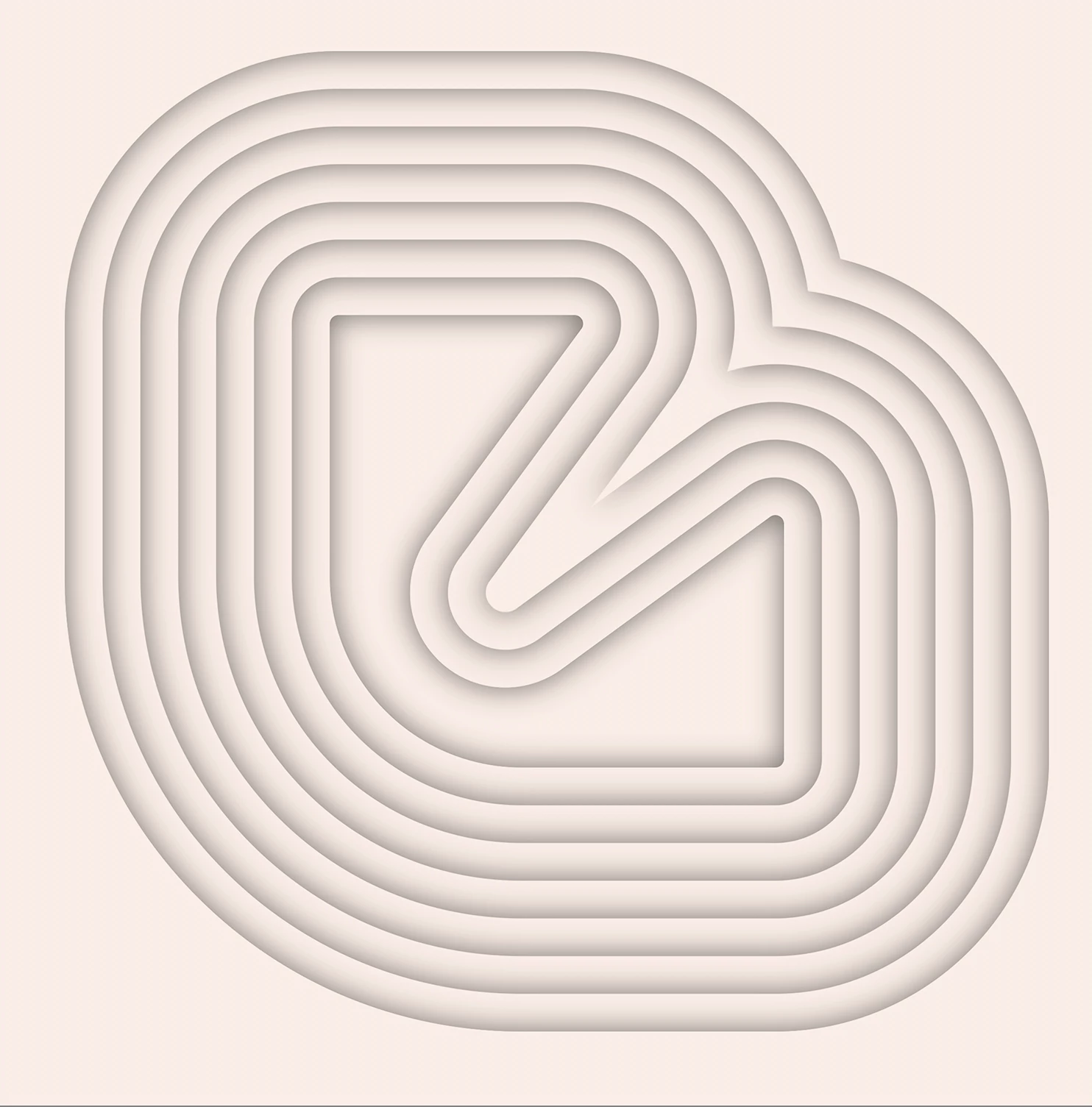
Essentially I want to create just the shape in the middle and ‘ripple’ out concentric copies so I end up with the full set of offsets. 

Ideally I want the shapes to be no fill/stroke but with a darker inner glow/shadow. The original shape is in Illustrator (although the image is created in Photoshop. Am assuming the best way is to create the glow/shadow effect in After Effects around the shape of the path?

Everytime I try I can’t get a glow without a fill or stroke which ruins the effect.

Has anyone got any suggestions?  I’m pretty new with AE although used Illustrator/Photoshop/InDesign for decades.

Start frame – still struggling to create this in AE (this is a PSD file just to show what I’m trying to achieve)
Ideal End Frame


    3 replies

    Participating Frequently
    September 13, 2026

    Hi. Couple of methods which might help. This Tut creates a series of strokes which have similar morphing shapes to the ones you show: VIDEO COPILOT | After Effects Tutorials, Plug-ins and Stock Footage for Post Production Professionals

    Create your shape as a shape then either -

    Layer/ Layer Styles/ Inner Glow

    or

    Layer/ Layer Styles/ Bevel and Emboss/ Style - Pillow Emboss/ Highlight and Shadow Colors the same/ Highlight Mode - Normal

    Trust that might give you a direction to move in or at least some ideas.

    ShiveringCactus
    Community Expert
    Community Expert
    September 13, 2026

    Take a look at the radio waves effect.  I think that might get you what you’re after.

    liberty_7405
    Participating Frequently
    September 13, 2026

    Thanks for the reply, appreciate it.  I tried that and it didn’t work from a few tutorials. I have a feeling it’s because of how I created the original graphic.

    I think the first problem is actually getting to create the top image in AE using a path. I can’t get the shape to have a fill/stroke of ‘none’ but still have that inner shadow effect. 

    Do yiou have any suggestions on how I might create that please?