Answered
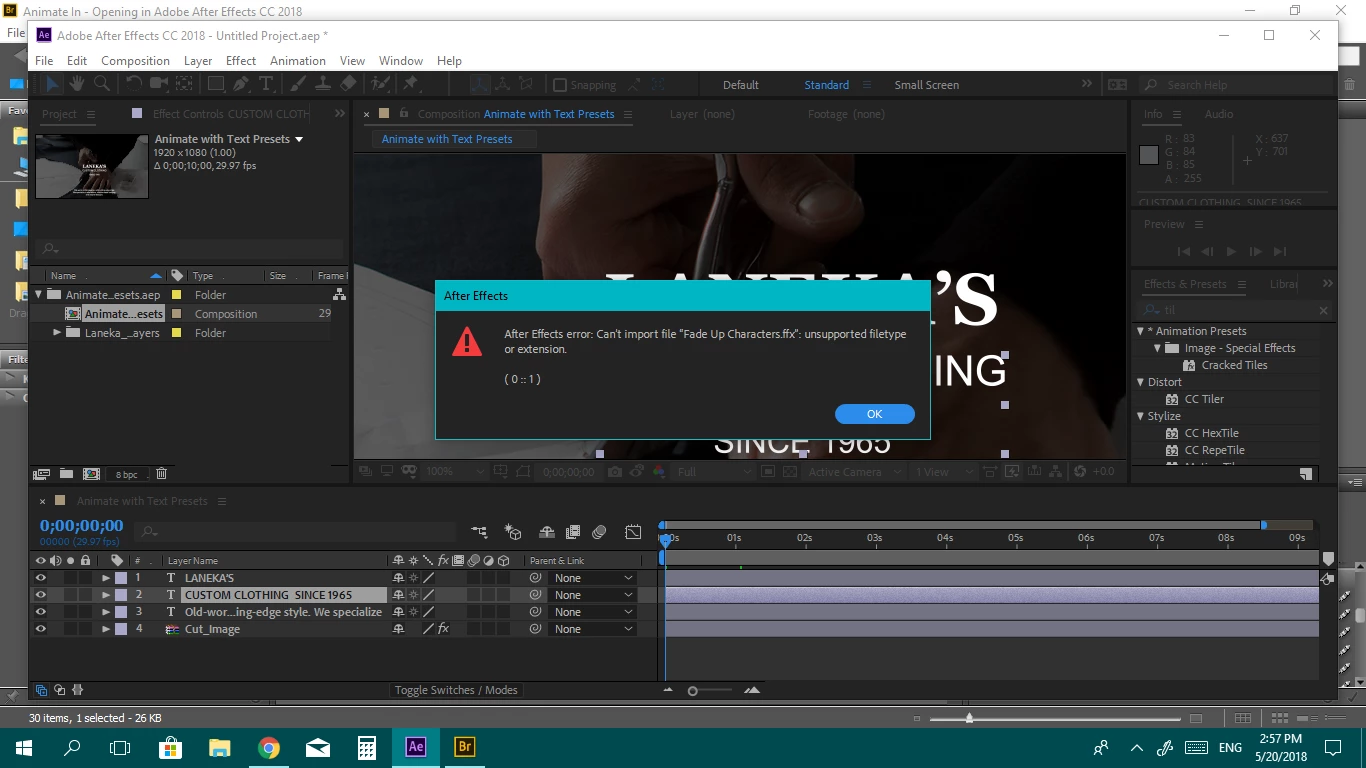
Trying to import style from Bridge to AE
Hey...
I seem to have a lot of problems as a beginner
I’m trying to import style from Bridge to AE
and I see this error ???
Hey...
I seem to have a lot of problems as a beginner
I’m trying to import style from Bridge to AE
and I see this error ???
You don't import animation presets from Bridge, you apply them to layers. The easiest way to do that is to use the Effects and Presets Panel in AE. Bridge has been a little buggy. It is a good place to browse the presets, but it has always been a lousy way to apply the effect to a layer.
If Bridge is going to work to add a preset to a layer you must select the layer In After Effects and then double-click the preset in Bridge. IF that does not work then your best option is to note the name of the animation preset and type it in the search field in the Effects and Presets panel, then drag it from there to the layer you want to apply it to or select the preset and double-click it just like you would do with any effect.
Already have an account? Login
Enter your E-mail address. We'll send you an e-mail with instructions to reset your password.
 AdChoices