Participant
January 1, 2018
Answered

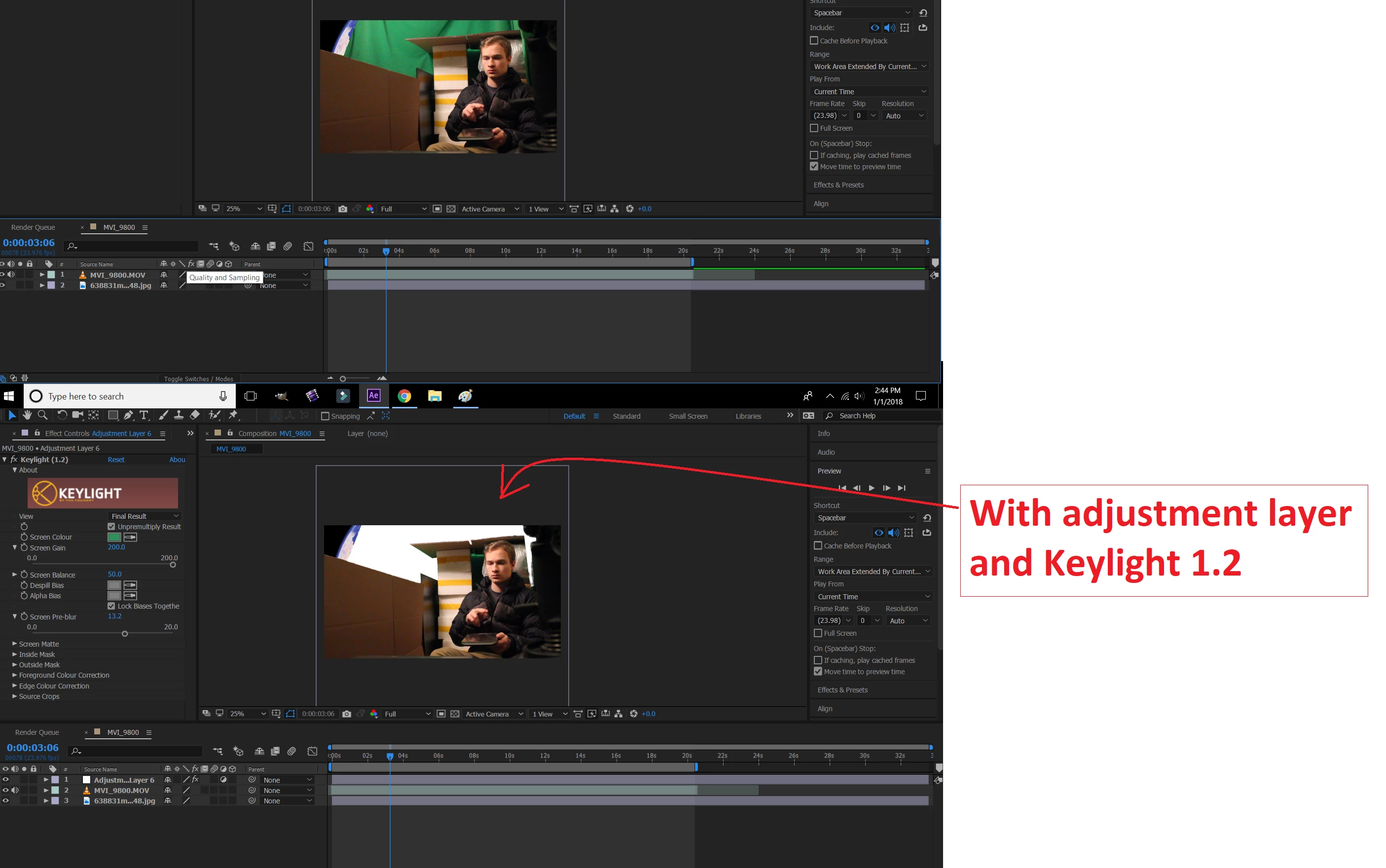
Trying to Keylight (1.2) an adjustment layer, but background turns white

  • January 1, 2018
  • 1 reply
  • 1571 views

I am trying to create a background from my green screen for a scene. However, my green screen was not very well lit, so my screen looks extremely fuzzy if I keylight the whole scene. What I want to do is keylight only the portion of the screen that is covered by green screen.

So I added an adjustment layer and keylight (1.2), but now the green screen turns white rather than the background image that I have in the layer below it. Is there a way to change the white background to my background image? (I have already tried pre-composing the layer)
This topic has been closed for replies.
Correct answer Rick Gerard

DO NOT apply Keylight to an adjustment layer. That is a bad workflow and completely defeats the purpose of creating the key and the composite. Apply Keylight (any keying software) directly to your footage. Please take the time to do some studying. Compositing requires a specific workflow to achieve acceptable results and you won't discover that workflow by just poking around inside AE.

1 reply

Rick GerardCommunity ExpertCorrect answer
Community Expert
January 1, 2018

DO NOT apply Keylight to an adjustment layer. That is a bad workflow and completely defeats the purpose of creating the key and the composite. Apply Keylight (any keying software) directly to your footage. Please take the time to do some studying. Compositing requires a specific workflow to achieve acceptable results and you won't discover that workflow by just poking around inside AE.