
Inspiring
July 15, 2019
Answered

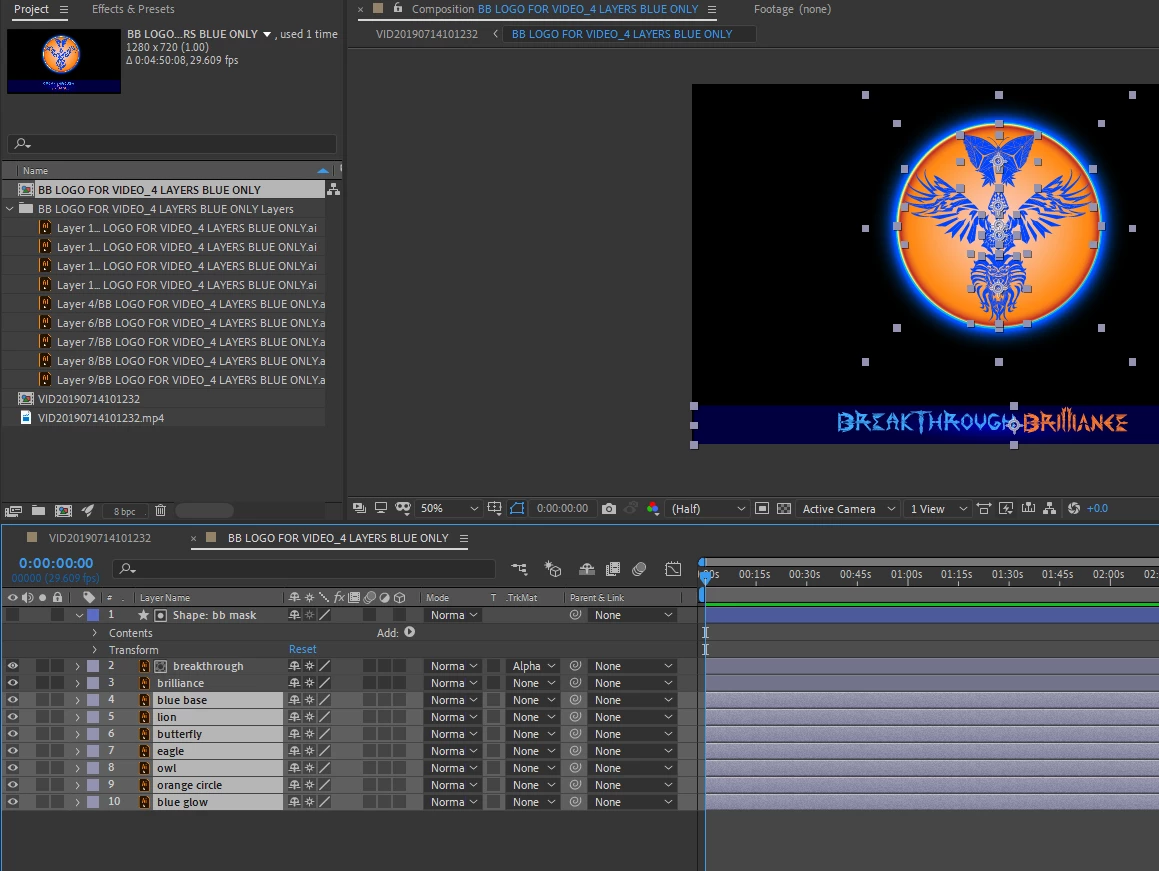
trying to scale different vector layers to center of circle with one scaling anchor point

  • July 15, 2019
  • 1 reply
  • 1293 views

I`m finding scaling these individual vector layers, scales them to their own centers. I want them to scale to the one center of the main circle.

How would I do this?

I`m trying to solve it by creating a shape layer, adding an empty folder, and dragging those layers into the group..(hoping that I can apply the one scaling center to the layers). Not having any luck with it.

This topic has been closed for replies.
Correct answer Andrew Yoole

Putting things in folders in the project window has no effect on anything in a composition.

Create a null layer and position its anchor point at the centre of your overall object.  This will be the centre point that transformations happen from.

Parent all the object layers to the null layer.  Scale the null layer.

You could skip the null layer and just parent all layers to the main circle shape in your object.  But my preference when grouping many layers is to use a null, as it provides more freedom to individually animate the seperate layers if you need to.

Another option is to select all the object layers and choose Layer/Precompose.   This will move all the selected layers to a pre-comp, leaving just one layer in your main comp to animate/scale.

1 reply

Andrew Yoole
Andrew YooleCorrect answer
Inspiring
July 15, 2019

Putting things in folders in the project window has no effect on anything in a composition.

Create a null layer and position its anchor point at the centre of your overall object.  This will be the centre point that transformations happen from.

Parent all the object layers to the null layer.  Scale the null layer.

You could skip the null layer and just parent all layers to the main circle shape in your object.  But my preference when grouping many layers is to use a null, as it provides more freedom to individually animate the seperate layers if you need to.

Another option is to select all the object layers and choose Layer/Precompose.   This will move all the selected layers to a pre-comp, leaving just one layer in your main comp to animate/scale.

Inspiring
July 15, 2019

awesome thanks Andrew!

Your answers are always more clear than when I watch videos haha!

Thanks for all the options layed out.

thanks for the time to explain it.