Known Participant
April 11, 2020
Answered

Trying to use a Null Checkbox to turn OFF a Light Layer

  • April 11, 2020
  • 2 replies
  • 797 views

I have a null that has multiple checkboxes that turn the transparency to 0 on layers I don't need to see while working on the project. 


Is there a way to actually turn a light layer off with this strategy? 


Intensity doesn't work because setting it to zero still keeps the light in the scene and sucks it all to black. 

Currently, it's not a huge hassle to bring my lights and null layers together and just click the (eye) on the light layers. But it'd be nice to have it all in one conrol.


Thanks in advance!
This topic has been closed for replies.
Correct answer Rick Gerard

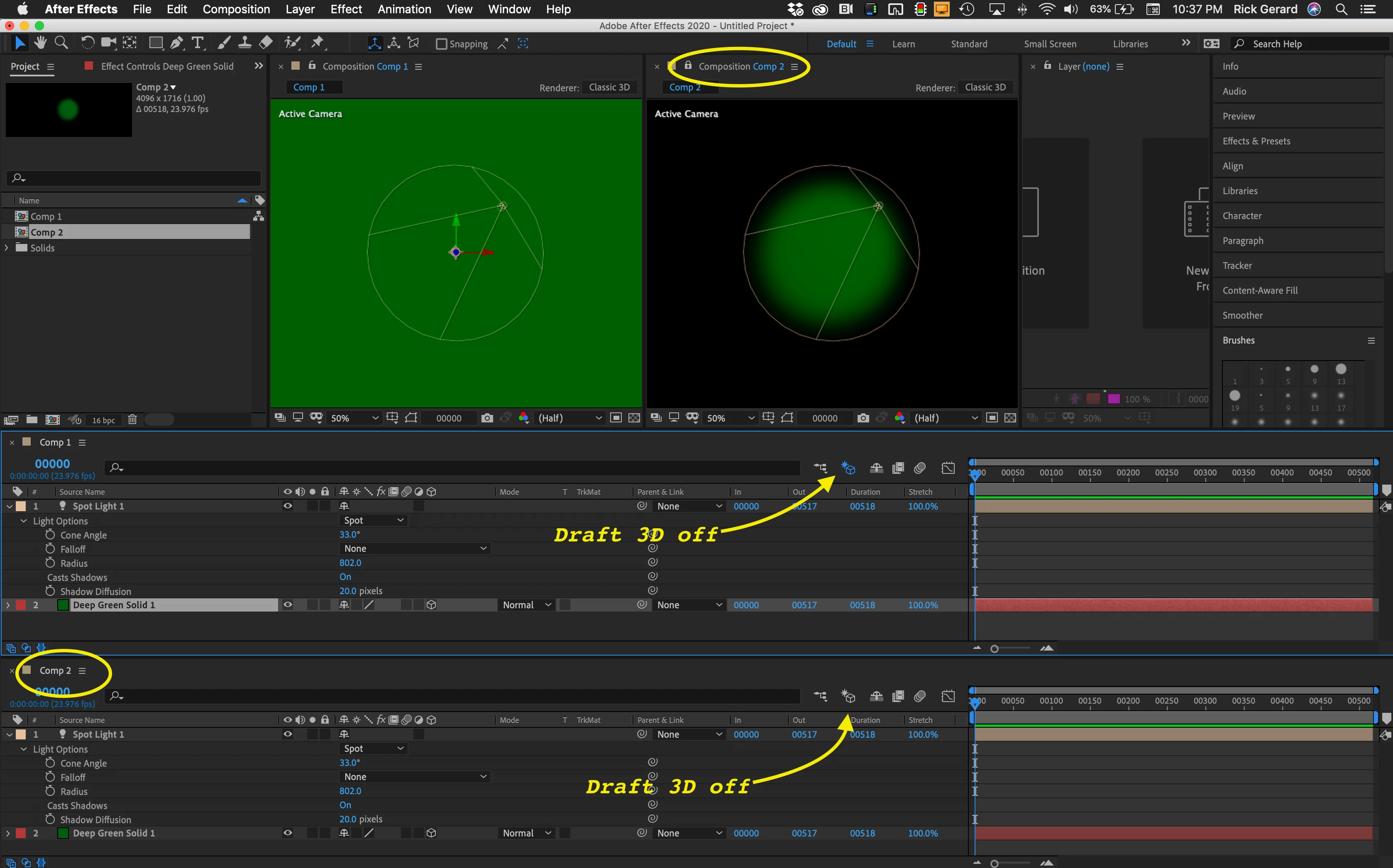
Easier way to move things around - Draft 3D. I use it all the time. Must faster than any other solution.

Two identical comps. OOPS, typo on the bottom call-out - Draft 3D is on.

2 replies

Rick GerardCommunity ExpertCorrect answer
Community Expert
April 11, 2020

Easier way to move things around - Draft 3D. I use it all the time. Must faster than any other solution.

Two identical comps. OOPS, typo on the bottom call-out - Draft 3D is on.

Roland Kahlenberg
Legend
April 11, 2020

Disabling a 3D Layer's Accept Lights prop is the only way to get this to work but it may not be ideal depending for all use-cases.

Very Advanced After Effects Training | Adaptive & Responsive Toolkits | Intelligent Design Assets (IDAs) | MoGraph Design System DEV