
Question
Turbulent Displace - Evolution slows down earlier than expected
layer Name: Displace Adj.
Effect Name: Turbulent Displace
This effect makes the edges randomly warp and move.
At 2 minutes & 36 seconds, the effect restarts and the effect is much slower.
I want the effect to continue warping the edges at the same speed for 5 minutes (ideally 10 minutes) then reloop back to the start.
I have tried a variety of Evolution Expressions but have been unsuccessful.
- If I configure the Evolution to loop back to the start at 2 minutes & 30 seconds, the effect works as expected and doesn't slow down.
- (time - inPoint) * 210 % 31500
- If I configure the evolution to loop back to the start at 3 minutes, the effect slows down at 2 minutes & 36 seconds, but it does loop back to the start as expected.
- (time - inPoint) * 210 % 37800
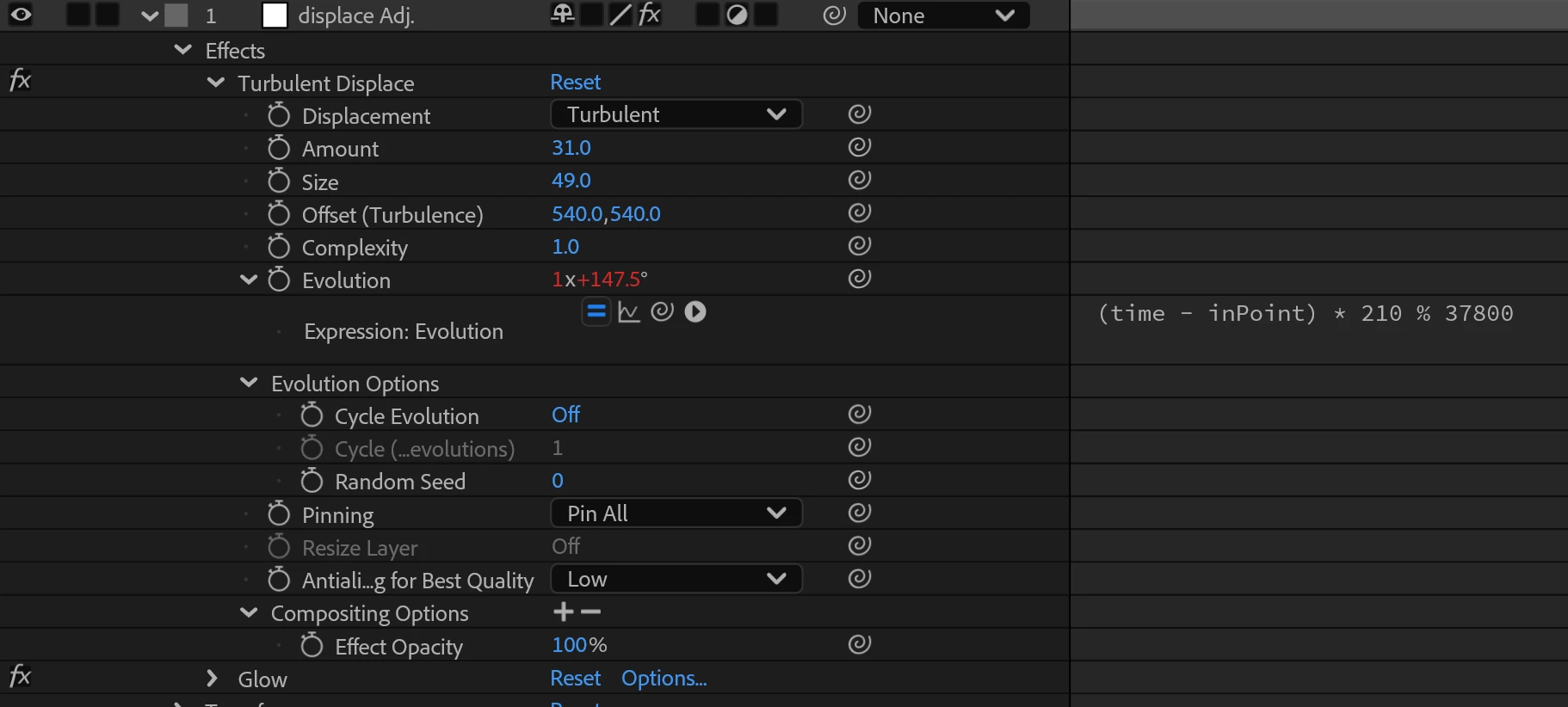
What am I missing that is causing the effect to slow down at 2 minutes and 36 seconds? Thanks!


 AdChoices