Participant
June 9, 2024
Question

Type in path

  • June 9, 2024
  • 2 replies
  • 133 views

My words are facing the wrong way.

How i do:

1. I type my word

2. I create masks under same word

3.  I select " Mask 1"

4. It doesnt face like the photo below
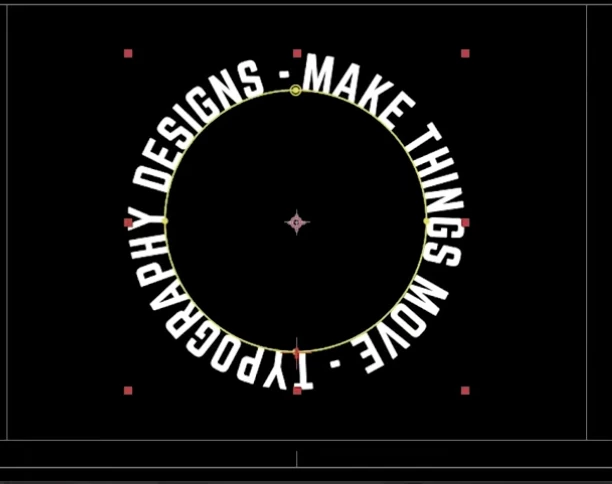
However, it face like the photo below:
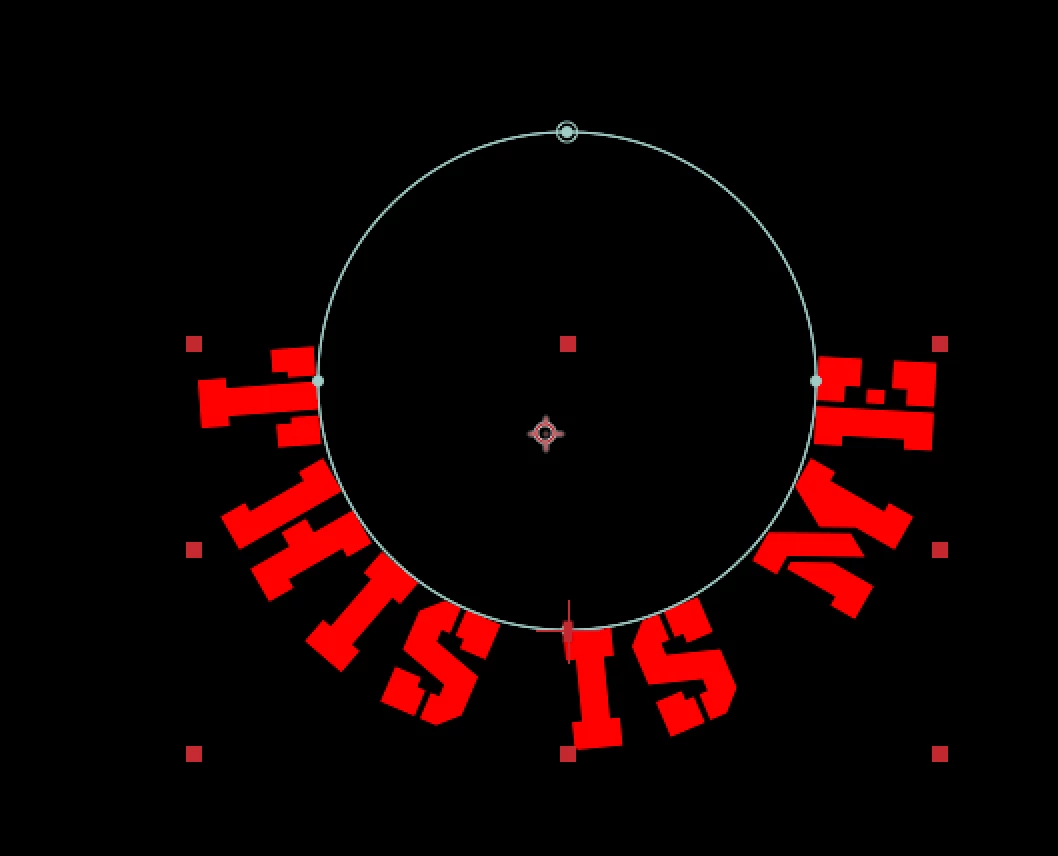
 

Please kindly help, thank you.

This topic has been closed for replies.

2 replies

thepixelsmith
Community Expert
Community Expert
June 25, 2024

A couple of things to keep in mind when working with Text on a Path.

One of them may be what is causing this problem.

1. The settings in the character & paragraph properties will affect the look. Usually I reset them using the menu in the Properties panel or the character & paragraph panels to get rid of any scaling or baseline, tracking that may screw up the alignment.

2. There are two ways to make a text layer point text (when you click with the type tool and just start typing or copy/paste) and area text (where you click and drag to create a text box first).

Point text is a lot more controllable when working with text on a path.

3. In the Text layer's Path Options there is a property called Reverse Path that can flip the text from alignment.

nishu_kush
Community Manager
Community Manager
June 25, 2024

Could you expand the layer properties and share a screenshot? It'll help us understand what's happening.

We're here to help.


Thanks,
Nishu