


Participant
September 21, 2020
Question

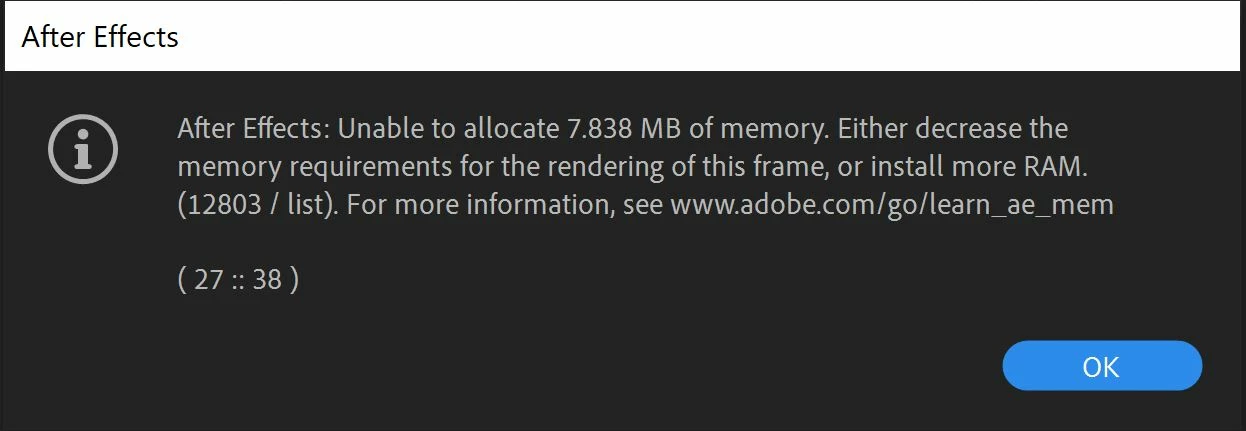
Unable to Allocate Memory
  • September 21, 2020
  • 1 reply
  • 831 views

I keep trying to import a Photoshop File as a composition and every time I do this comes up. I have done everything that is listed here https://helpx.adobe.com/after-effects/kb/allocate-memory-error.html that is supposed to fix this problem but nothing works. Alocated more memory, cleared the cache, everything. I have even tried this on another computer and I get the same result.

This topic has been closed for replies.

1 reply

Andrew Yoole
Inspiring
September 21, 2020

Obviously we need some rudimentary info to assist.


How much RAM does your system have, and how much is allocated to AE?

What is the file size and resolution of the problem PSD?  What colour mode is the PSD?  How many layers in the PSD?

Do you have issues with any other PSDs when importing, or just the one?


Participant
September 21, 2020

I believe my system in total has 8G of ram and previous 6 was allocated for Adobe material and I changed it so now it is 6.5.

The Photoshop file is 29.6MB. I am not sure exactly how many layers as I got it from a graphic designer and a lot of material is nested in folders but safe to say there are a lot. The colour mode is RGB. Image is 2880 x 1880.


I was given several other PSD files from the designer and it seems as though some of them are able to import correctly.

OussK
Community Expert
Community Expert
September 21, 2020

8GB is to small for AE even if you're able to run the software on 8GB RAM, but you will face a lot of trouble, try to end task all the applications that run in the background, then import your file