
Unable to Change Original Duration of File/Composition.
Hi I am new to After Effects (Great experience so far) but have an issue dont know where I did wrong and unable to find solution
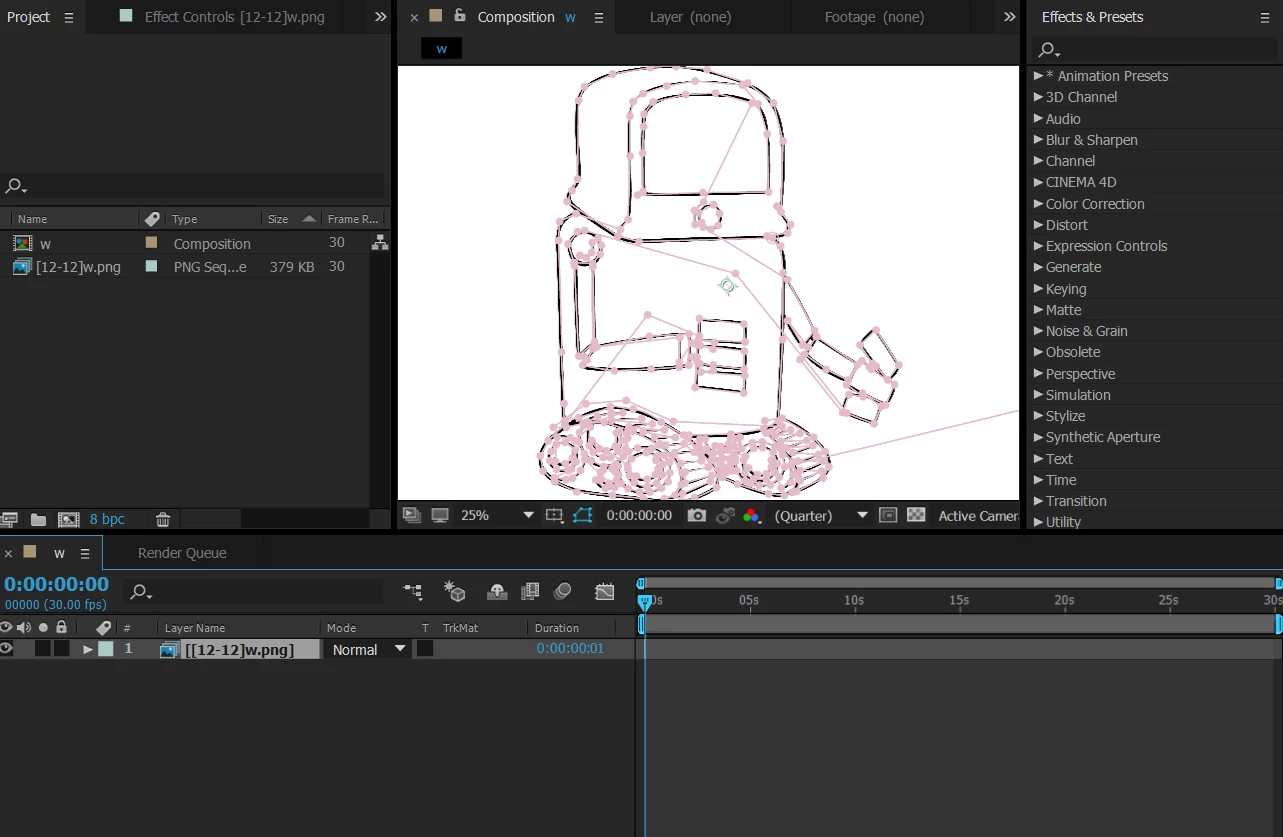
When I worked on the compostion everything was fine but now when I reopen the project, I am facing 2 problems (observed so far)
1: The file names changed be itself.
12w → w (composition)
12w.png → [12-12]w.png (source file)
2: the original duration of the file/composition geos 0:00:00:01 and that length does not work for me. Max stretch is 9900 which makes it 0:00:03:09. That length also dont work for me plus that huge stretch doesn't make sense.
I am basically creating whiteboard animation and when I copy mask path to another file (human hand), everything goes wrong. (Needed to mention that I already created some similar animations successfully)


 AdChoices