
Concept-Production
Inspiring
August 5, 2020
Question

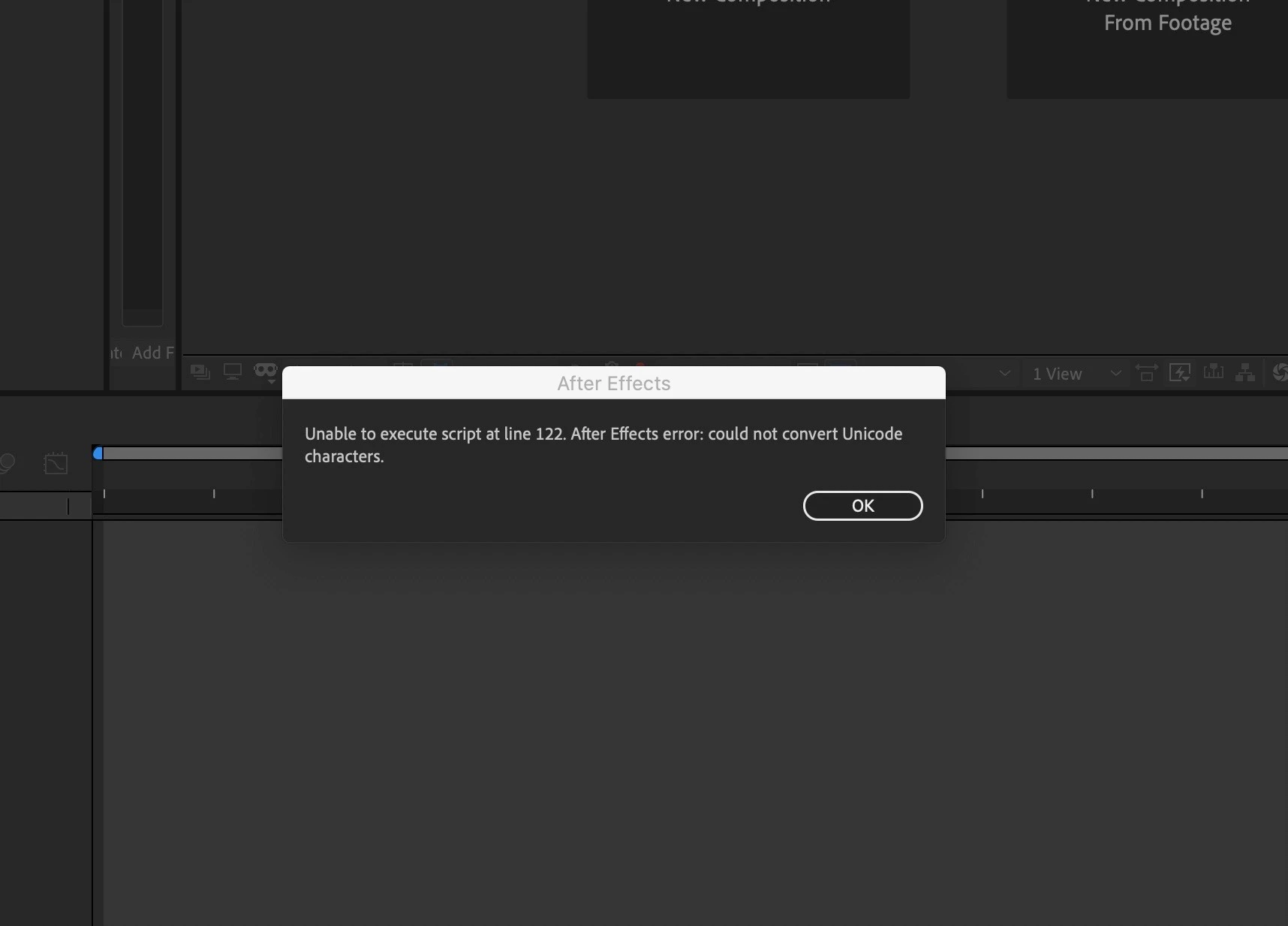
Unable to execute script at line 122. After effect could not convert Unicode Characters (ON MAC)

  • August 5, 2020
  • 1 reply
  • 360 views

Hello everybody I am using Mac OS Catalina version 10.15.6 and my After Effect 2020 version 17.1.2 start till the execution window. And then comes this pop-up message (Unable to execute script at line 122. After effect could not convert Unicode Characters). Anybody know how to solve it.
Bless you.
    This topic has been closed for replies.

    1 reply

    ToolfarmJP
    Community Expert
    Community Expert
    August 11, 2020

    What script is written at line 122 say? Are there any special characters in your file name and folder name?

    Concept-Production
    Inspiring
    August 22, 2020

    Thank you ToolfarmJP, yes I am using French language so there are tons of special characters in French language.
    And I think your questions have led me to this way. Thanks 
    I finally solve the problem but I don’t know if that is the real way of dealing with. I would advise anybody but it has worked for me.
    I delete all the custom fonts on my Mac I clean up all the junk and I restart my Mac and it works.

    Erns R.