Participating Frequently
September 3, 2021
Answered

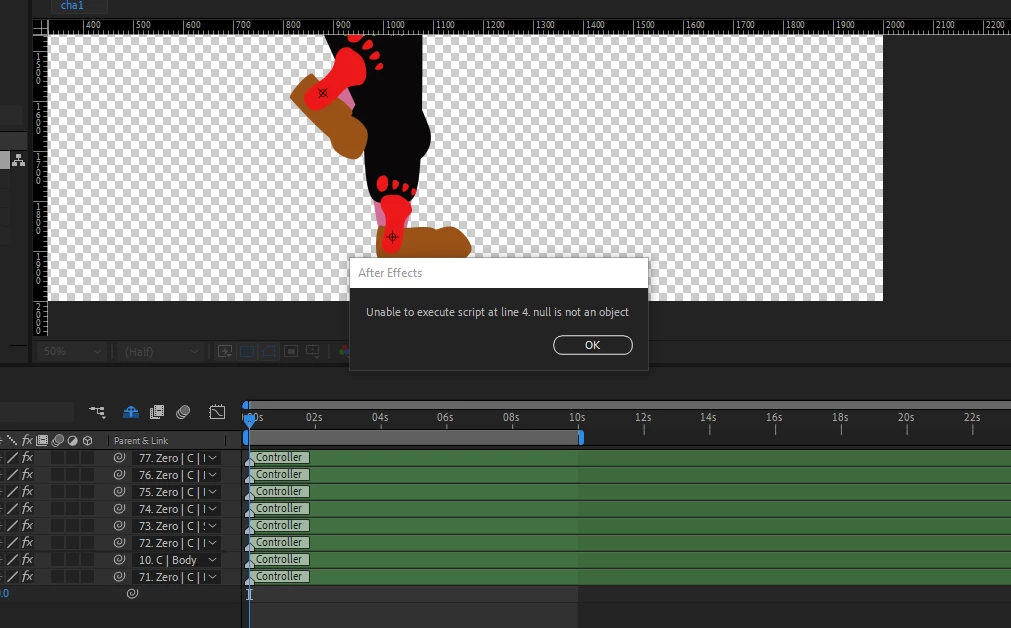
unable to execute script line 4. null is not an object.

  • September 3, 2021
  • 2 replies
  • 1985 views

Hello!


I'm trying to write my first script for after effects but I keep getting this message 'unable to execute script line 4. null is not an object.' What does it mean?


Thanks!


This topic has been closed for replies.
Correct answer Paul Tuersley

There's a fair bit wrong in that code but I guess it's tripping up because of the prop.addProperty thing. addProperty is a method for adding things like an effect to a layer but it's not applicable here. You said you wanted to add position expressions so you don't even need selectedProperties either, although you weren't using that correctly too as selectedProperties is an array of all selected properties where you'd then access them one at a time using prop[0], prop[1], etc.


And you really should be testing whether activeItem is a valid comp as it returns either the currently active comp, a selected item in the project panel, or null if no comps are selected or multiple items selected in project panel. At every stage you need to be verifying the validity of what you're then relying on in later code.


As for whether you even need a function for this, that depends on where you're taking the script. Typically you might want to add a UI and have a button that on clicking calls a function. But in that case you really need to be putting everything beginning with defining and checking the activeItem into your onClick function. It's a common mistake people make to define those variables on initial script launch and fail to consider it needs to keep working as expected when the user switches comps. If you plan to launch the script every time though then you don't even really need a function, just something to loop through any currently selected layers.


You might also want to avoid just accessing variables defined outside the function when inside the function, rather than sending the relevant object to the function (I kinda show that here in that prop and theProp are two different variables with theProp defined inside the function). You can use global variables and access them inside a function if you really need to but possibly not best practice for you right now. You can get all kinds of unexpected behaviour if you don't fully understand the scope of your variables and use the same ones inside and outside of functions.


I fixed your expression too as I presume you meant 'time' not 't'. So this isn't necessarily the right solution as I don't know what you're ultimately planning, but it is at least a working solution.


var layer, prop, x;
var comp = app.project.activeItem;

function bdy(theProp){
	theProp.expression =
	'y=Math.sin(time*2*Math.PI)*10;\n' +
	'value + [0,y]'
}

if (comp != null && comp instanceof CompItem) {
	
	for (x = 0; x < comp.selectedLayers.length; x++) {
		layer = comp.selectedLayers[x];
		prop = layer.property("ADBE Transform Group").property("ADBE Position");
		bdy(prop);
	}
}


2 replies

Mylenium
Legend
September 3, 2021

Without actually seeing your code nobody can of course answer this.


Mylenium

aidan5C77Author
Participating Frequently
September 3, 2021

Yes, fair point. I want to add an expression to the position property of a selected layer, but obviously I am not selecting the property correctly. For example:

var comp = app.project.activeItem;
var layer = comp.selectedLayers;
var prop = layer.selectedProperties;
function bdy(){
    prop.addProperty.expression =
    'y=Math.sin(t*2*Math.PI)*10;\n' +
    'value + [0,y]'
}
bdy();
Paul TuersleyCorrect answer
Inspiring
September 3, 2021

There's a fair bit wrong in that code but I guess it's tripping up because of the prop.addProperty thing. addProperty is a method for adding things like an effect to a layer but it's not applicable here. You said you wanted to add position expressions so you don't even need selectedProperties either, although you weren't using that correctly too as selectedProperties is an array of all selected properties where you'd then access them one at a time using prop[0], prop[1], etc.


And you really should be testing whether activeItem is a valid comp as it returns either the currently active comp, a selected item in the project panel, or null if no comps are selected or multiple items selected in project panel. At every stage you need to be verifying the validity of what you're then relying on in later code.


As for whether you even need a function for this, that depends on where you're taking the script. Typically you might want to add a UI and have a button that on clicking calls a function. But in that case you really need to be putting everything beginning with defining and checking the activeItem into your onClick function. It's a common mistake people make to define those variables on initial script launch and fail to consider it needs to keep working as expected when the user switches comps. If you plan to launch the script every time though then you don't even really need a function, just something to loop through any currently selected layers.


You might also want to avoid just accessing variables defined outside the function when inside the function, rather than sending the relevant object to the function (I kinda show that here in that prop and theProp are two different variables with theProp defined inside the function). You can use global variables and access them inside a function if you really need to but possibly not best practice for you right now. You can get all kinds of unexpected behaviour if you don't fully understand the scope of your variables and use the same ones inside and outside of functions.


I fixed your expression too as I presume you meant 'time' not 't'. So this isn't necessarily the right solution as I don't know what you're ultimately planning, but it is at least a working solution.


var layer, prop, x;
var comp = app.project.activeItem;

function bdy(theProp){
	theProp.expression =
	'y=Math.sin(time*2*Math.PI)*10;\n' +
	'value + [0,y]'
}

if (comp != null && comp instanceof CompItem) {
	
	for (x = 0; x < comp.selectedLayers.length; x++) {
		layer = comp.selectedLayers[x];
		prop = layer.property("ADBE Transform Group").property("ADBE Position");
		bdy(prop);
	}
}


Mathias Moehl
Community Expert
Community Expert
September 3, 2021

Take a look at line 4 of your code.

Say line 4 looks like this:


layer.name = "new name";


then the error means that "layer" is null and not an object that has properties like ".name" (and it is your job now to figure out why it is null).


Typical scenarios for this are that app.project.activeItem is null, for example, when there is no active item (i.e. no active comp and nothing selected in the project panel).

Mathias Möhl - Developer of tools like BeatEdit and Automation Blocks for Premiere Pro and After Effects
