Hi Gutterfish and Rick, thank you both very much for your help. Gutterfish, no it doesn't. That was actually the first thing I checked, but changing resolution to full didn't solve my problem.
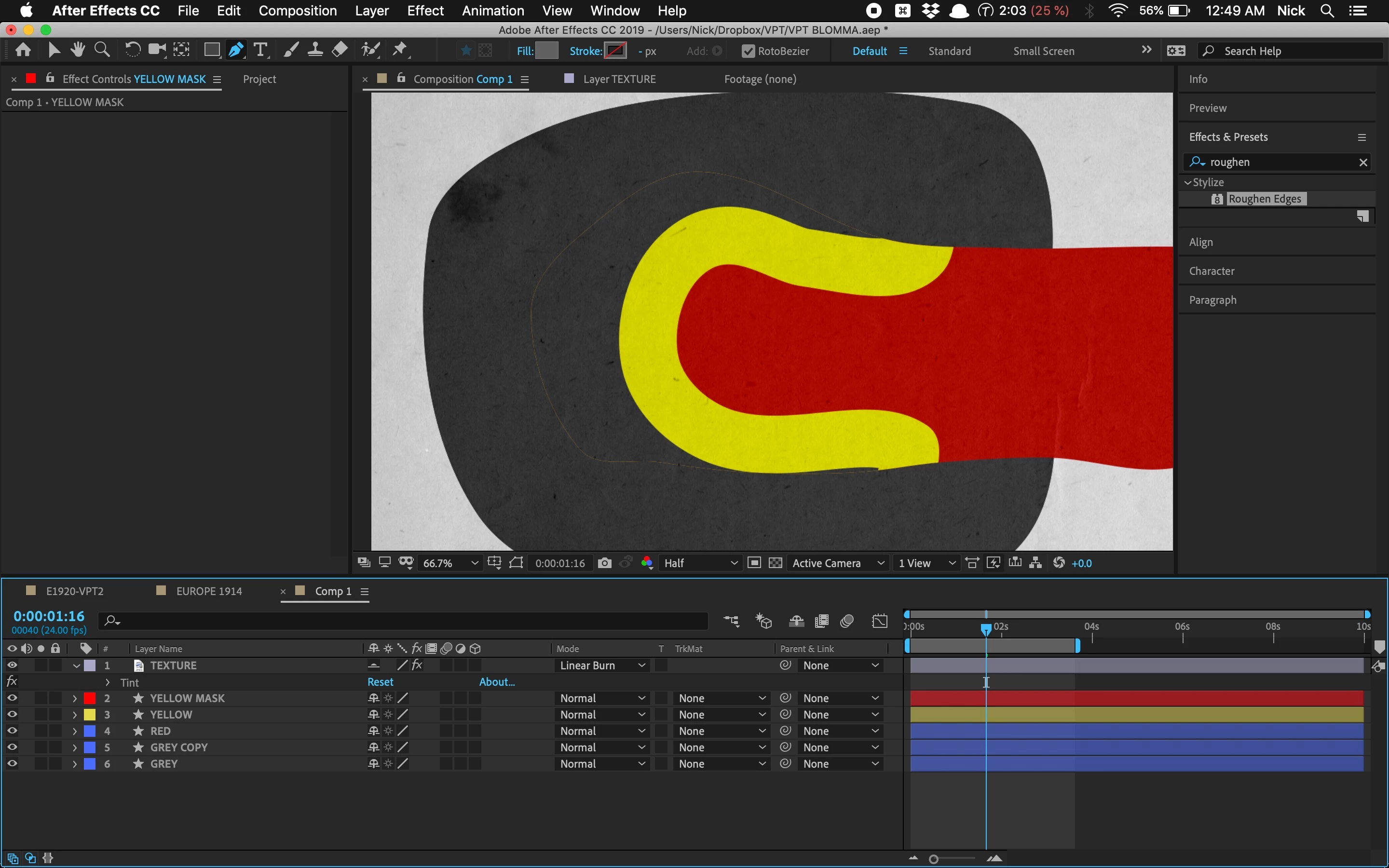
Rick, here are some more picts to show what's going on. Just a little background here on the animation. I actually intend to animate these masks on a map of 1938 Europe to illustrate territorial changes resulting from the Munich Agreement. The grey layer is supposed to be Nazi Germany, the red layer Czechoslovakia, and the yellow would be Czechoslovakia's Sudetenland.
I was just doing a rough test with shapes first to stage the animation. Using masks seemed like an easy way to do it until I ran into the faint line problem. I thought the easiest way to do the animation would be to wipe away the yellow layer using "mask expansion" in reverse since I wanted to show Germany ingesting the Sudetenland. So rather than wiping away the yellow layer in a north/south or west east direction, the "mask expansion" (in reverse) method allows me to show the yellow layer being eaten away by the grey layer from the outside in.
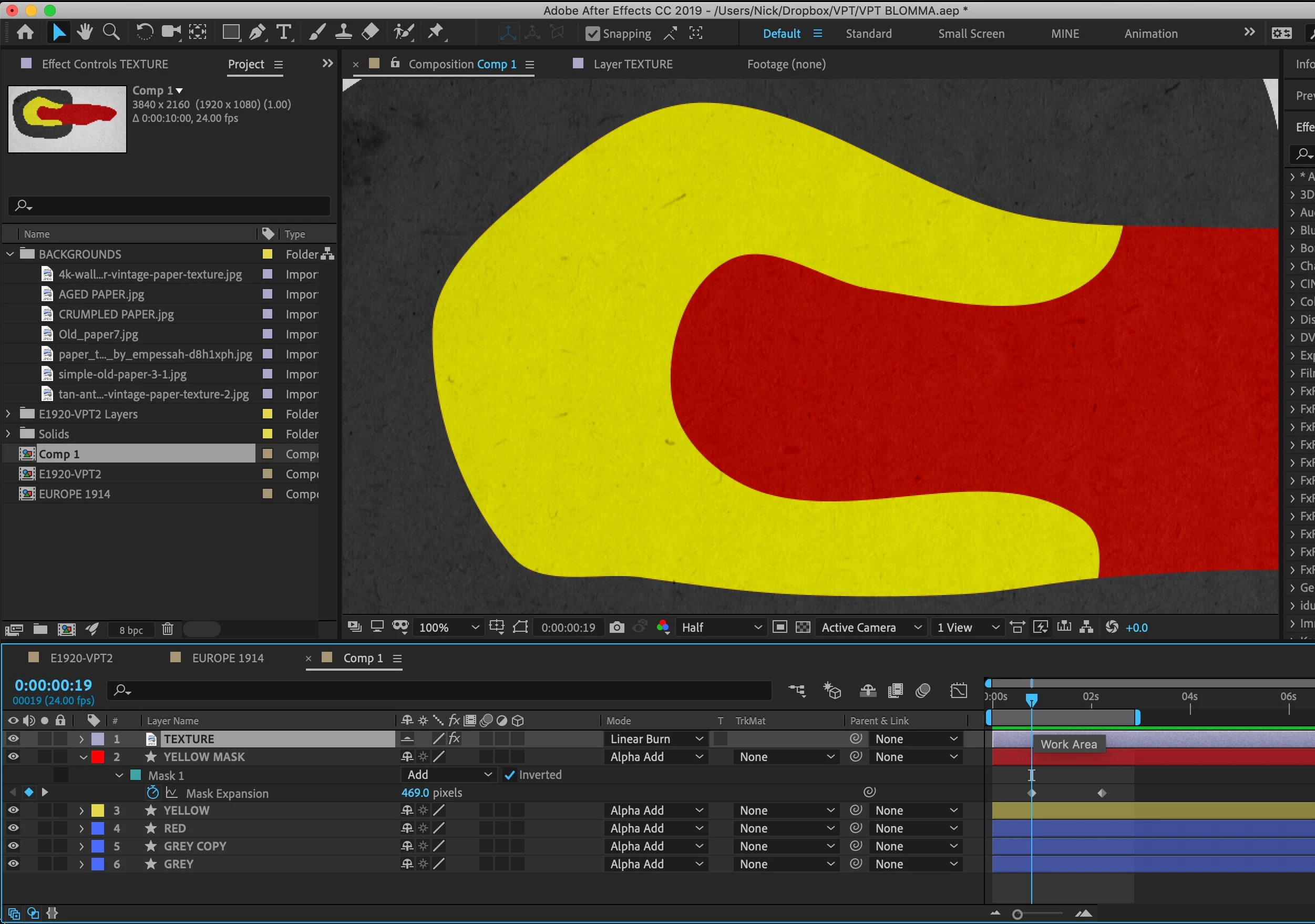
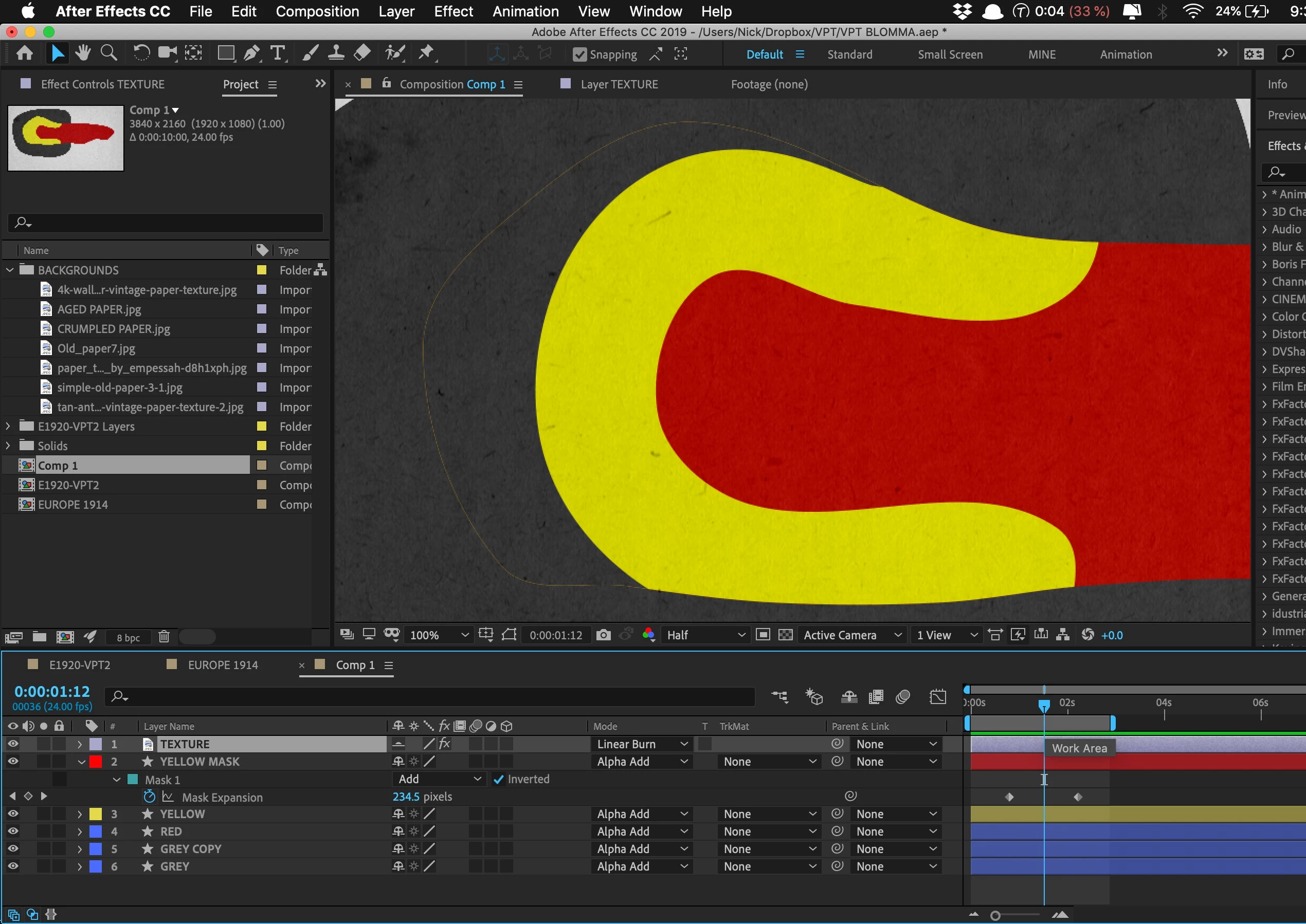
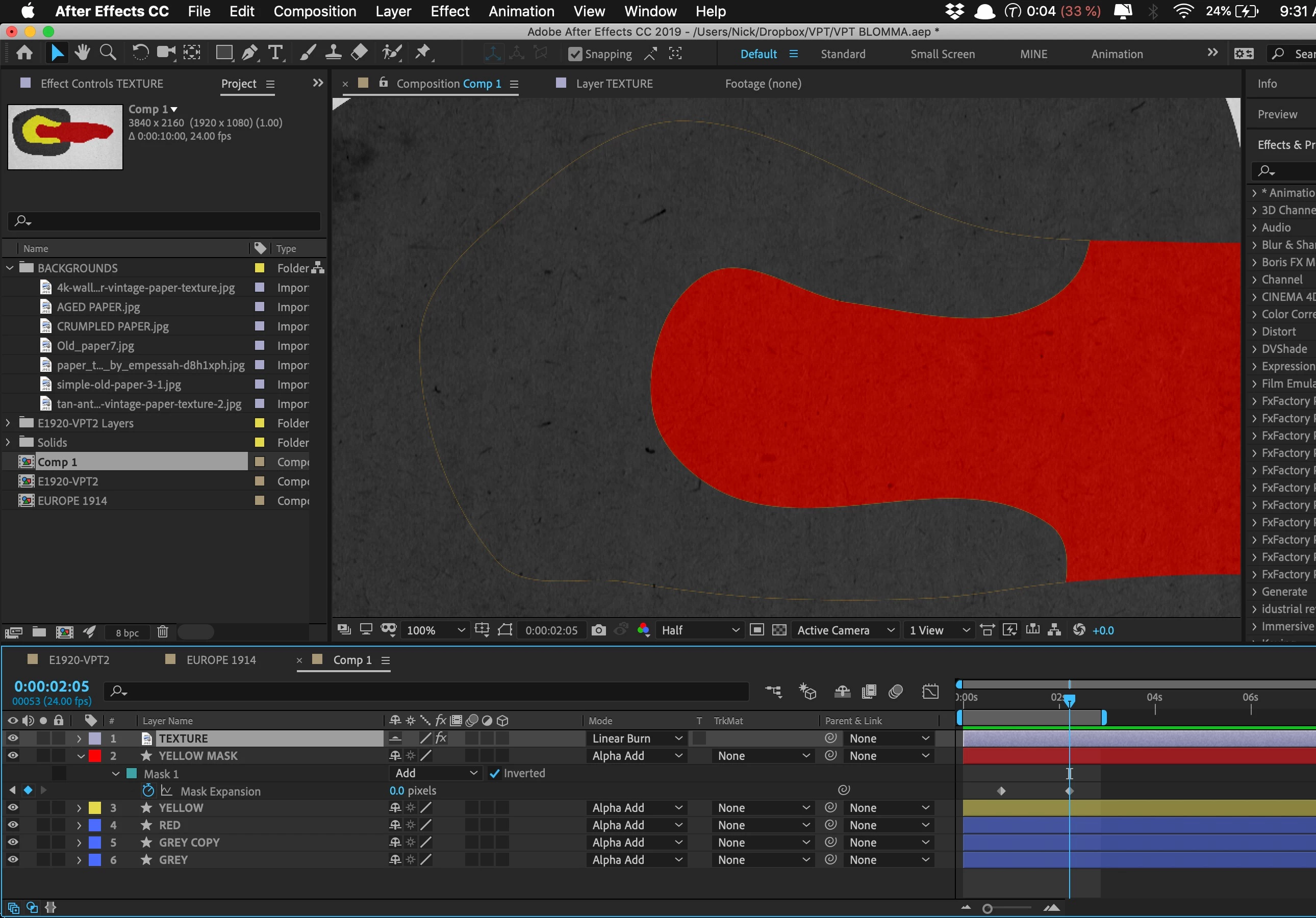
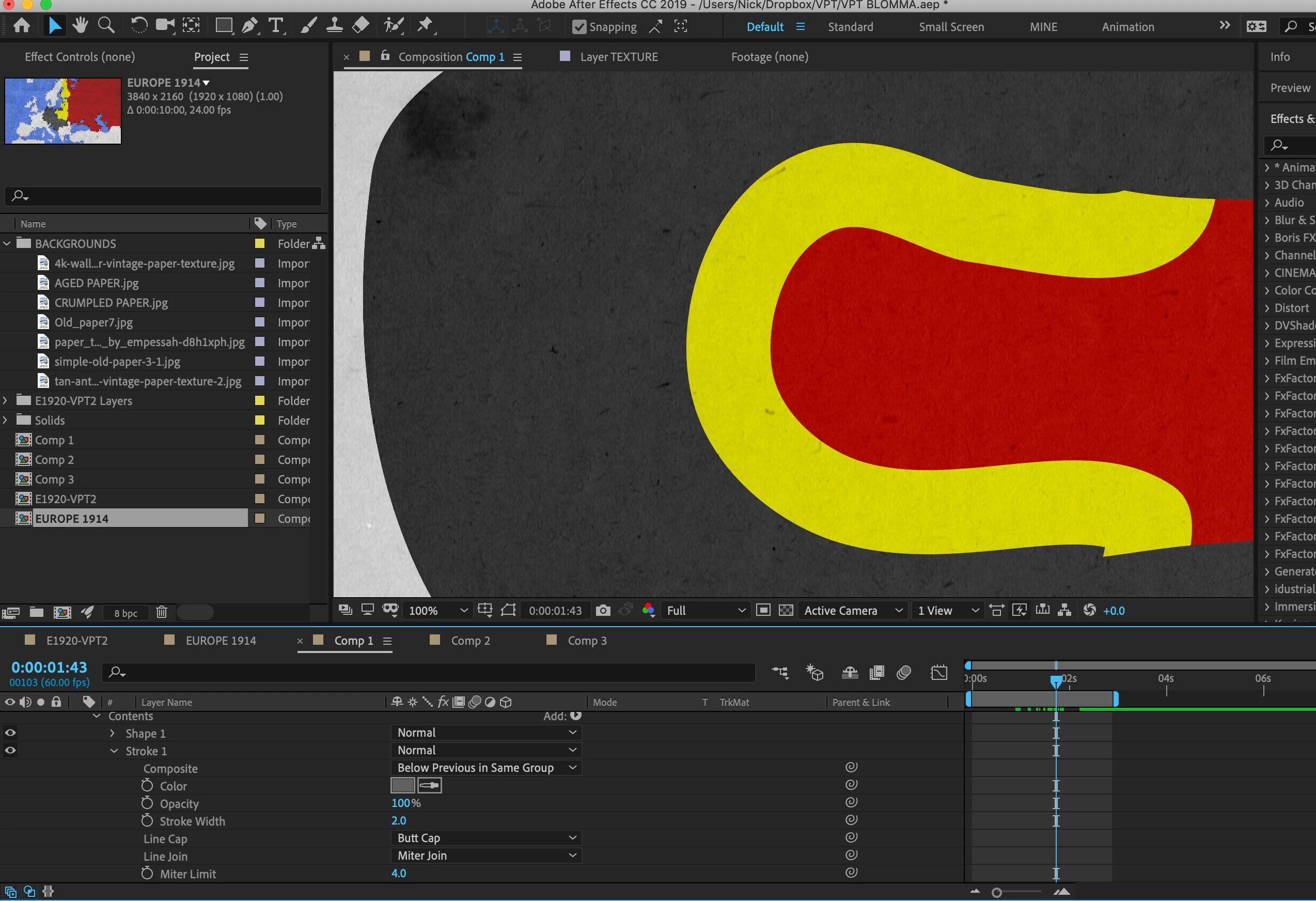
Hey guys, I just discovered a super easy way to get rid of the fringe line in case anyone else runs into this problem. Apply a stroke of the same color as the background. Had no idea it was that simple, but it worked! Fringe line gone with gray stroke effect matching gray background. Problem solved.
Thank you both all the same for your help, 


 AdChoices