UNABLE TO OBTAIN DYNAMICLINK SERVER CONNECTION
Hi,
There has been several threads about this issue, but few are answered and none with a working solution for me.
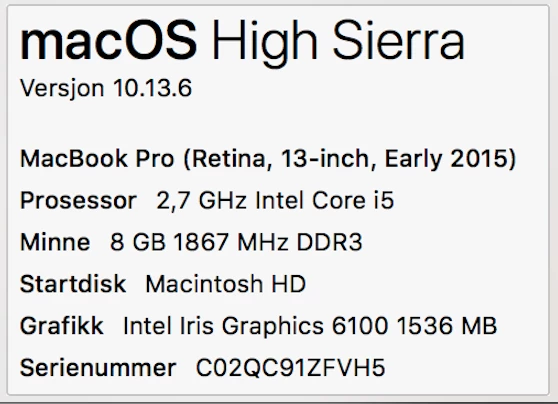
The problems startet after updating all the lates adobe products to the 2019 version. It's all up to date; Premier, after effects, adobe media encounter, photoshop, lightroom, you name it. My macbook pro is also up to date with the lates updates. Never had this problem in 3 years! Here are my specs:
I first encountered the problem while trying to export a project via adobe media encounter. The media encounter app opened, but the queue list was empty. Tried this maaany times. I though it was just a bug, restarted, reinstalled program, ran CC cleaning tool, but no.. Still the same. This was something i though I could work around by just exporting everything directly in after effects.
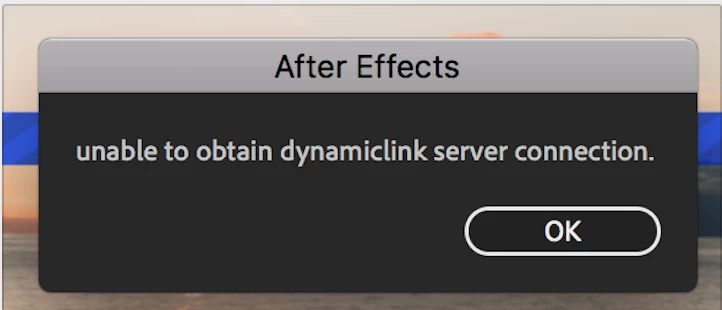
BUT I soon found out that the AE wasn't very useful after all because of the dynamiclink errors I got.. I tried to use warp stabilizer on a jpg timelaps sequence, but after a couple of minutes I get the error message "unable to obtain dynamiclink server connection." I have browes the web for days to find a solution, but no luck.. There must be an error with the dynamic link server somehow. I found some very appealing fix solutions in other forums/threads where the issue was solved by simply renaming some folders "_old", but I wasn't able to find the right folders on my mach. They simply were not there.
To help troubleshoot, I have already testet many things:
- No firewall i turned on.
- I have over 100GB free space on internal and external harddrives.
- I have unistalled and reinstalled AE with AND without the Adobe Cleaning tool following the adobe.com recommended procedure with all the necessary restarts.
It's so frustrating to stop all of my work for this week because of this issue. I have so far had an over 2 year long adobe subscription (all products) and payed a lot of money for all the products so far.
This is the error message:
Please help!
email:
bc_lemcke@hotmail.com
Cheers,
Bjørn Christer Lemcke
 AdChoices