


Answered
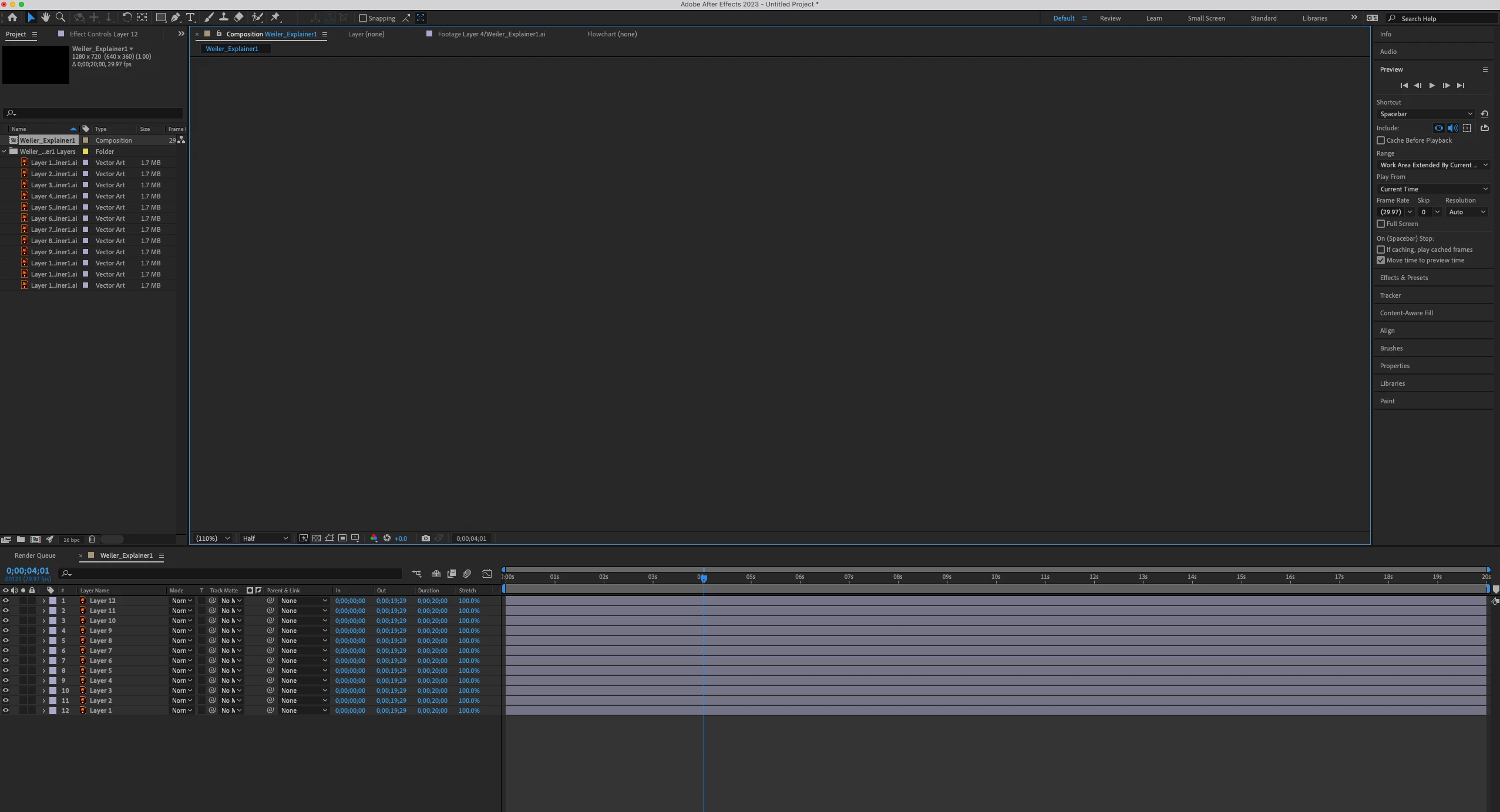
Unable to see Illustrator Layer contents in After Effects
Hello,
I am importing an Illustrator file to After Effects 2023 selecting Composition - Retain Layer Sizes however when I import the file all of my layers appear blank. I've ensured everything is in a top level layer like this tutorial says https://www.youtube.com/watch?v=nvTh49rXRRs and ensured "Create PDF Compatible File" is selected when saving my Illustrator file. I've double checked there is only a single artboard and my Illustrator file is set to RGB, is 72 dpi, and Caps Lock is off so I'm not sure what's causing my file to import like this.
Thanks,
Joseph
 AdChoices