
"Undefined" behavior when translating EGT by an expression power Essential Graphic Property
I discovered unexpected behaviour when translating essengraphic template layers by a essential graphic property that was calculated in said template. (In this case the width of the text box).
Affected versions: AE23.0, AE23.1(Beta)
Operating system: Windows
Reproduction:
I made a template for a textbox done with expressions.
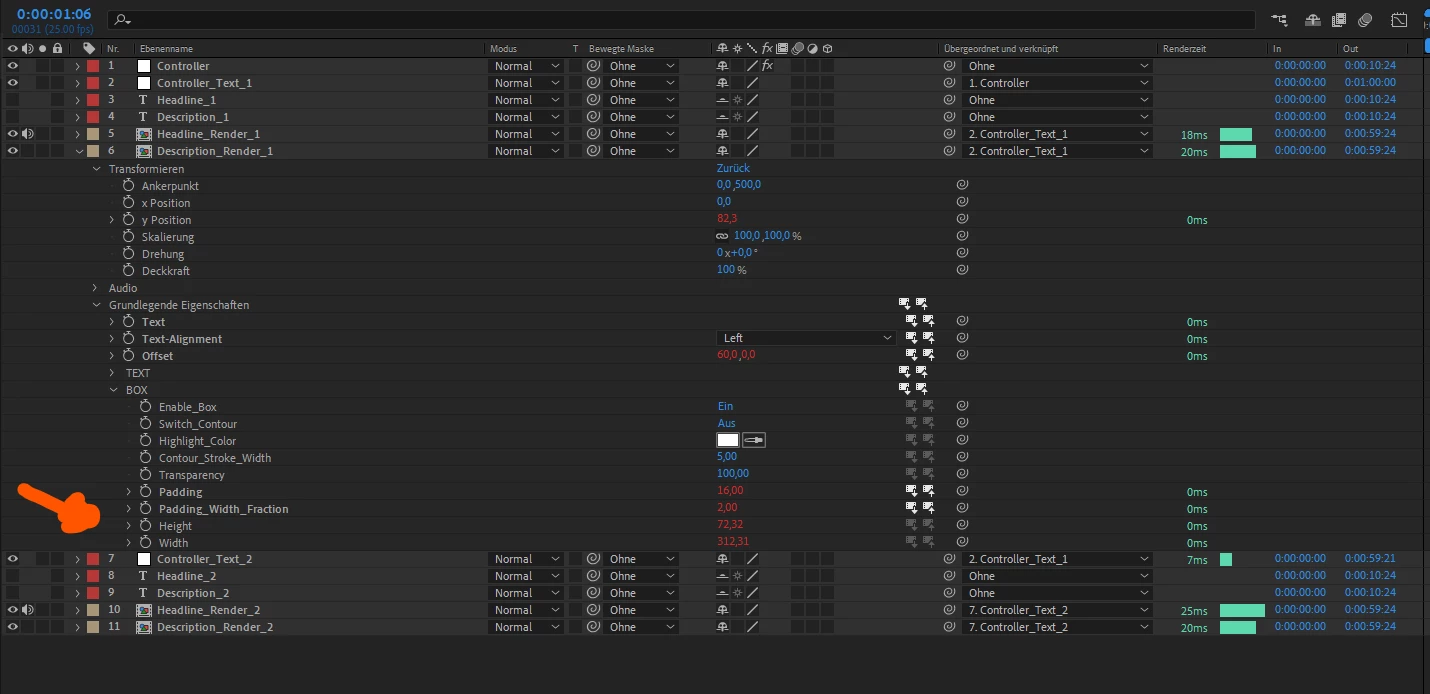
This template is controlled by EGP and two EGP output the width and height of the box.
For one use chase I chained them next to each other and wanted to translate the following textboxes by the width of the previous ones.(The precomp layers are all identical). Its set up to be moved with nulls. To move them out of the way, I translated the next batch by the previous width. The width of the textbox is output in an Essential Graphic Property.
The expression used to move the null object xPosition
let widthHeadline = thisComp.layer("Headline_Render_1").essentialProperty("BOX")("Width");
let widthDescription = thisComp.layer("Description_Render_1").essentialProperty("BOX")("Width") + thisComp.layer("Controller").effect("Description_Offset")(1)[0];

widthHeadline < widthDescription ? widthDescription : widthHeadline;
Expected Result:
 (Moved manually)
Actual Result:
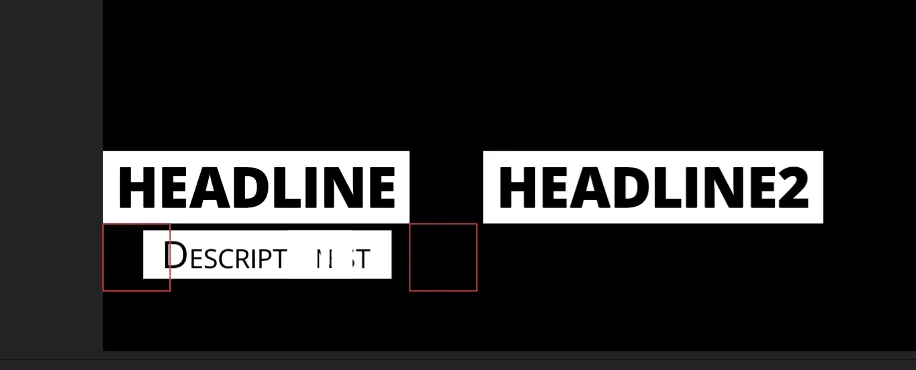
The layer content moved outside of the layer boundary even though folding isn't activated.
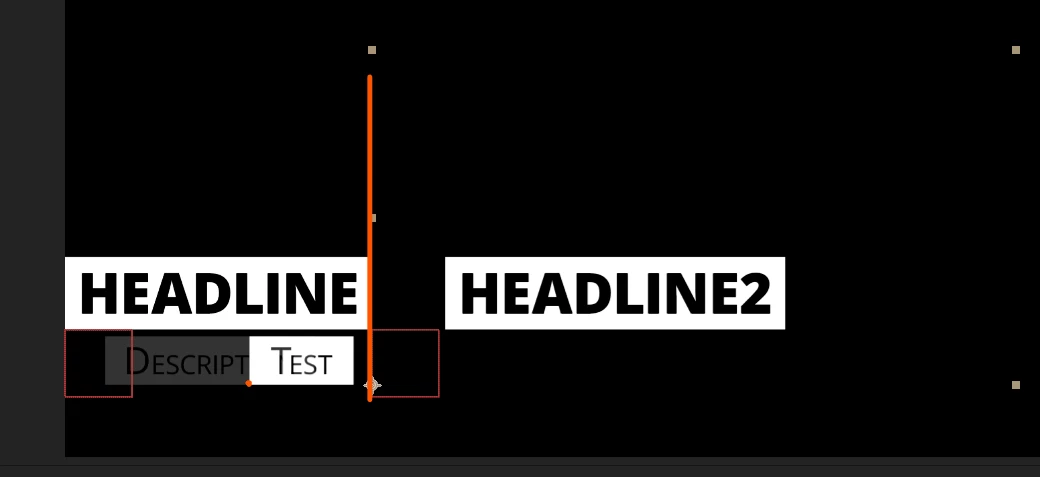
The orange dot should be 60 pixels right of the anchor point.
(I run into another missing feature regularly - audio levels can't be controlled by EGP - is this known?)
 AdChoices