When I tab to ‘Don’t Save’ in the dialog and press Return, the system still brings up the Save As window. However, clicking ‘Don’t Save’ with the mouse behaves as expected.
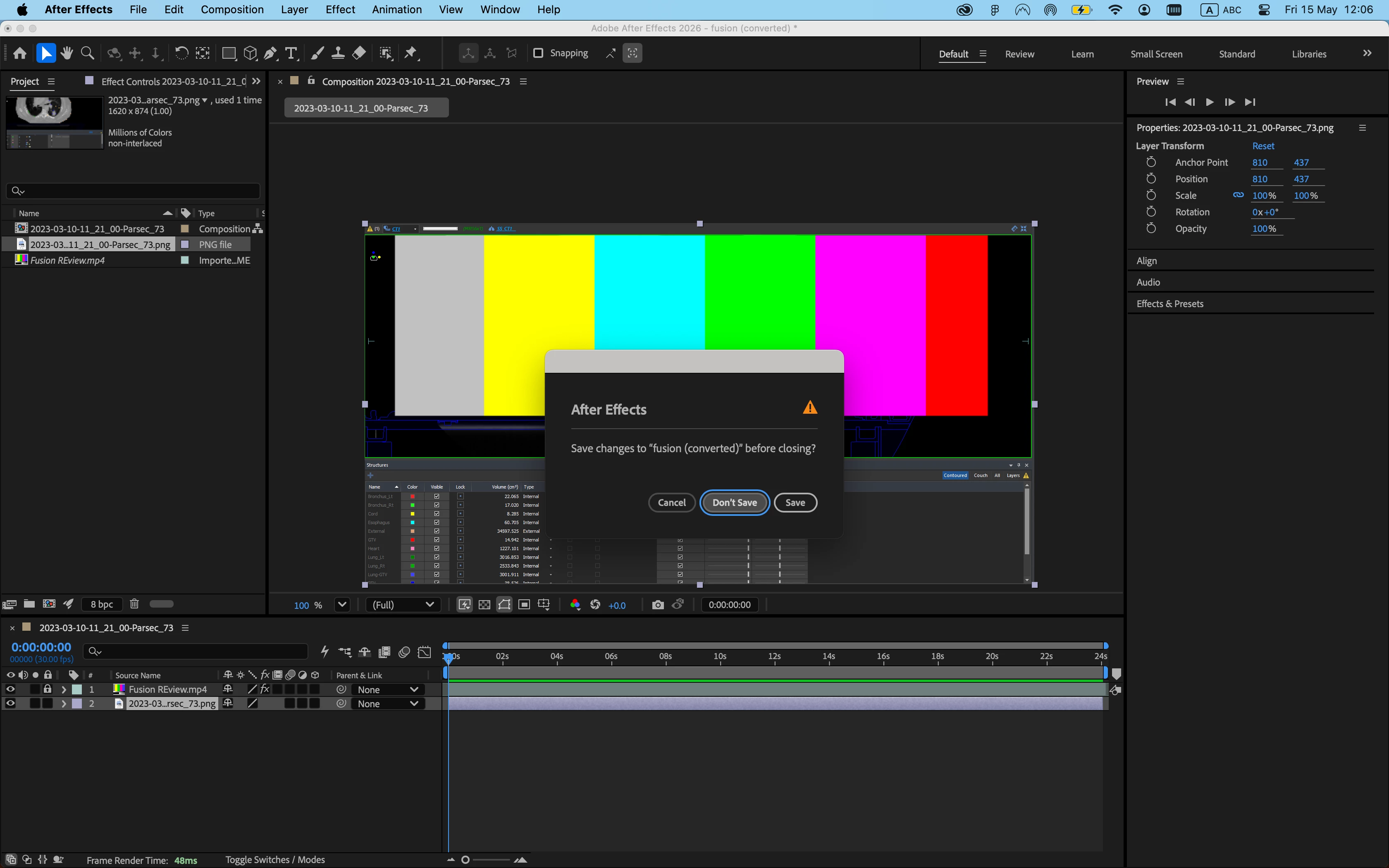
What you’re seeing is expected behavior and follows how both macOS and Windows work. Dialogs can have a default behavior for Enter/Return which is indicated by a highlight. You can see that Save has a white outline but Cancel and Don’t Save (before you tabbed to it) have a gray outline. The blue outline is the action that will be triggered when you tap the Space Bar. Attached is a screenshot of the dialog when AE isn’t focused so you can more easily see the differences between the buttons.
So you can definitely do what you want, just tap Space Bar. macOS also fully supports this, but they disabled it as the default behavior years ago. I always re-enable it from System Preferences > Keyboard > Keyboard navigation (flip the switch to enable the feature).
What you’re seeing is expected behavior and follows how both macOS and Windows work. Dialogs can have a default behavior for Enter/Return which is indicated by a highlight. You can see that Save has a white outline but Cancel and Don’t Save (before you tabbed to it) have a gray outline. The blue outline is the action that will be triggered when you tap the Space Bar. Attached is a screenshot of the dialog when AE isn’t focused so you can more easily see the differences between the buttons.
So you can definitely do what you want, just tap Space Bar. macOS also fully supports this, but they disabled it as the default behavior years ago. I always re-enable it from System Preferences > Keyboard > Keyboard navigation (flip the switch to enable the feature).






 AdChoices