Inspiring
November 4, 2021
Answered

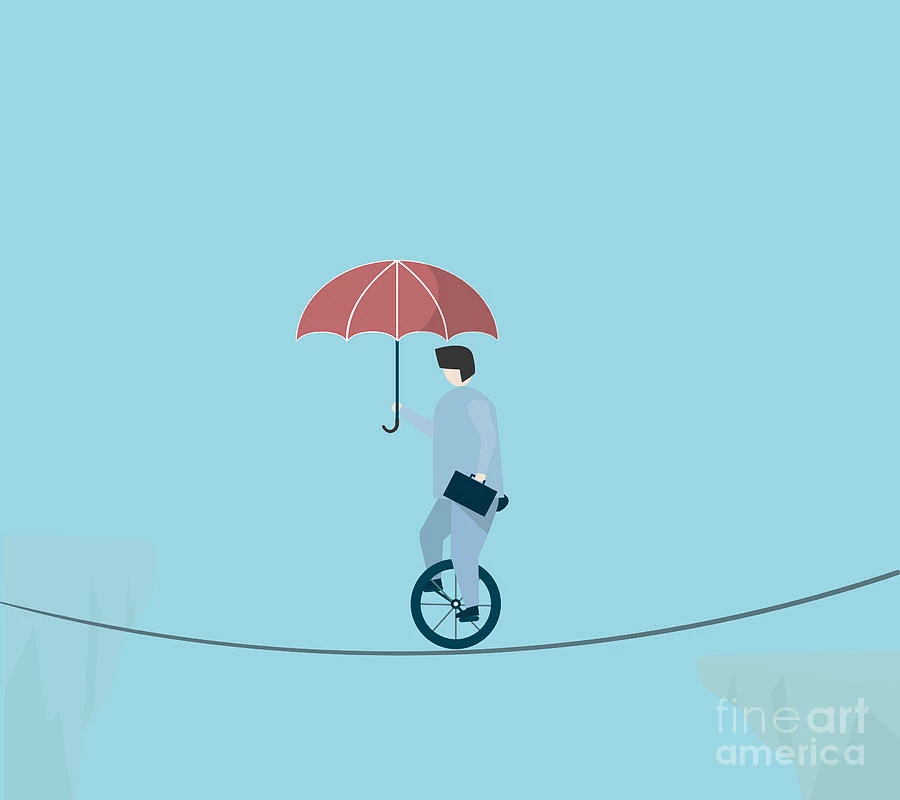
Unicycle on a rope

  • November 4, 2021
  • 3 replies
  • 403 views

Hello

I want to animate a unicycle going on a rope.

I tried using Newton but had a problem where the circles that are composing the rope itself were just spinning around themselves when I tried to have the wheel driving over them.

Maybe there is another way of doing it without using Newton?

Thank you

This topic has been closed for replies.
Correct answer Mathias Moehl

I wonder why the rope in your image is an arc. The unicycle is heave, so it will pull the rope down so much that it looks like a straight line going from the left end to the unicycle and another straight line from the unicycle to the right end (with the unicycle itself being the lowest point).

If you want to animate the unicycle and the rope should follow automatically, you could create the rope with a path along three nulls (for the left end, unicycle position and right end). Maybe at the unicycle you can also use a few more nulls to follow the roundedness of the wheel. You can use my "Connect Multiple Layers" iExpression, for example, to create a path through those nulls:
https://mamoworld.com/after-effects-expression/connect-multiple-layers

If you don't own iExpressions and don't need the roundedness control, a free alternative is the "Create Nulls from Path" script that is included in After Effects.

3 replies

Guym20Author
Inspiring
November 8, 2021

Thank you both!

Mathias Moehl
Community Expert
Mathias MoehlCommunity ExpertCorrect answer
Community Expert
November 6, 2021

I wonder why the rope in your image is an arc. The unicycle is heave, so it will pull the rope down so much that it looks like a straight line going from the left end to the unicycle and another straight line from the unicycle to the right end (with the unicycle itself being the lowest point).

If you want to animate the unicycle and the rope should follow automatically, you could create the rope with a path along three nulls (for the left end, unicycle position and right end). Maybe at the unicycle you can also use a few more nulls to follow the roundedness of the wheel. You can use my "Connect Multiple Layers" iExpression, for example, to create a path through those nulls:
https://mamoworld.com/after-effects-expression/connect-multiple-layers

If you don't own iExpressions and don't need the roundedness control, a free alternative is the "Create Nulls from Path" script that is included in After Effects.

Mathias Möhl - Developer of tools like BeatEdit and Automation Blocks for Premiere Pro and After Effects
Mylenium
Legend
November 4, 2021

Copy & paste the rope's mask/ shape path to a Null's motion path, parent the cyclist to the Null and tweak away your keyframes. If you need more complex motion, consider using the functions to create controller Nulls with expressions for the path.


Mylenium