
Participant
March 26, 2022
Question

Unknown issue while rendering

  • March 26, 2022
  • 1 reply
  • 388 views

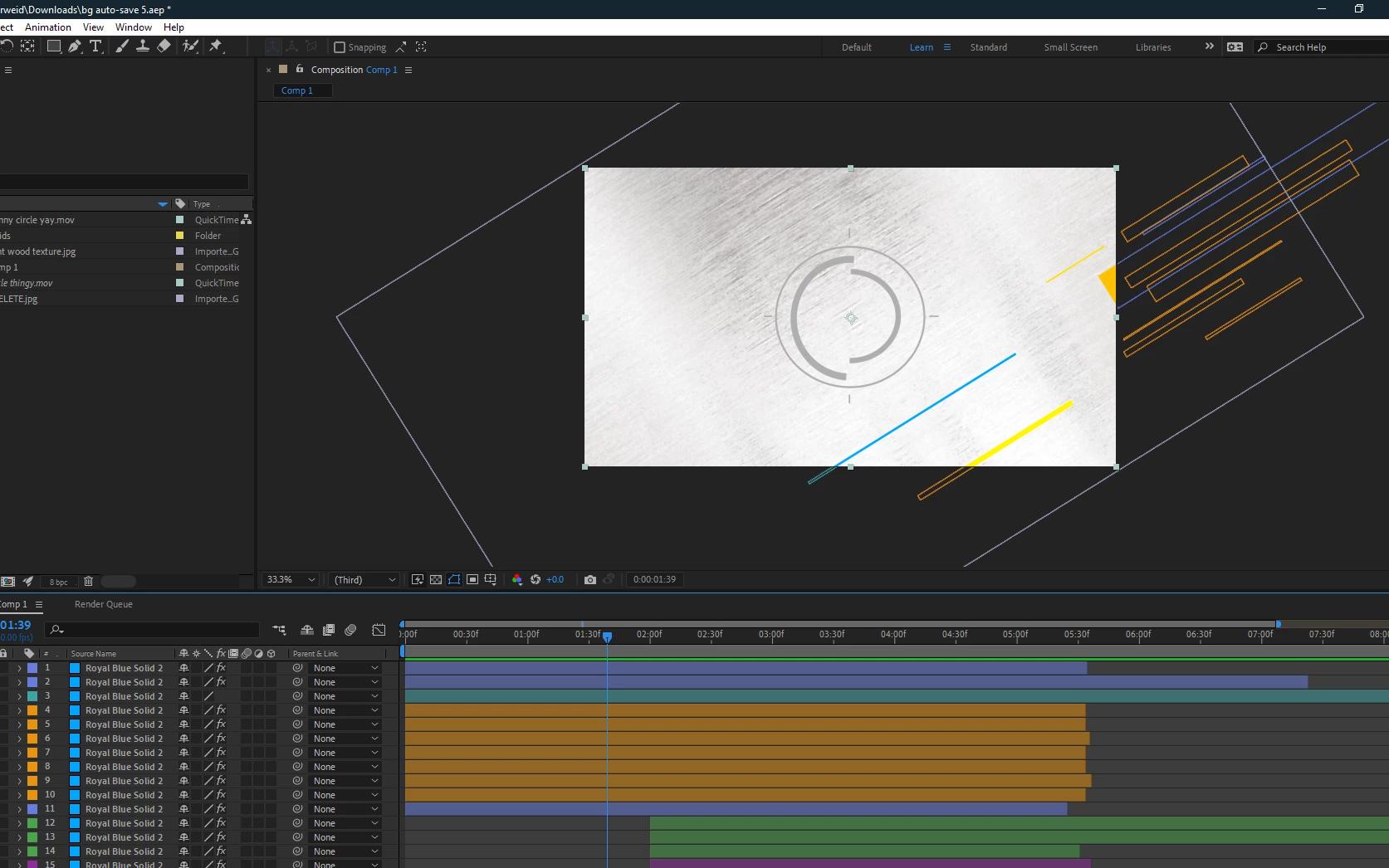
I'm having an issue while trying to render a project. In the preview tab the project looks exactly how I want it but while rendering the shapes seem to break up and I have been unsuccesful in finding a viable solution. Does anyone have a solution to this?


Preview view:
Render view:
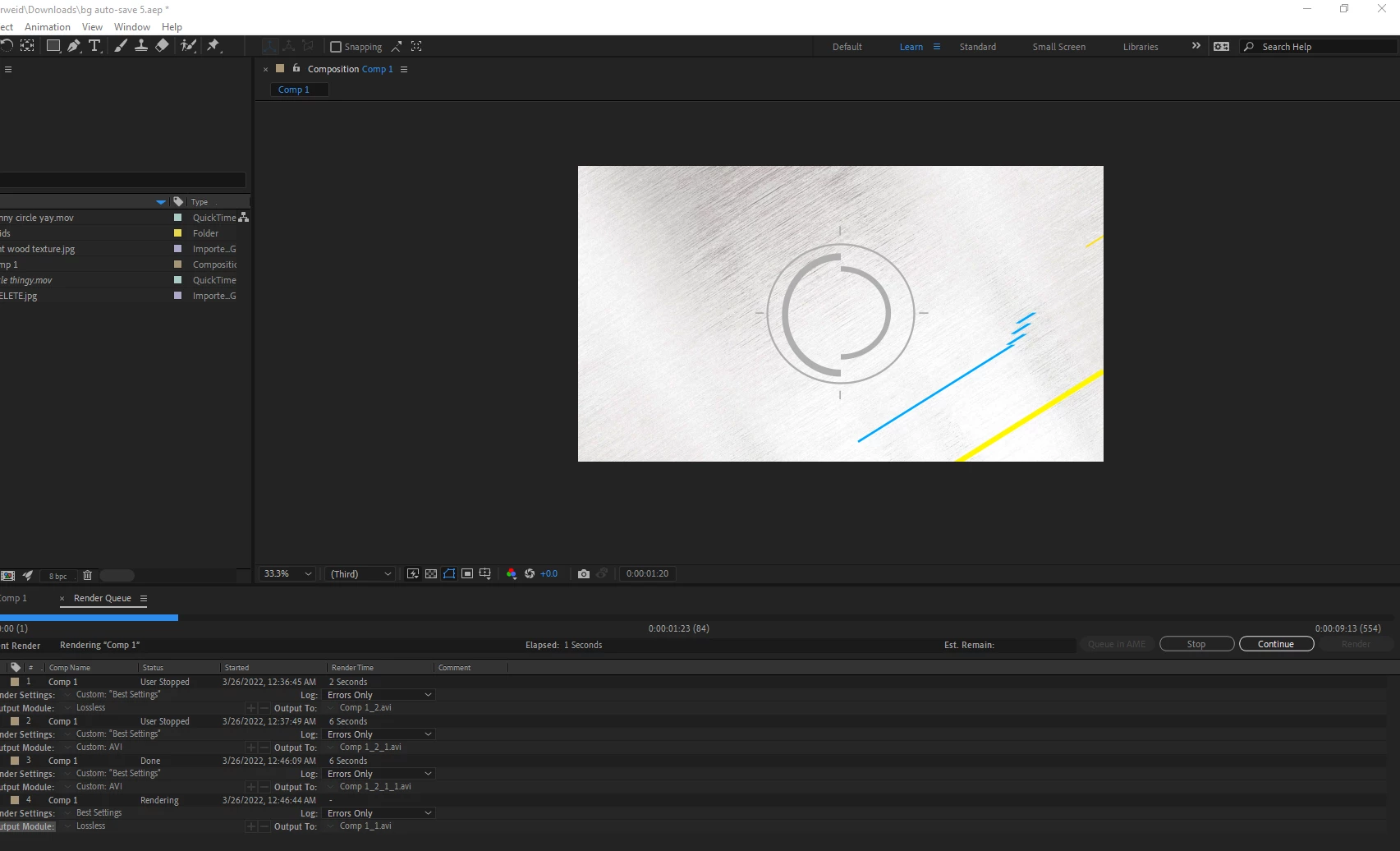
(The blue line is not supposed to break apart like that)


This topic has been closed for replies.

1 reply

Joost van der Hoeven
Community Expert
Community Expert
March 26, 2022

Can you please share your system info? Like OS and version, CPU, RAM, GPU vRAM, Ae version? Thanks. Also a pricture of the keyframes on the time line would be helpful.

FAQ: What information should I provide when asking a question on this forum?
https://community.adobe.com/t5/after-effects-discussions/faq-what-information-should-i-provide-when-asking-a-question-on-this-forum/m-p/3928960#M3238

Rkw6405Author
Participant
March 26, 2022

Windows 10

Ryzen 5 5600x

32GB 3600mhz (26 dedicated)

EVGA 2060 KO Ultra 

6GB vRAM

After Effects v22.2.1

Media encoder v22.2


And I think this is what you want when you said keyframes:


Side note: I did try this on a different computer as well but it showed the same results. 

nishu_kush
Legend
March 29, 2022

Hi Rkw6405,


Welcome to the community and thanks for sharing the details.

Wondering why is it happening only with the blue shape. Could you try disabling the blue shape and try to export and see if it happens with a different layer this time? If it does, go to File > Project Settings > and change the renderer to Software Only and export.

Let us know the outcome.


Thanks,

Nishu