
Participant
March 25, 2021
Question

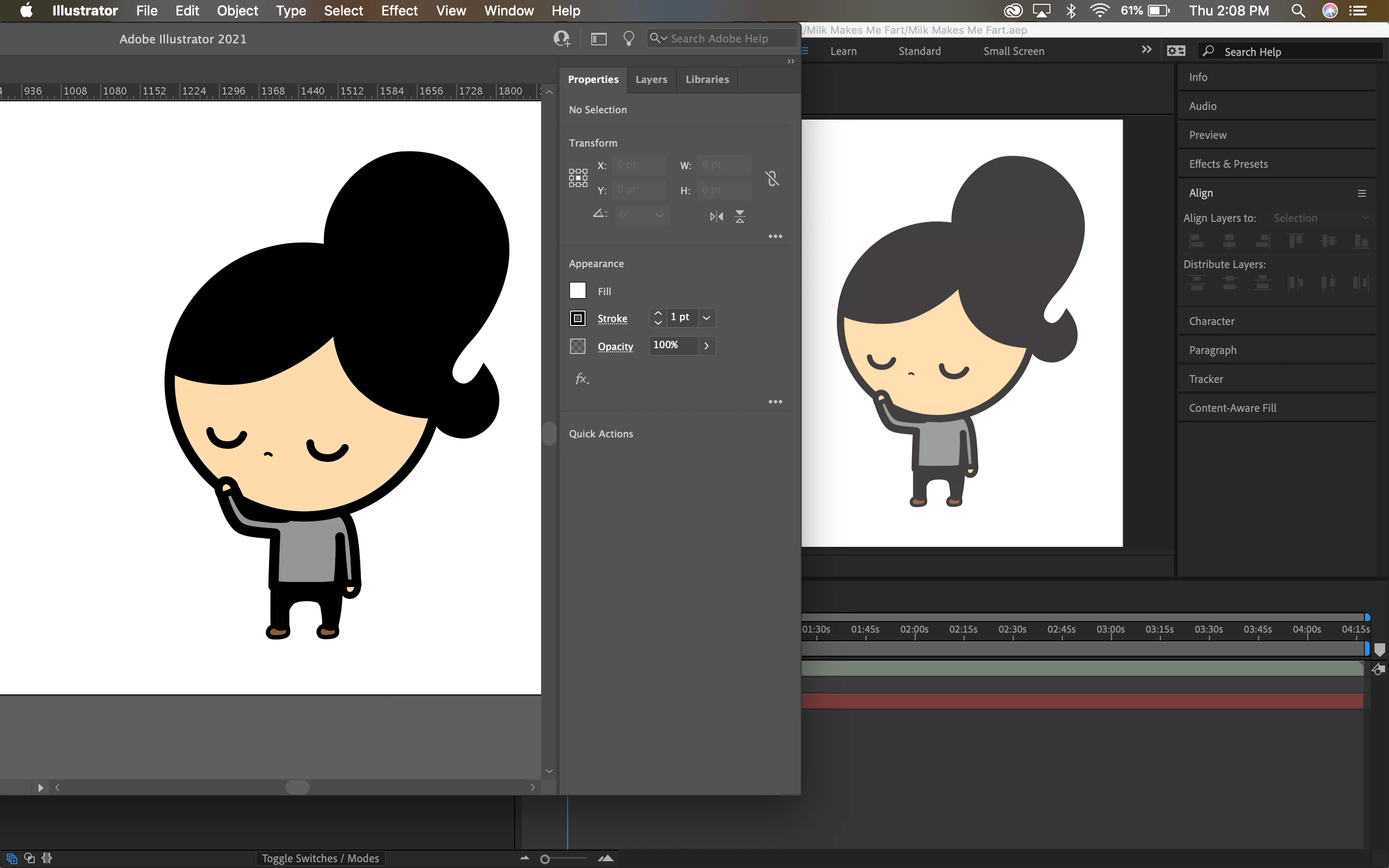
Updated After Effects makes Illustrator CMYK files' colours fade

  • March 25, 2021
  • 1 reply
  • 956 views

Hi everyone,


I've been putting Illustrator files (.ai) in CMYK format into After Effects, and have never had a problem with it, until I updated both Illustrator and After Effects to their latest versions:


Illustrator: v 25.2.1

After Effects: v. 18.0


Now whenever I put an Illustrator file in CMYK format into After Effects, the colours fade.  I've tried changing both programs to sRGB, and it is better, but it's still not to its full colour. I also do not have older versions saved (which I've changed now), so I'm at a loss. 

Has anyone else experienced this problem?
 

This topic has been closed for replies.

1 reply

Community Expert
March 26, 2021

All illustrations prepared for a video should be in RGB color space. Video is not, never was, and never will be CMYK. Using CMYK color is not now and never was recommended.


Open the AI file, change the Color space to RGB and see if that helps. If it does not, then you need to match your color management settings.

Participant
March 26, 2021

I've been working with this format for 4 years and it has always worked fine. All of my illustrator files were CMYK, and After Effects allowed for that colour space to work. I've made many videos with this set up. Now just because I've updated to the newest versions, and not being able to redownload the older versions, I'm stuck with this problem--without changing any of the settings.

When I change the illustrator file's colour space to RGB, the colour fades. Thank you for your time, but I'm looking for a fix for the latest version's bug. 

Community Expert
March 26, 2021

It's no bug. It is expected behavior. Something in your color management settings has changed.