
Use scale from an object in comp to scale a separate object in another precomp
I work for an NBA team that has dozens of sizes of digital signage screens. Long, tall, small, you name it.
One of the most time consuming things is getting backgrounds into all the comps every time we create a new job starting from scratch.
I am creating a template that will (hopefully) allow a user to place one background into a master precomp - and then move around shape layers for the corresponding sign which will drive the position/rotation/scale properties for the pre-placed background layer in each comp.
For instance if I have this landscape picture, and as I move around the two (example) shape layers, the following comps will have the background set.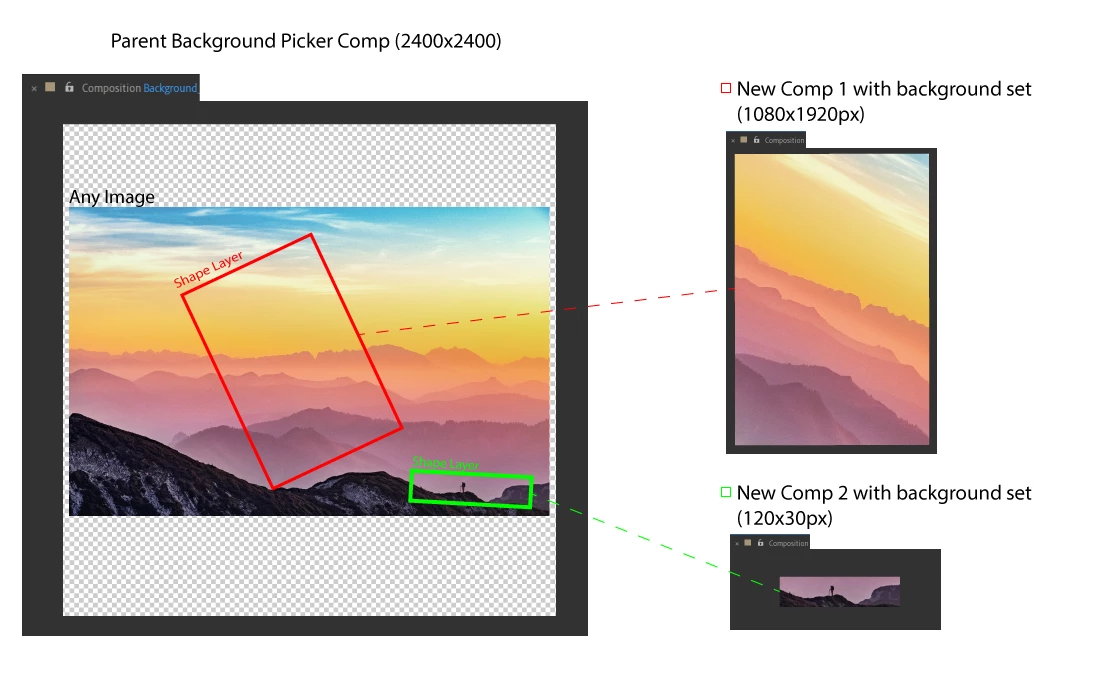
The rotation and position are relatively easy for me to figure out with expressions. (Rotation for example is Rotation of shapeX in source comp *-1)
But the scale is killing me.
If I don't scale the shape there's no problem. If I do want to scale the shape (using "scale" not shape size) I can't figure out a formula that will fit the background into place like it would in this 33% example.
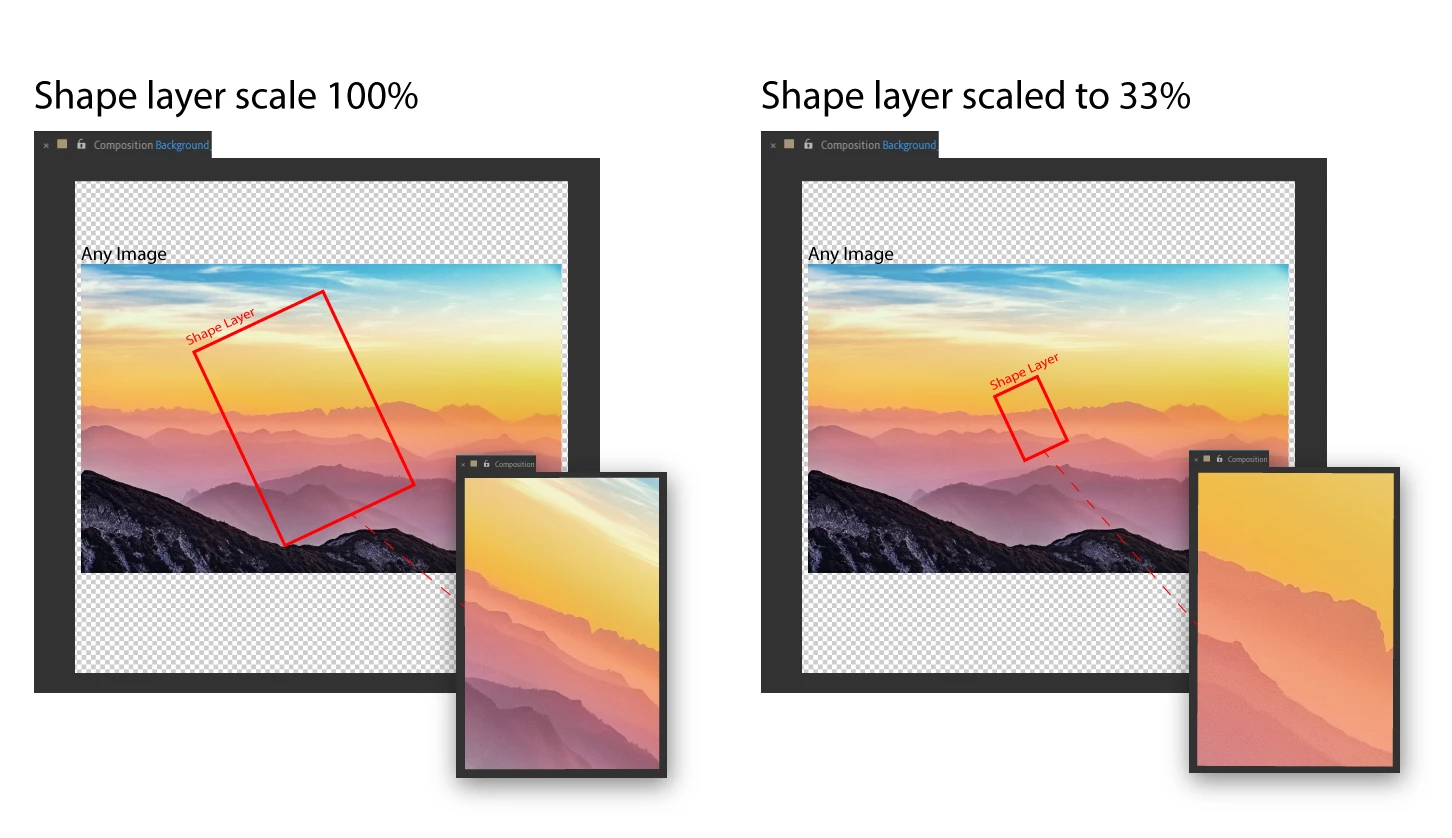
What formula/expression would I use that takes the (33%) scale of the shape layer, to then scale up the background in the corresponding comp?
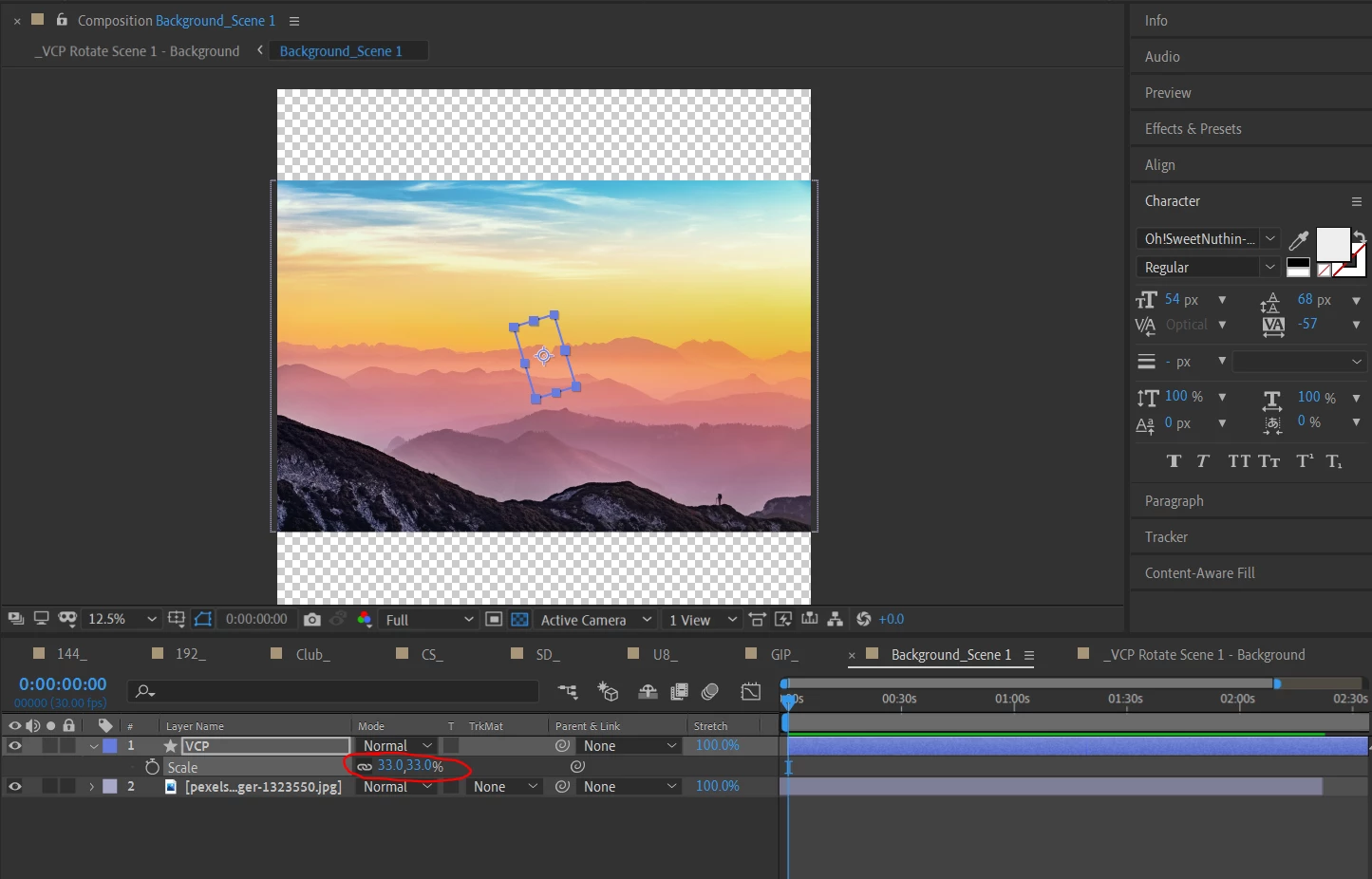
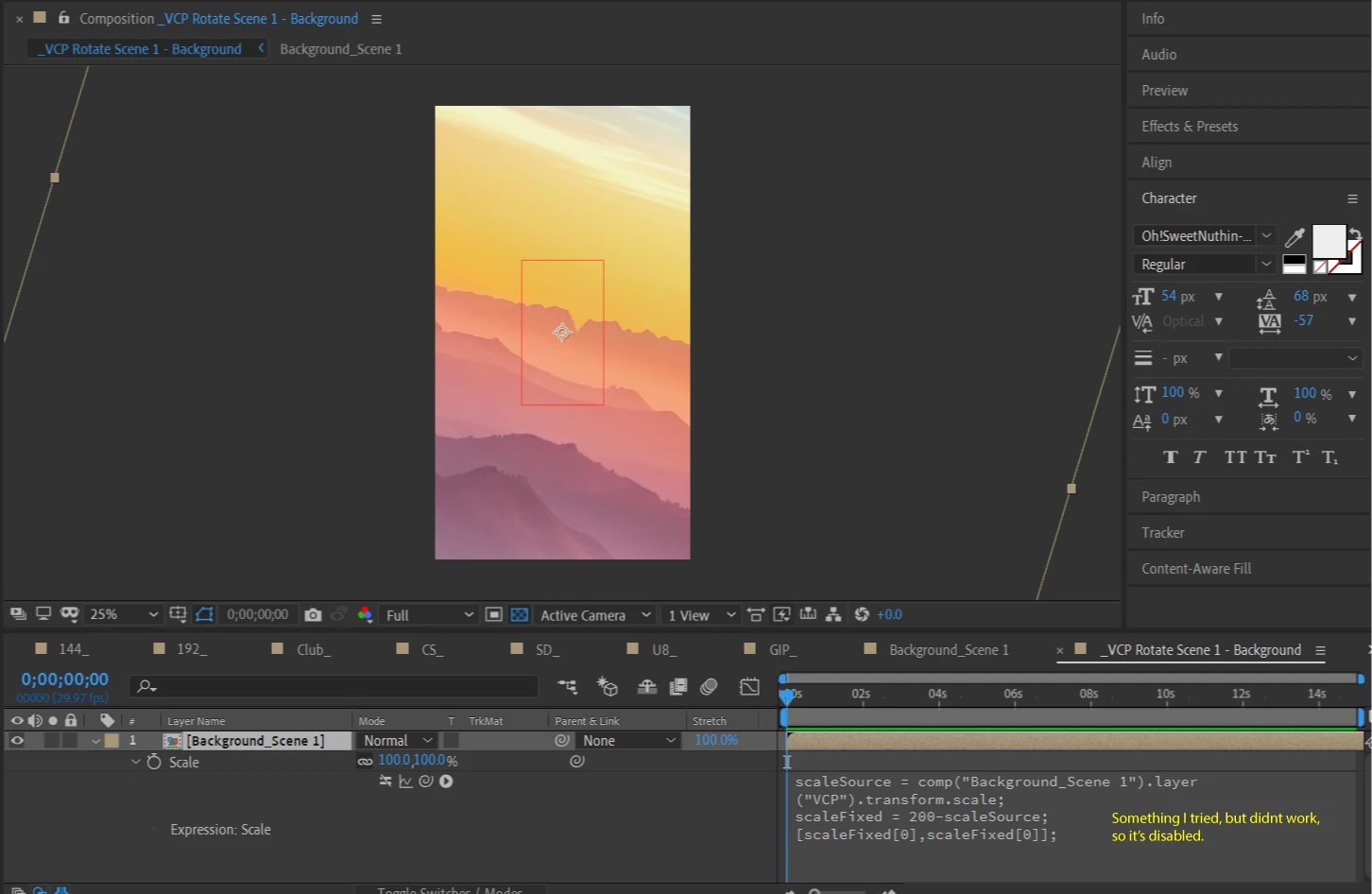
Master Comp Above
Corresponding LED Screen Comp Below
Thank you!
 AdChoices