Participant
Feb 16, 2024 12:54 PM UTC
Question

UV Scaling - After Effects


Hey there,


I am new to AE so any help is appreciated.

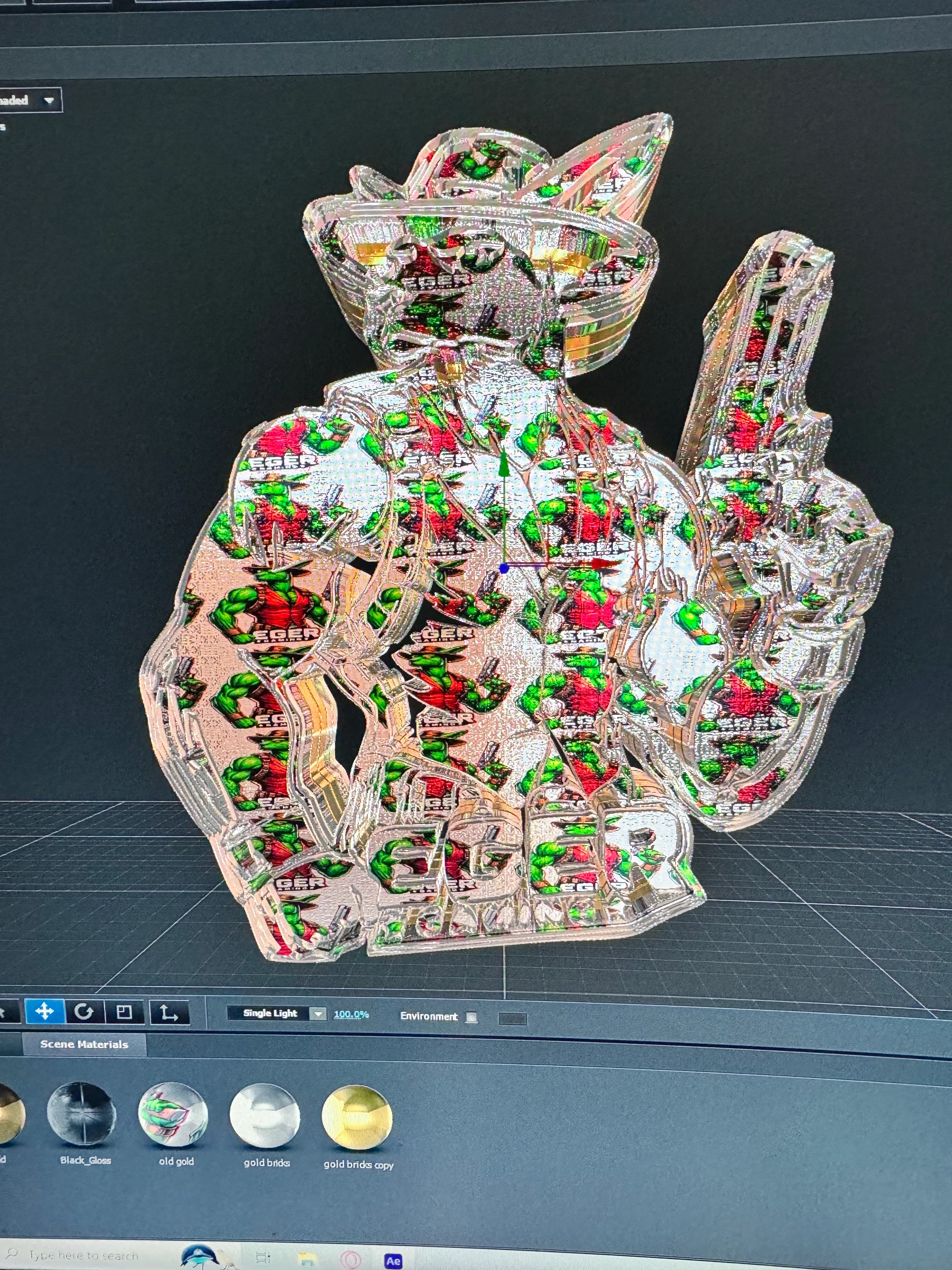
I am having trouble scaling this image to match the subject.

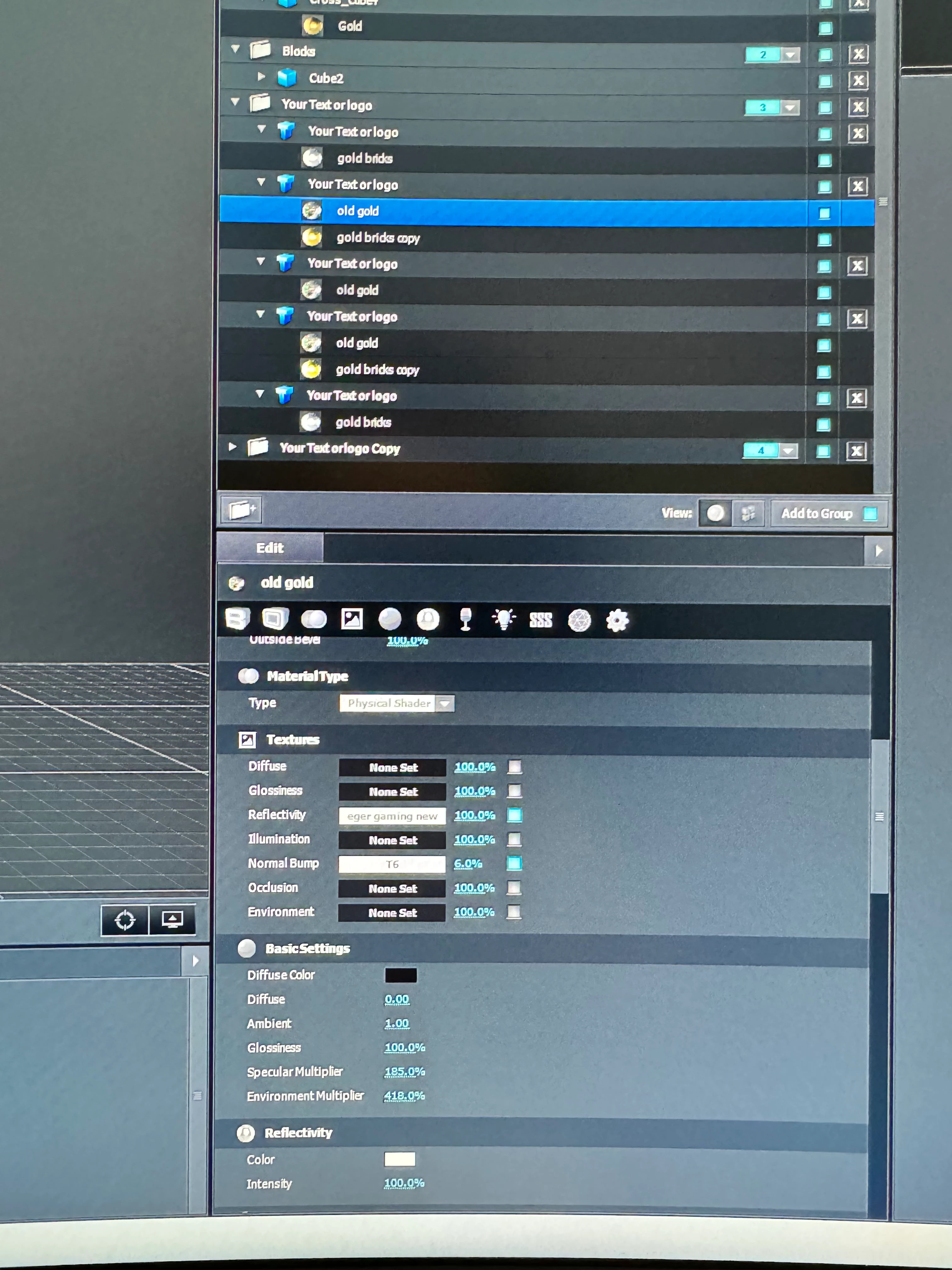
I have UV scaling ticked but still doesn't fit.

I've then went into reflectivity and tried to manually adjust but then the subject goes all blurry.


any advice would be great.


This topic is closed to new replies. Start a new post to keep the conversation going.

6 replies

Mylenium
Legend
Feb 16, 2024 3:29 PM UTC

Set the map mode to cubic and scale the texture as a whole.


Mylenium

Translate
Participant
Feb 16, 2024 5:02 PM UTC

I wouldn't even know how to do that. I'm a newbie. 

I've just adjusted the UV mapping scales and got it as close as I could. 

Translate
ShiveringCactus
Community Expert
Community Expert
Feb 17, 2024 10:50 AM UTC

When you select the model, but not the texture, there's a section called UV Mapping, there's a dropdown there where you can set the UV wrapping mode.  There isn't a cubic, but there is a box mode.  You might find more success with the plane options.

Translate
ShiveringCactus
Community Expert
Community Expert
Feb 16, 2024 1:51 PM UTC

I'm not sure what you mean when you say you have UV Scaling ticked, but all the values in your screenshot are about opacity/strength.  But if you click into the white panel next to reflectivity or bump, a UV box pops up where you can adjust the repeat values of the UV:

These docs explain more, although the screenshots are outdated.

https://www.videocopilot.net/docs/element/texturing_and_materials/surface_uv_mapping/


Translate
Participant
Feb 16, 2024 5:03 PM UTC

This is the closest I could get it. 

Translate
ShiveringCactus
Community Expert
Community Expert
Feb 17, 2024 10:47 AM UTC

I think that's probably as good as you can get.  You can also adjust the Alpha transparency (at the bottom of the texture panel), but Element3D can only do so much.

Translate