
Participant
November 14, 2019
Question

VC Orb: Adding animated points and lines to an Earth Sphere

  • November 14, 2019
  • 4 replies
  • 3245 views

Hello All,


I am new to After Affects and have managed to get to grips with AE and the Vc Orb plugin. 


I have started creating an animation using an Earth I created in AE with the VC orb tool and it looks great.

My next step is to start adding data point layers to the Earth sphere so that during the animation the data points reveal at different times. 


How do i fix dots and shapes as well as pop up text boxes to the 3d sphere so that they are attached  and track with the camera as it moves in 3D space. 


I have added a still image with some annotations on it as a draft reference. Any help would be greatly appreciated.
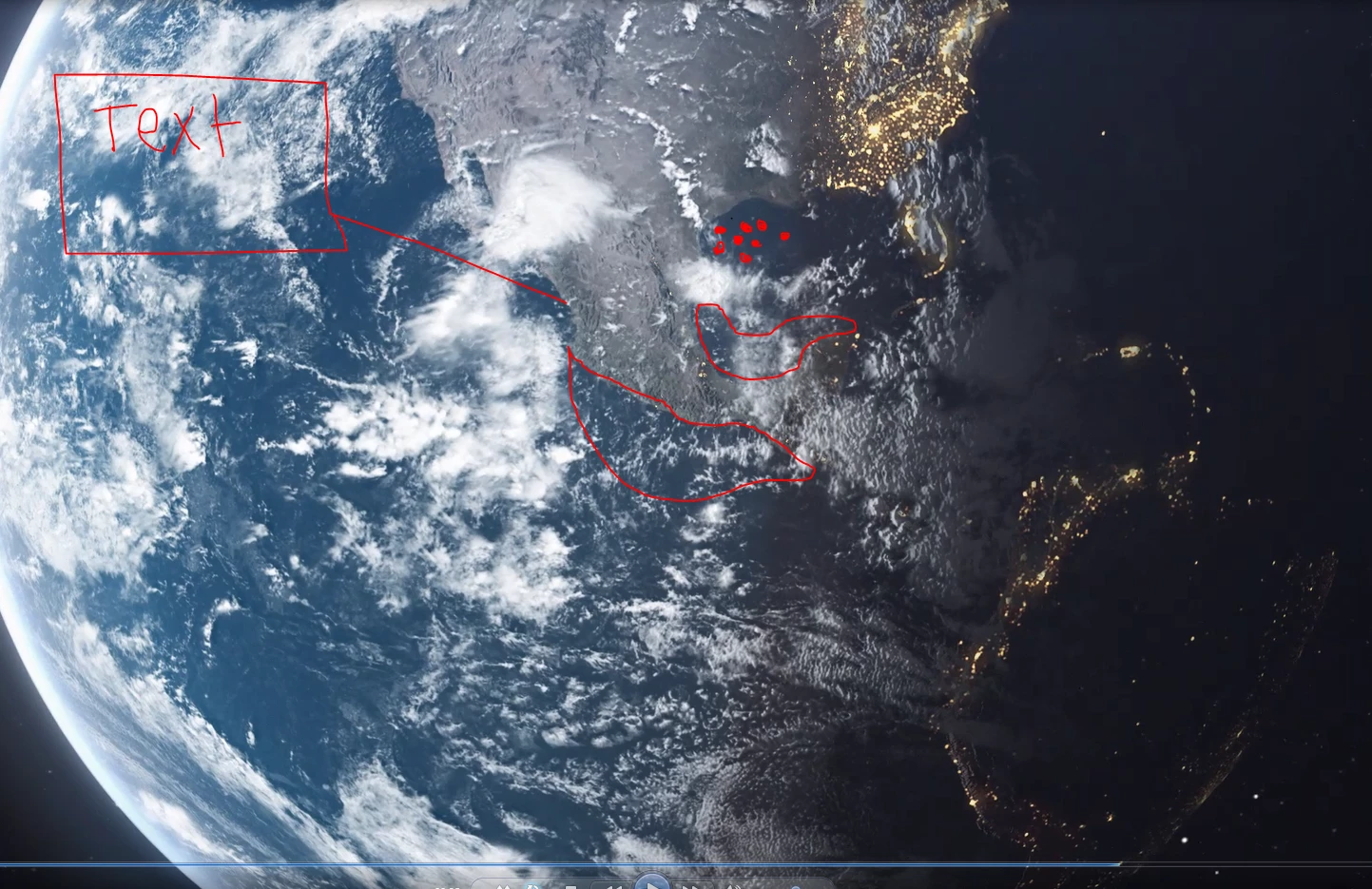
Thanks in advanced!

4 replies

ShiveringCactus
Community Expert
Community Expert
January 18, 2023

I've played with Orb loads and have a couple of solutions for you:

  1.  Duplicate your map layer and precompose it.
  2. In the precomp, set out your labels etc... and then hide the map, so we only see the labels. 
  3. Add a black solid as a background
  4. In the main comp, duplicate your Orb layer and set the illumination map to your labels precomp.  And adjust the lighting so it's ignoring the shadows.  (basically reset the tweaks you made to have the lights only show up on the night side)
  5. Set this Orb layer to Screen


The second approach is to add layers in 2.5 D space.  I have a tutorial that talks you through that:


Participant
January 18, 2023

The quick and dirty way is, to put it directly on the map. Just make sure that the area is not completly covered with clouds.

Participant
September 7, 2020

Hey!

I'm pretty new to after effects and would like to create something similar to you and I've been struggling for a few days with VC orb.

Have you find a solution ?

Many thanks,

Franck

Community Expert
November 14, 2019

VC Orb is a little difficult to use. You'll probably need more than one layer and one instance of the effect. I suggest you spend some time on the Video Copilot site looking at all of the VC orb tutorials you can find. I've only used it one time on a paid project and if I remember right I needed about 8 layers to get the effect to do what I wanted it to do.