
creatived93023086
Participant
January 30, 2023
Question

VC Saber Extending the saber blade end/start offset

  • January 30, 2023
  • 2 replies
  • 844 views

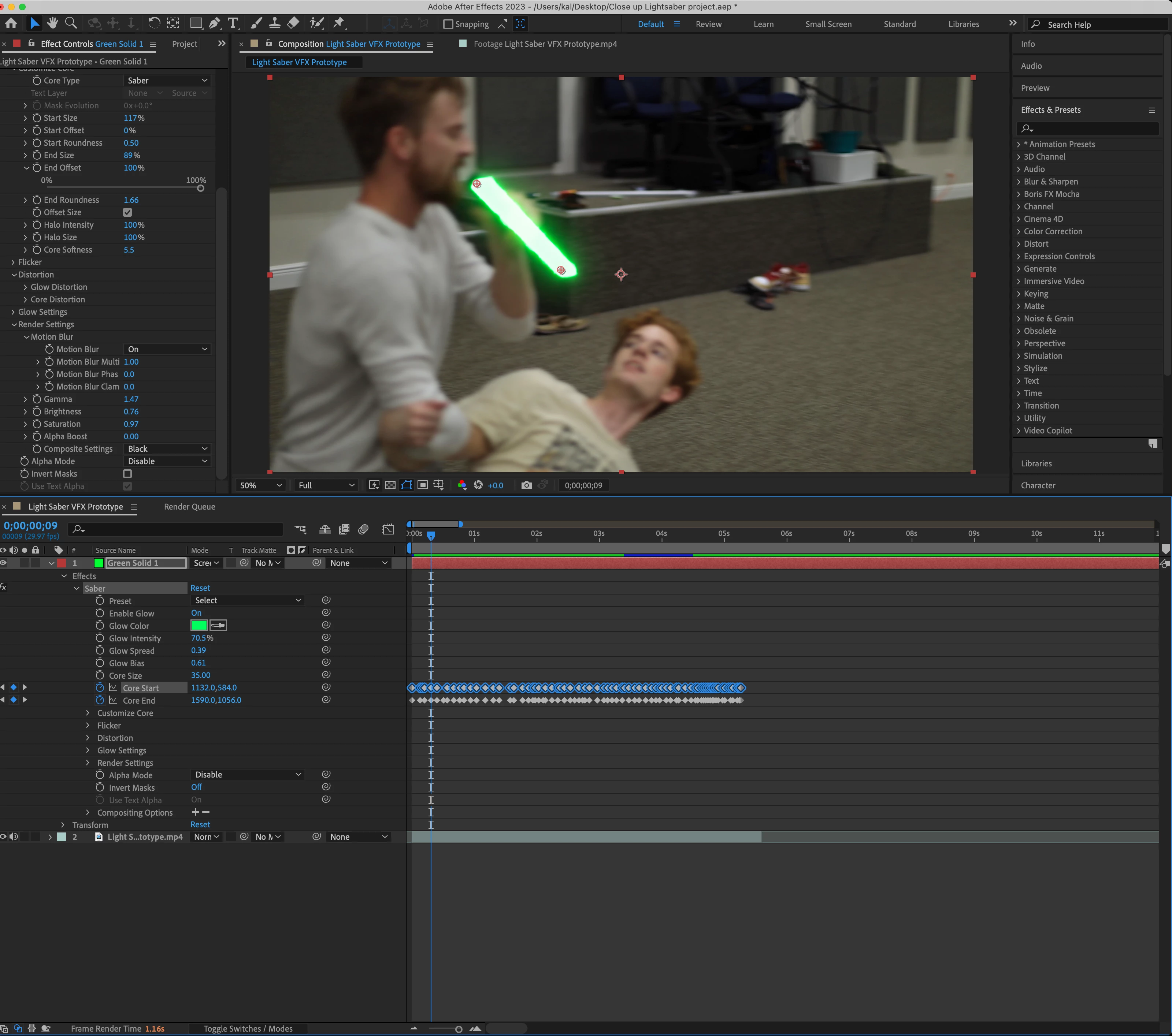
I'm asking about the saber blade and whether I'd be able to extend the saber blade longer while keeping the dimensions. As you can see in the image I have keyframed the hilt and in theory there should be a way I can just extend the blade while making it look as though the blade was there all along. I'd mask the saber from the hilt of course im just not able to extend it. The closes I've gotten End Offset Keyframe but that only decreases the size of the blade instead of increasing. Tried having the offset >100% but it wouldnt give me the option to. I dont know expressions very well so that might be it (may not have to do with the offset at all)

.
This topic has been closed for replies.

2 replies

Mylenium
Legend
January 30, 2023

That's not how it works. It would probably make more sense if you had keyframed a long solid and just applied the effect without any fancies as a simple line. That said, you can probably salvage your work by using a targeting expression do determine the angle and control a second instance of the effect.


Mylenium 

Community Expert
January 30, 2023

The start and end offset properties lengthen or shorten the glowing part of the effect between the starting and ending points. If you want a longer saber, you have to move the points. You cannot extend the saber part beyond either point.


You should spend some time on the Video Copilot website and watch the tutorials. They offer a much better explanation of how to use the effect than you can find by searching the web.