S_ A
Inspiring
June 22, 2022
Answered

vector icon gets pixelated in After Effects

  • June 22, 2022
  • 2 replies
  • 630 views

Hi,


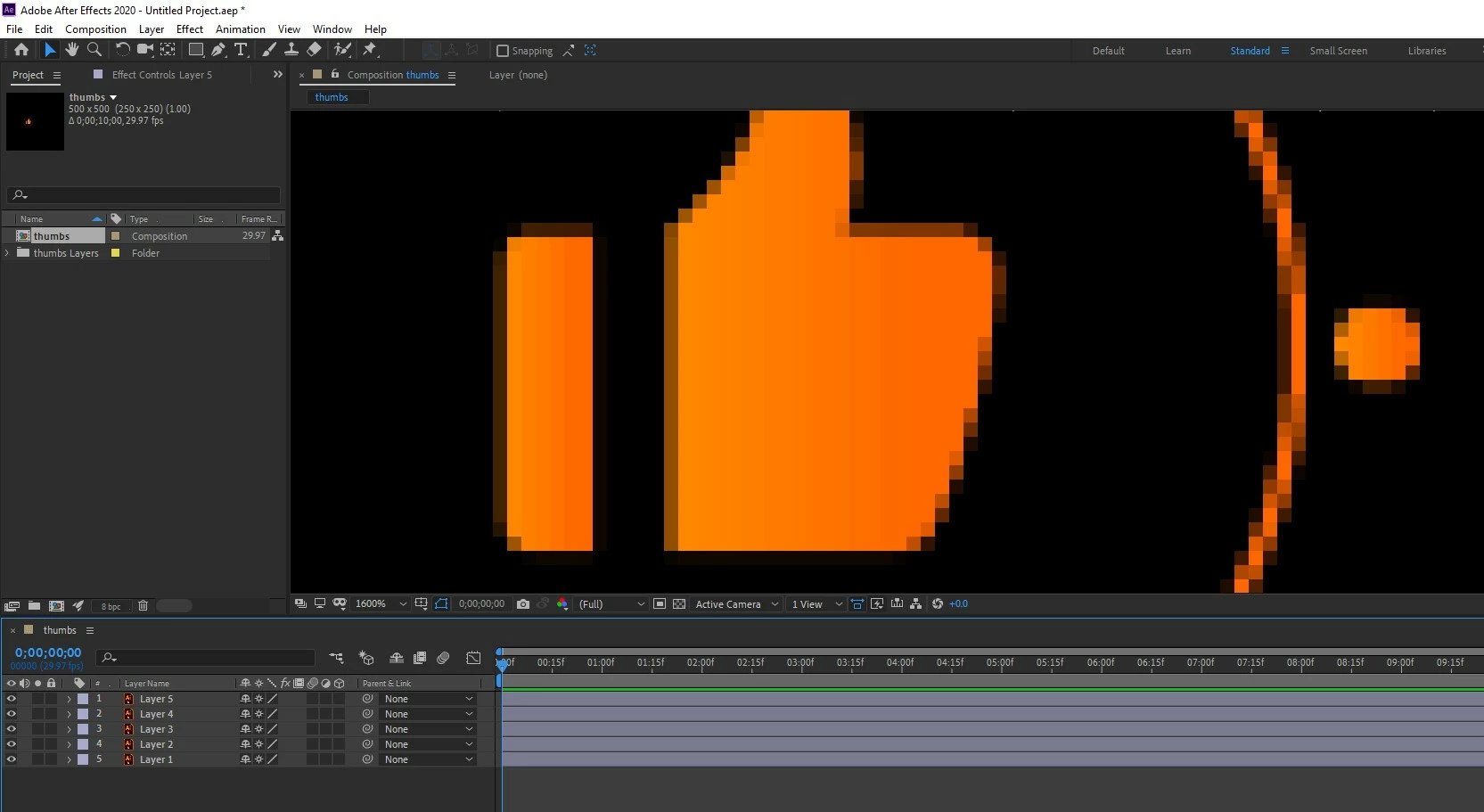
I created an icon in Adobe Iluustrator and brought that in AE for animation. But it gets PIxalated. Its an 500 px x 500 px icon. My understanding is it should not be get pixalated in AE because it's created in AI.

why is this happening? 


This topic has been closed for replies.
Correct answer Rick Gerard

After Effects always works in pixels; sometimes, you need to look closely at the pixel. Check the bottom left corner of the Composition panel. You have magnified the view to 1600%. Turn on Pixel Preview in Illustrator and magnify the view to 1600%, and you will see the same thing. It's just like Photoshop.


Continuously Rasterize only fixes edge problems when you scale a vector layer or move a camera close to the layer. If you add a raster effect in Illustrator, like a drop shadow, CR will not affect the scaled layer, and you need to keep your scale value to a maximum of 125% if you want crisp edges.

2 replies

Rick GerardCommunity ExpertCorrect answer
Community Expert
June 22, 2022

After Effects always works in pixels; sometimes, you need to look closely at the pixel. Check the bottom left corner of the Composition panel. You have magnified the view to 1600%. Turn on Pixel Preview in Illustrator and magnify the view to 1600%, and you will see the same thing. It's just like Photoshop.


Continuously Rasterize only fixes edge problems when you scale a vector layer or move a camera close to the layer. If you add a raster effect in Illustrator, like a drop shadow, CR will not affect the scaled layer, and you need to keep your scale value to a maximum of 125% if you want crisp edges.

Jqke
Legend
June 22, 2022

I see you have the "Continuely Rasterized" button checked... is it something with the resolution in the Preview panel?

~Jake