Participant
July 26, 2017
Answered

Vector image has noticeable line after continuously rasterizing

  • July 26, 2017
  • 2 replies
  • 1269 views

I have used the puppet tool in the past and I know that it has a tendency to leave an unwanted line around certain areas, but I get it mostly when the puppet I am using is in a precomp that changes position. I used the puppet tool to bend this vehicle forward a bit to make it look like a sudden stop. Without the continuous rasterization the truck looks very blurry, but as soon as I rasterize it the line shows up. I have since removed the puppet tool to all layers but this line remains. Where the layer begins its motion there are no errors, but as it moves into place it sorta runs through this line.
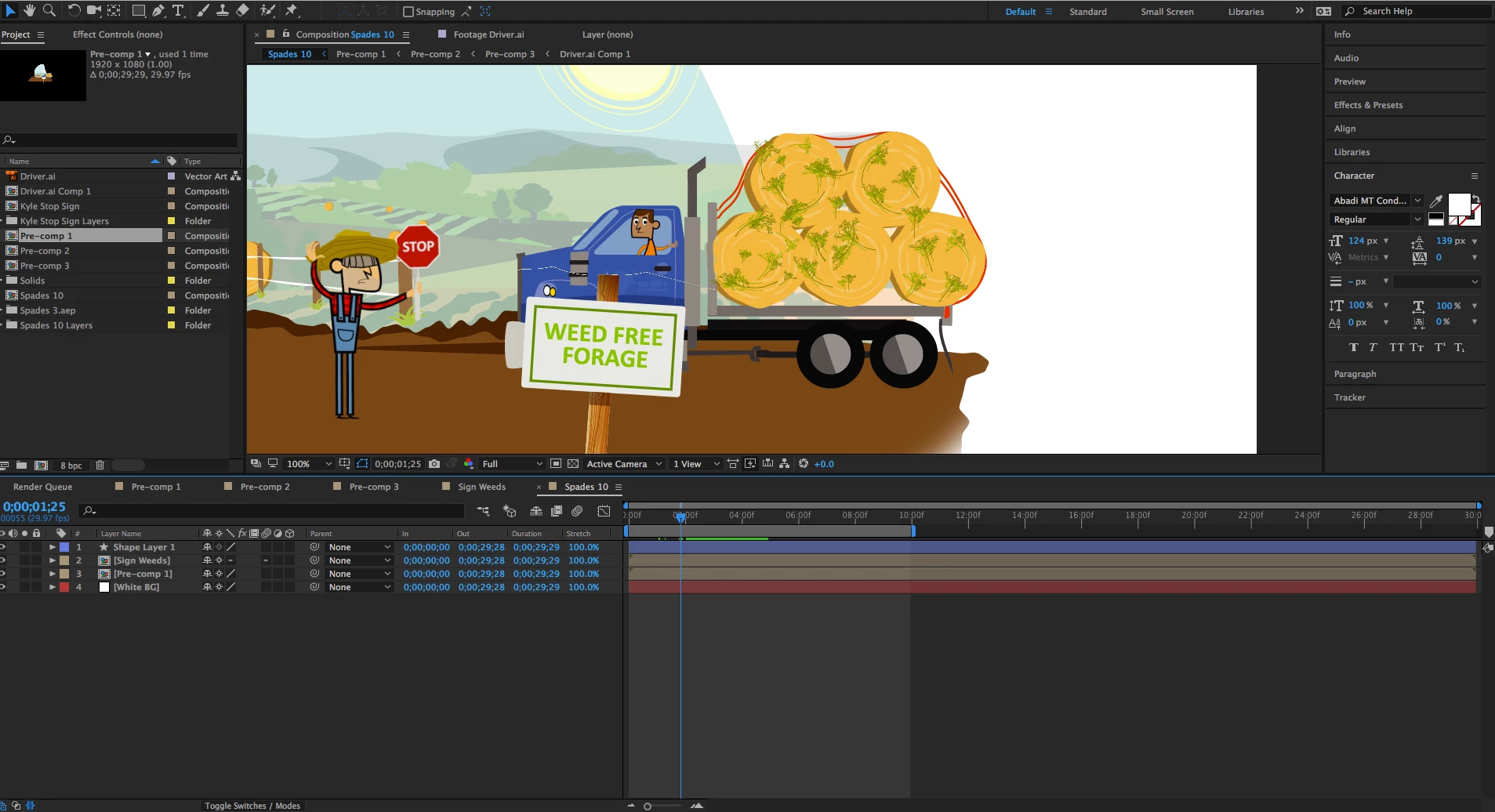
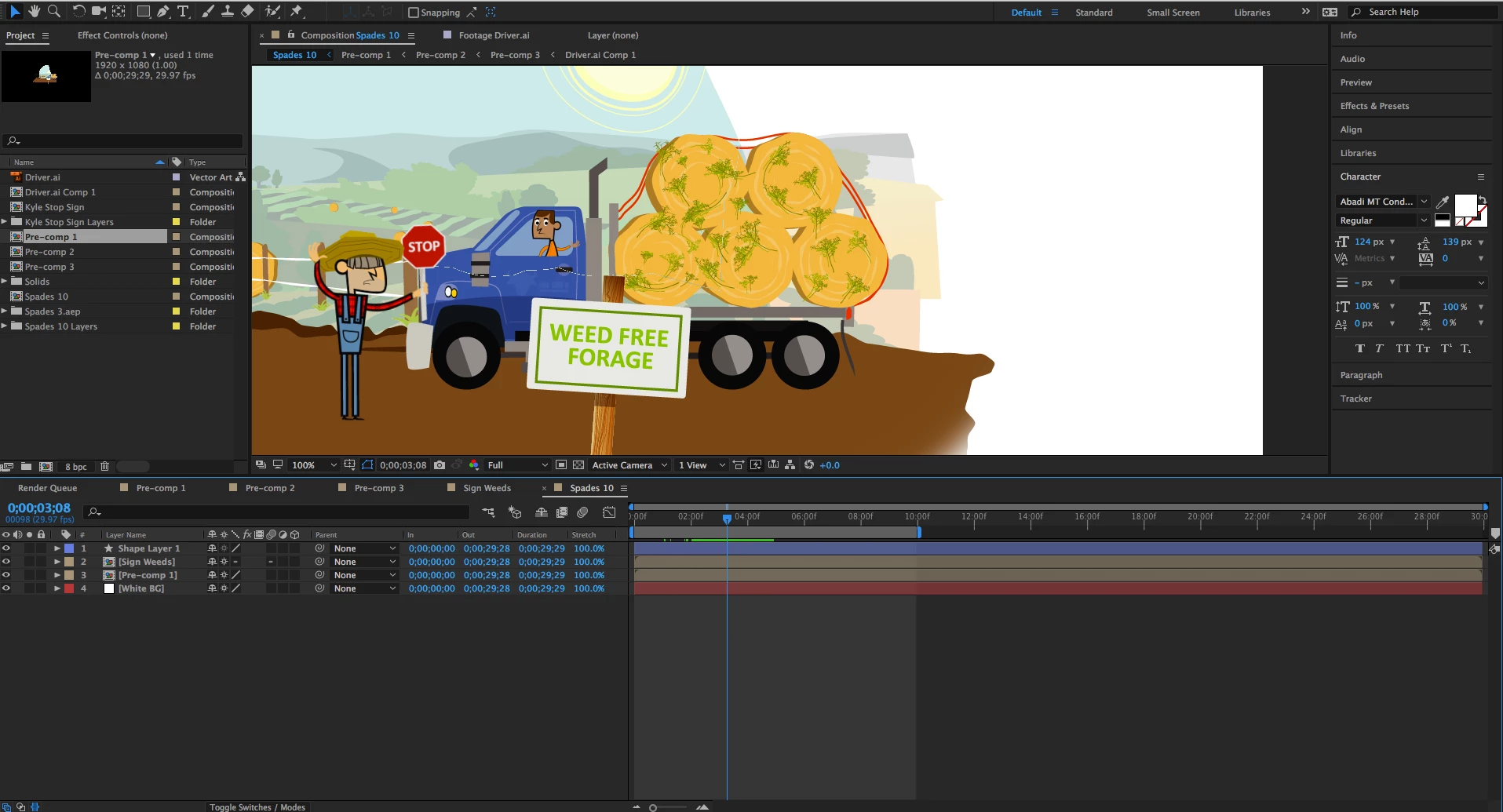
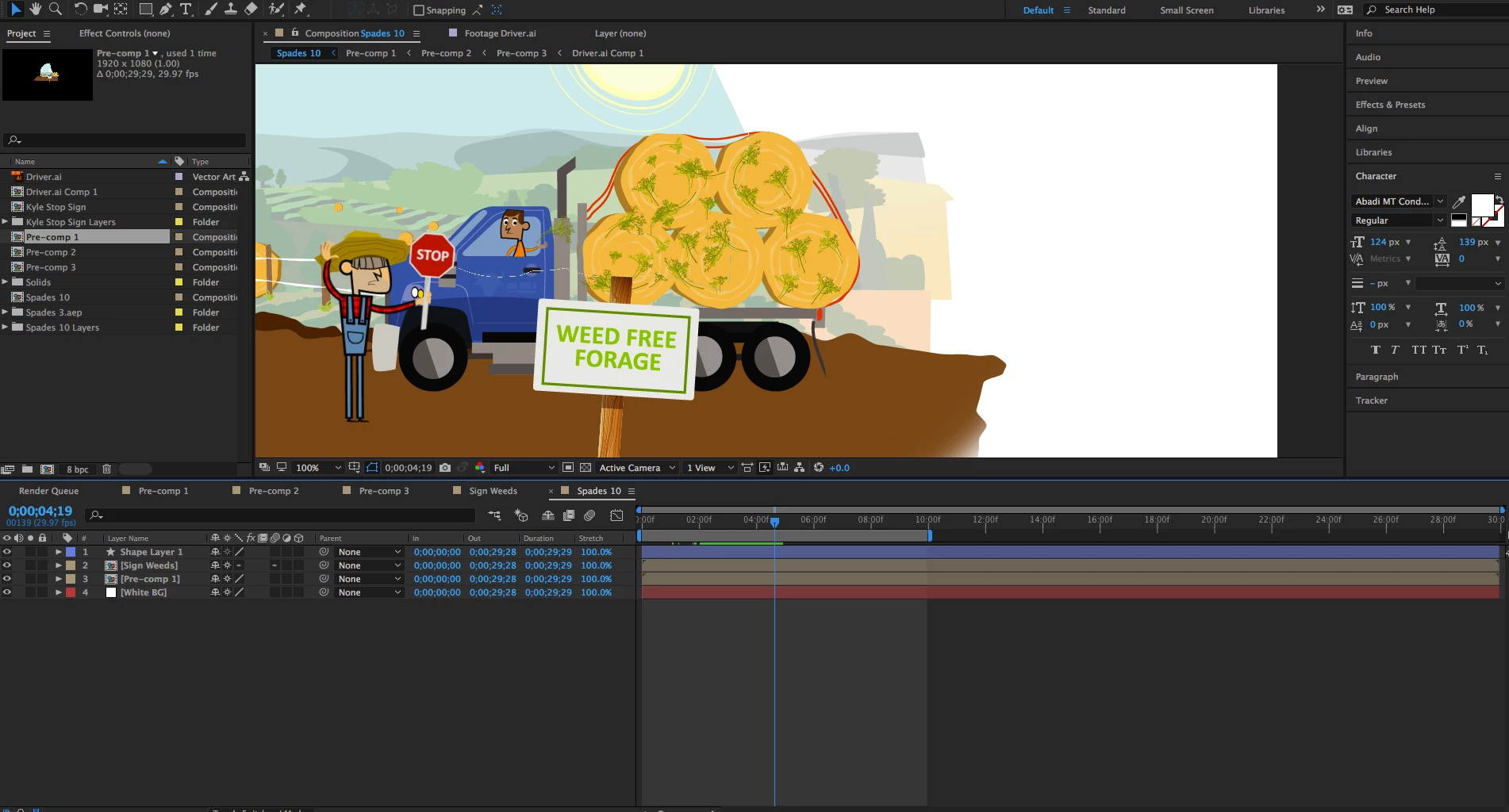
I have given up on using the puppet tool with moving vector images like that because it causes way too many problems, but I'm not sure if this is something left over from the puppet tool or something entirely new.

Any ideas?

    This topic has been closed for replies.
    Correct answer Roei Tzoref

    Puppet+continously rasterise = no good. It's written in the help files about puppet and discussed on countless threads in the forum. seek and you shall find..,

    2 replies

    Community Expert
    July 26, 2017

    Another suggestion might be to check the original Illustrator file to see if there might be some weird remnant causing the line. Maybe the continuous rasterization is bringing it out. (Hopefully)

    Community Expert
    July 26, 2017

    You may try to render your movie The line may not appear in the final movie.

    Participant
    July 26, 2017

    Unfortunately it carries through to the export. The same happens with the blurriness before continuously rasterizing.

    Roei Tzoref
    Roei TzorefCorrect answer
    Legend
    July 26, 2017

    Puppet+continously rasterise = no good. It's written in the help files about puppet and discussed on countless threads in the forum. seek and you shall find..,