
Participant
April 23, 2022
Question

Vector masking After effects

  • April 23, 2022
  • 2 replies
  • 296 views

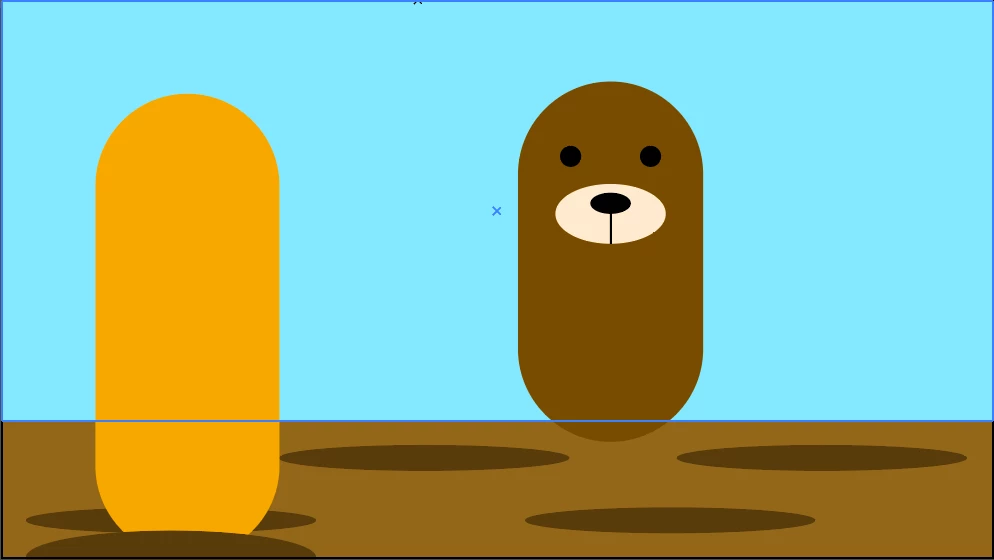
I'm trying to do a whac a mole animation in After effects, but i'm not sure how to approach the holes they rise out of. Similar to thisI'm trying to make it look like the mole is actually going inside the hole layer, without it showing around the actual hole. I hope this makes sense.
 

This topic has been closed for replies.

2 replies

Community Expert
April 24, 2022

You set up a layer above the top cut out to fit the bottom of the hole above the layer with the animal and use that layer as an Alpha Inverted track matte. This series of screenshots should help. The basic scene:

The Track Matte layer (red):

The Trak Matte applied using Alpha Inverted:

OussK
Community Expert
Community Expert
April 23, 2022

you should use track matte mask for the area where you want to hide the mole, check this link to learn more about the track matt mask

https://www.schoolofmotion.com/blog/how-to-use-track-mattes-after-effects 

Participant
April 23, 2022

hello,


Thank you. I'm made the pieces in illustrator and imported them over. So shoild the track matt mask be applied to the holes, or the actual ground?