

Participant
June 24, 2020
Question

Verify the file permission ??

  • June 24, 2020
  • 2 replies
  • 8198 views

Hello,

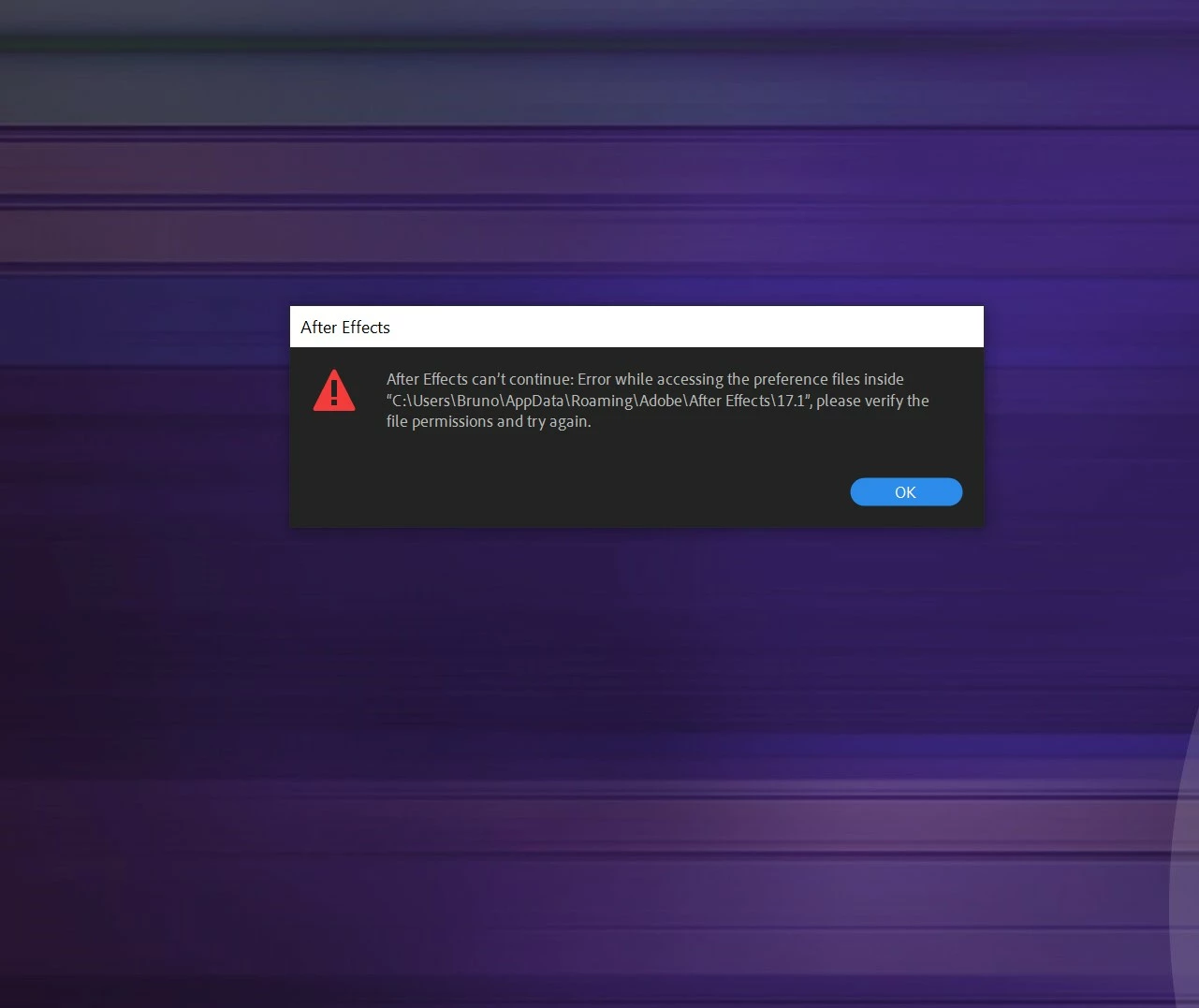
I have a problem with After effects. This is a message in picture.

Can you help me??


Thanks.

This topic has been closed for replies.

2 replies

Mylenium
Legend
June 25, 2020

It means what it says - check your user privileges and things like folder protection.


Mylenium

Bruno666Author
Participant
June 25, 2020

Thanks for your answers but how I do to check my user privileges?? Why I have the message, I have a licence Adobe for After Effects so i don't unterdestand this permission. The problem is windows 10 ??

Do you have know this problem ?

Thanks.

nishu_kush
Community Manager
Community Manager
July 3, 2020

Hi Bruno666,


After Effects needs access to make changes to the preferences files every time you launch it. If your user account settings doesn't allow After Effects to make changes, you get the error. As mentioned by the experts you need to make changes to permissions of the folder mentioned in the screenshot. Here's how: https://helpx.adobe.com/in/x-productkb/multi/preferences-folder-read-only-error.html

Let us know if it helps.


Thanks,

Nishu

ToolfarmJP
Community Expert
Community Expert
June 25, 2020

As you see, I guess the cause is the permission of the folder. You move to the folder the message indicates and choose the file. Then, you open the property and change the permission.