
Multipasser
Inspiring
March 2, 2018
Answered

Video preview (mercury transit) not working in AE!

  • March 2, 2018
  • 3 replies
  • 6133 views

I'm running a new iMac Pro 10c with a USB-C hub with HDMI out.

The HDMI -> DVI cable goes in my 24inch JVC DT-V24L1D broadcast monitor.

Video Preview out is NOT working in AE, while it works perfectly in Premiere Pro !

And I troubleshooted almost everthing I know.

Reconnected the HDMI, because I've read AE sometimes maps video wrong?

Tried other USB-C ports.

Switching live between Premiere Pro and AE, hoping AE picks up the videolink.

Turned on/off mercury and choosing OpenGL/METAL and Software mode.

Nothing seems to work!

I'm very angry and frustrated because I'm a pro motiondesigner and I bought the 5k JVC screen + 2k blackmagic in 2011.

And AE NEVER ever outputted the preview on external monitor in realtime. Previews were always at 15fps!

Now after so many years and the introduction of USB-C -> HMDI I wanted to give it another shot... grrr still buggy as hell.

I hope someone can help me out, so I can finally start using that JVC screen.

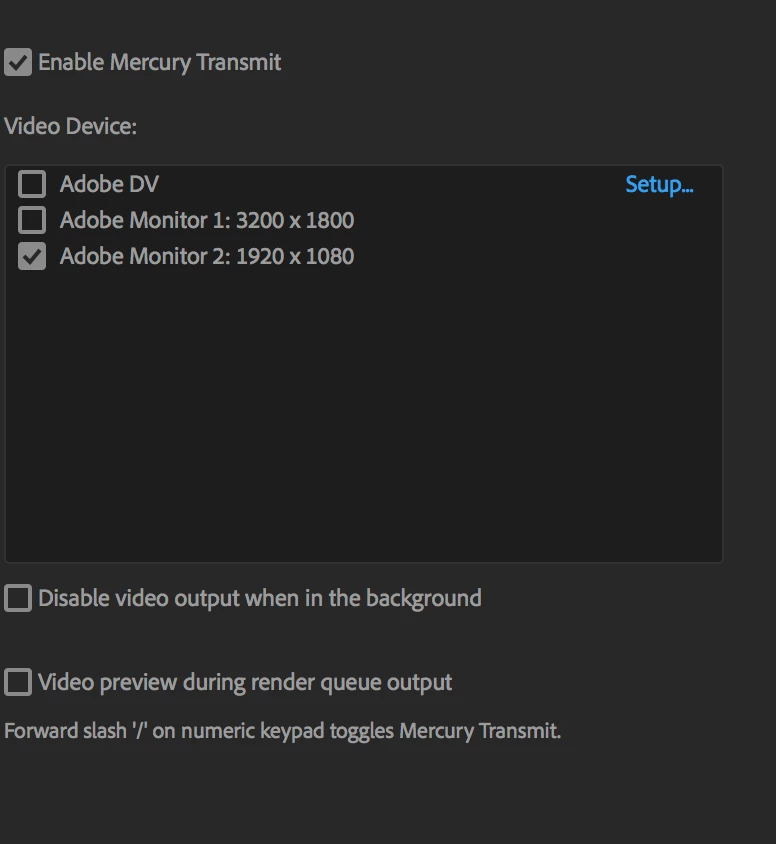
My AE setup.
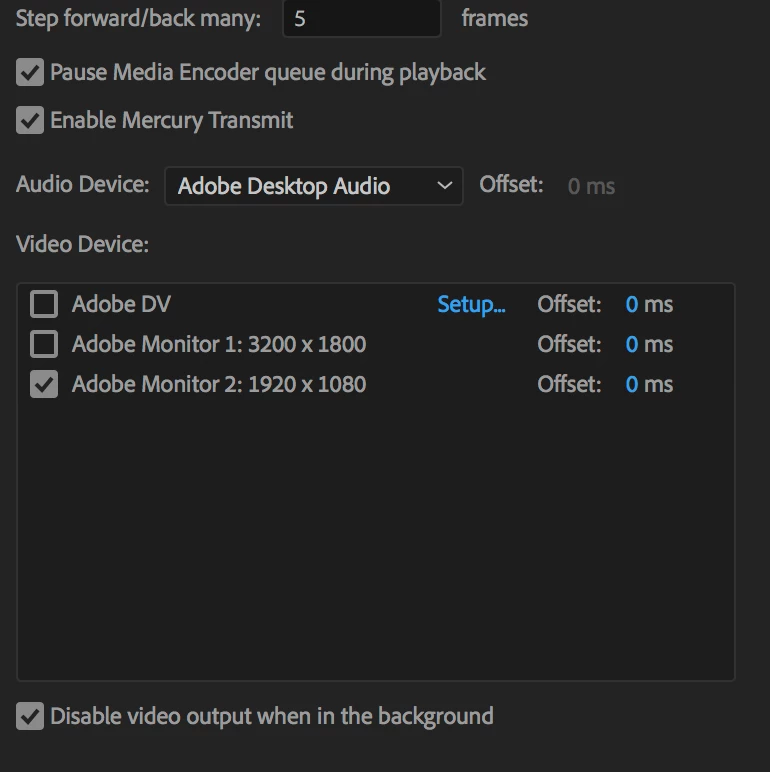
My Premiere Pro layout. This works perfectly.

It outputs 1080p to my JVC LCD when scrolling the timeline of the clips.
This topic has been closed for replies.
Correct answer polonius

Hi,

Try dragging the After Effects window away from the edge of your preview screen. I had the same problem and the reason was that my AE window was too close to the edge so that the screen showed me the Ae interface instead of the video preview.

3 replies

Inspiring
July 20, 2022

The solution' that was honored as being a correct answer does not work for me.

Maybe it works in a setup where the HDMI screen is used as an extended desktop.

But what I need is to output Ae the Comp viewer directly to HDMI, without desktops or windows. Just like Premiere does. 

In Premiere it is easy to select the second screen in the Playback Preferences, but in Ae, this looks different, and the second screen does not show up at all.


I am on a MacPro 2019 / VegaII / Ae 22.5

poloniusCorrect answer
Participant
March 6, 2018

Hi,

Try dragging the After Effects window away from the edge of your preview screen. I had the same problem and the reason was that my AE window was too close to the edge so that the screen showed me the Ae interface instead of the video preview.

Multipasser
Inspiring
March 6, 2018

Damn. I removed my screen and setup. Cannot test right now.

But for all I know my AE screen is just perfectly 'full screen' on my main monitor.

YOu have to make it a big smaller?

Kevin-Monahan
Community Manager
Community Manager
March 14, 2018

So, you're OK now multipasser? Let us know.

Thanks,
Kevin

Kevin Monahan - Sr. Community & Engagement Strategist – Pro Video and Audio
Multipasser
Inspiring
March 5, 2018

Nothing?