
Question
Warp: Arc Upper Not Anchored on Bottom of Type
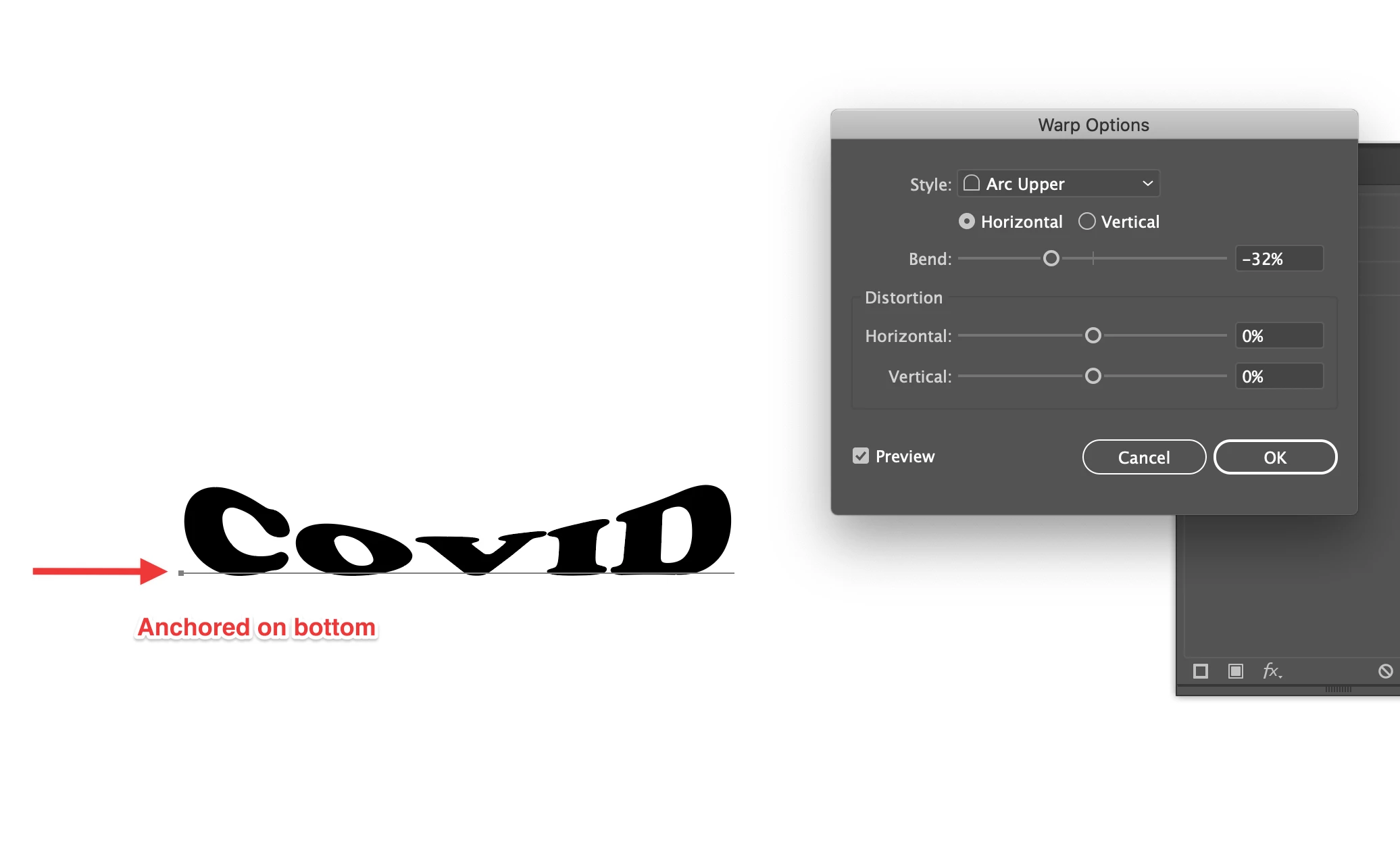
I have applied a Warp: Arc Upper on some type and it isn't behaving like it should. It should be straight on the baseline, and the type arcs. Like this:
This is the way it has behaved in the past (in After Effects). However, it is now behaving odd... the type is arcing out of its bounding box. Like this:
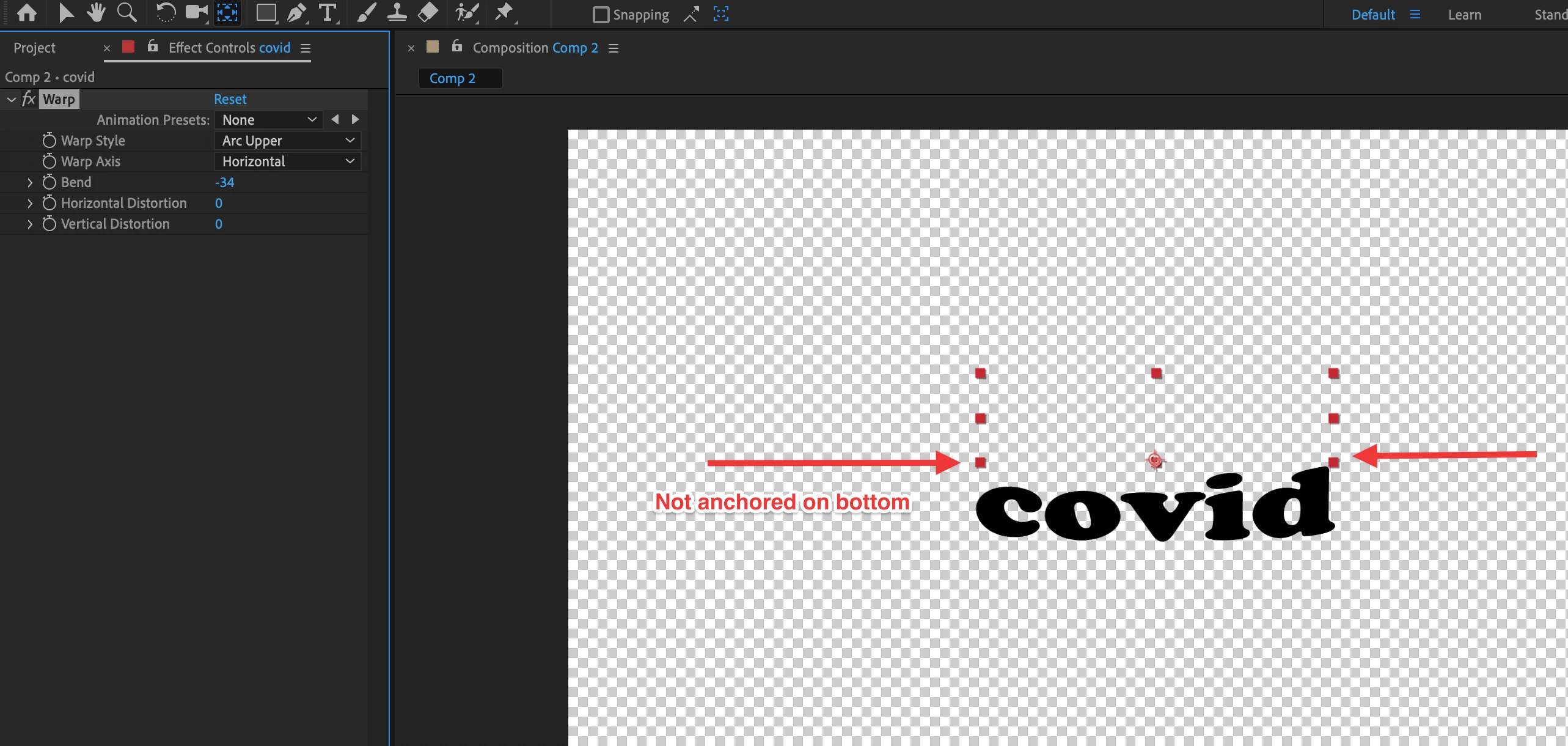
I have messed around with the layer and object anchor points but it isn't working. Anyone know what is happening?
Thanks,
Bruce
 AdChoices