Known Participant
November 17, 2017
Answered

Warp stabilizer & slow-motion footage

  • November 17, 2017
  • 2 replies
  • 4338 views

Hi everyone,

I have a serious load of ultra slow-motion footage to stabilize, mostly follow pans. Given it's slomo stuff, warp stab happens to be way out of limits I would need.

I understand stab is highly related to movement over time, and slomo gives analyzer to think everything is smooth, while it is only because of the slomo rate.

We're talking here of 1 or 2k fps footage, meaning a 1/40 or 1/80 of a standard frame rate.

I think the main issue I have is limit of the smoothness parameter. It can't go over 1000%, where I could easily need 5 or 10k %.

This setting limit, when divided by 40 (for 1000fps) is only 25%, or 12.5% for 2000fps, which is of course way out of useful range.

I've also used the crop less/smooth more variable, but it has no visible effect in this case.

May I ask Adobe team any consideration for next update on this module ?

Meanwhile, if anyone has a brilliant idea to help here, please be very welcome!

Unrelated to previous issue, but still about this warp stab module, I think it would be a very good idea to make analysis & correction data accessible to user, for further editing. I'm thinking here of data we can get with regular tracker, such as anchor, pos, rot, scale… It probably makes no sense when using the warper mode, but would have in all the other modes. As a matter of fact, for now we don't have a cloud tracker that leads to anchor/pos/rot/scale regular editable data...

Thanks for reading

David
This topic has been closed for replies.
Correct answer Roei Tzoref

Rick, thanks again for your time and expertise here,

I'm actually encoding a typical shot so you can see what the issue is. It will  be available in some minutes.

Seems to me that your solution can't work because if I speed  footage up, I will need to "unspeed" it later, right ? So if I wanna keep all my original frames heres, I will have to concatenate, otherwise I'll loose some frames. Or is there something I didn't get here ?

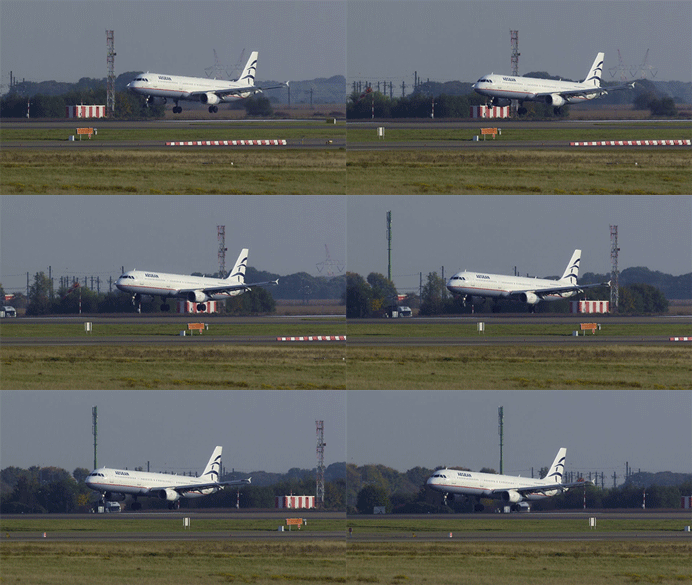
What I'm looking for is of course preserving all my frames AND stabbing them hard enough so that when I later speed 'em up by 40, result won't show any vertical wiggle, that could have earlier been "masked" by the very slow rate.

Again, warp stab does an excellent job, but won't judge bad moves on a sufficient time range, so it won't allow me to smooth enough...

In 5 minutes now, you should get here one shot, that is 400MB : Dropbox - CRUCIAL_S001_S001_T009 h264.mov

As previously stated, it will look good at nominal speed, but when played back 40x faster, simulating realtime, it will show very unpleasant vertical wiggle...


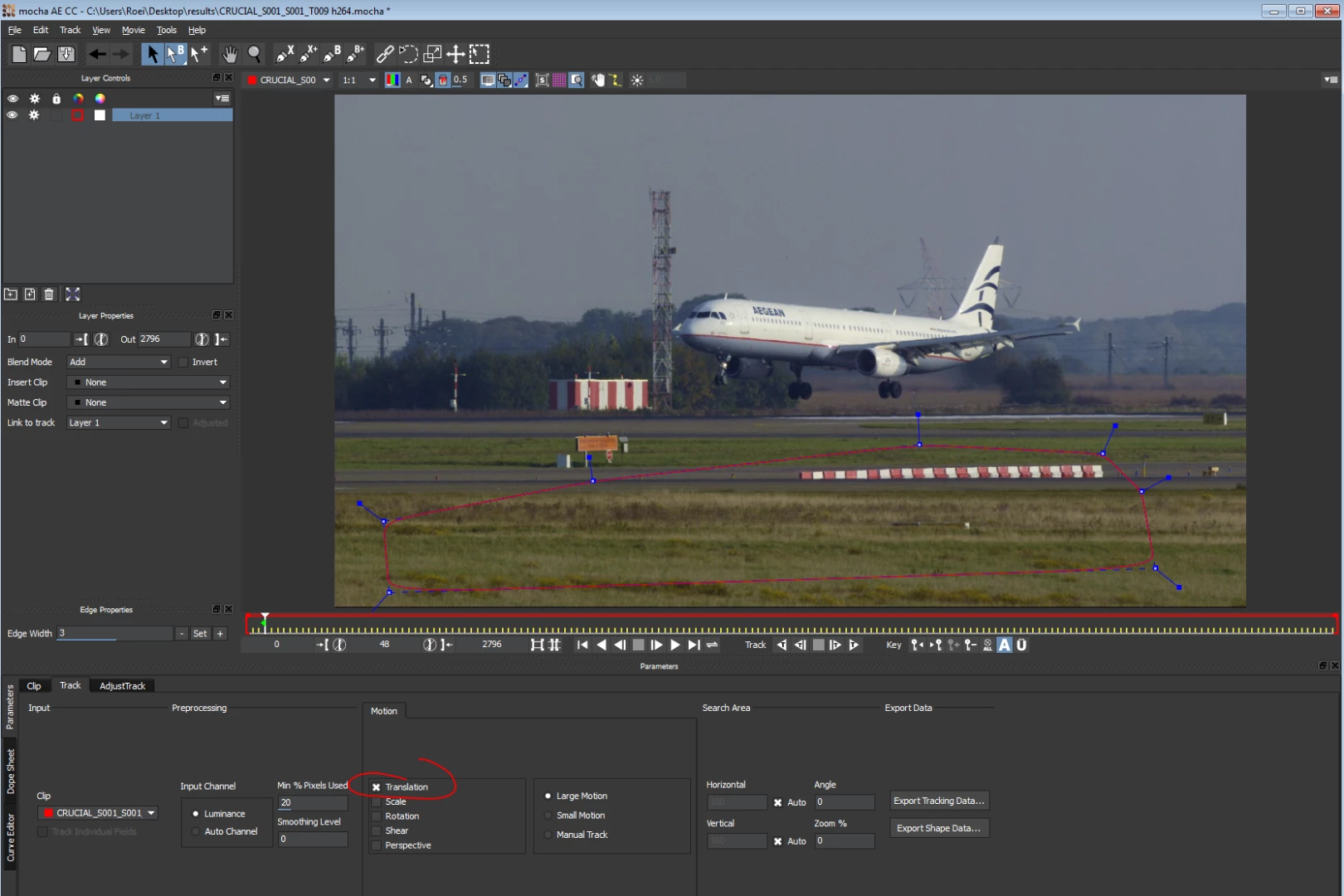
I would do it this way with Mocha Ae:

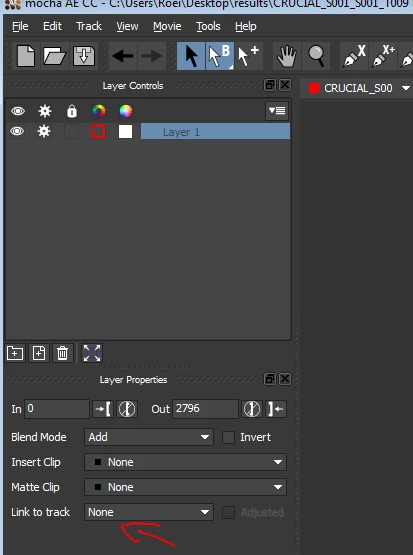
1. right click on on the footage -> track in mocha Ae

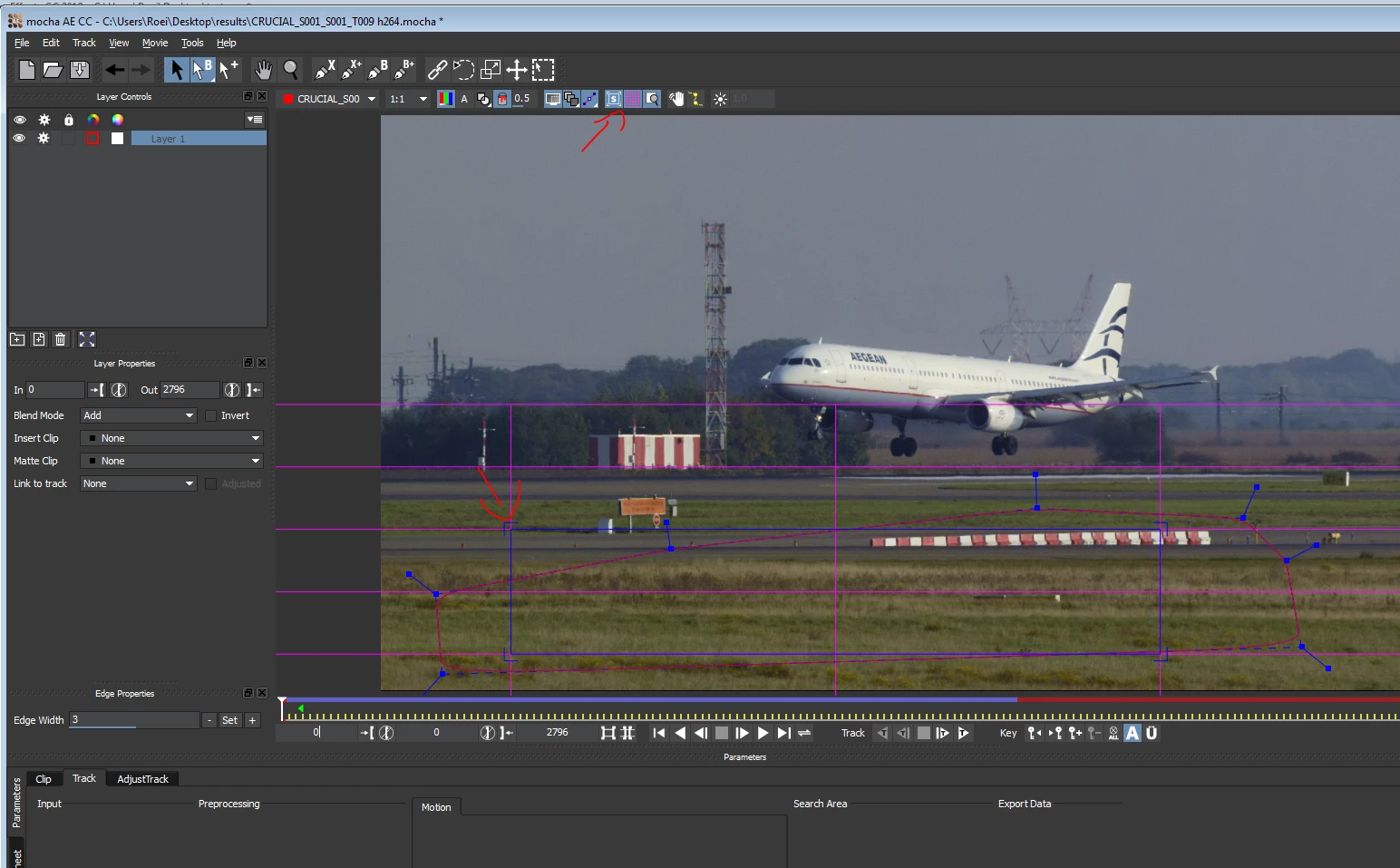
2. select a decent area in on the foreground. select only translation in the motion panel

3. unlink the mocha shape from the tracker

4. track

5. if you did not start on the first frame, then on the first frame nudge the planar surface so it will record it as the full frame

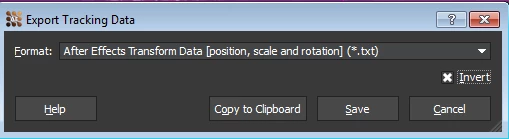
6. export tracking data - transform, click invert

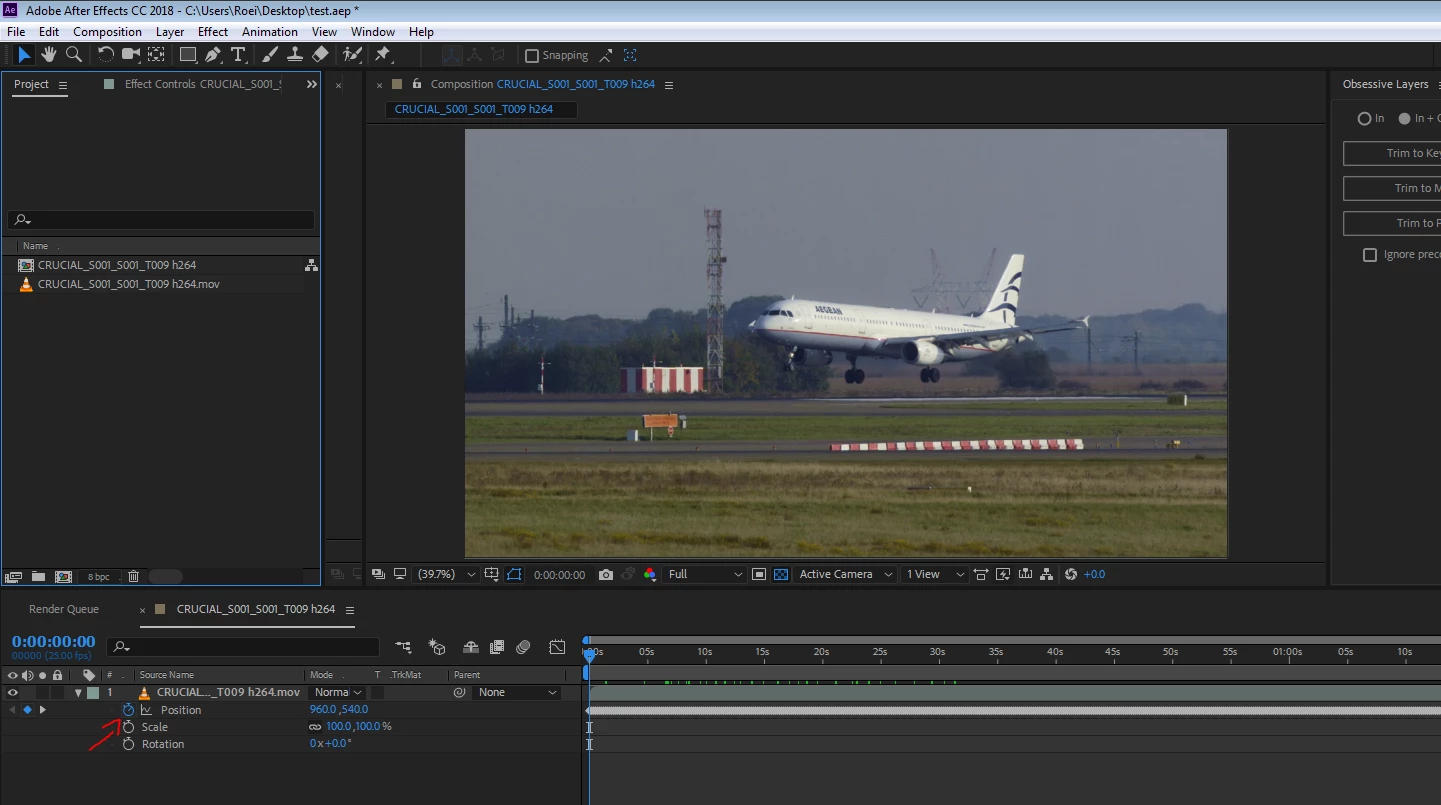
7. paste in Ae. now you have a stabilized shot for both X and Y. you will also get scale and rotation and can remove those

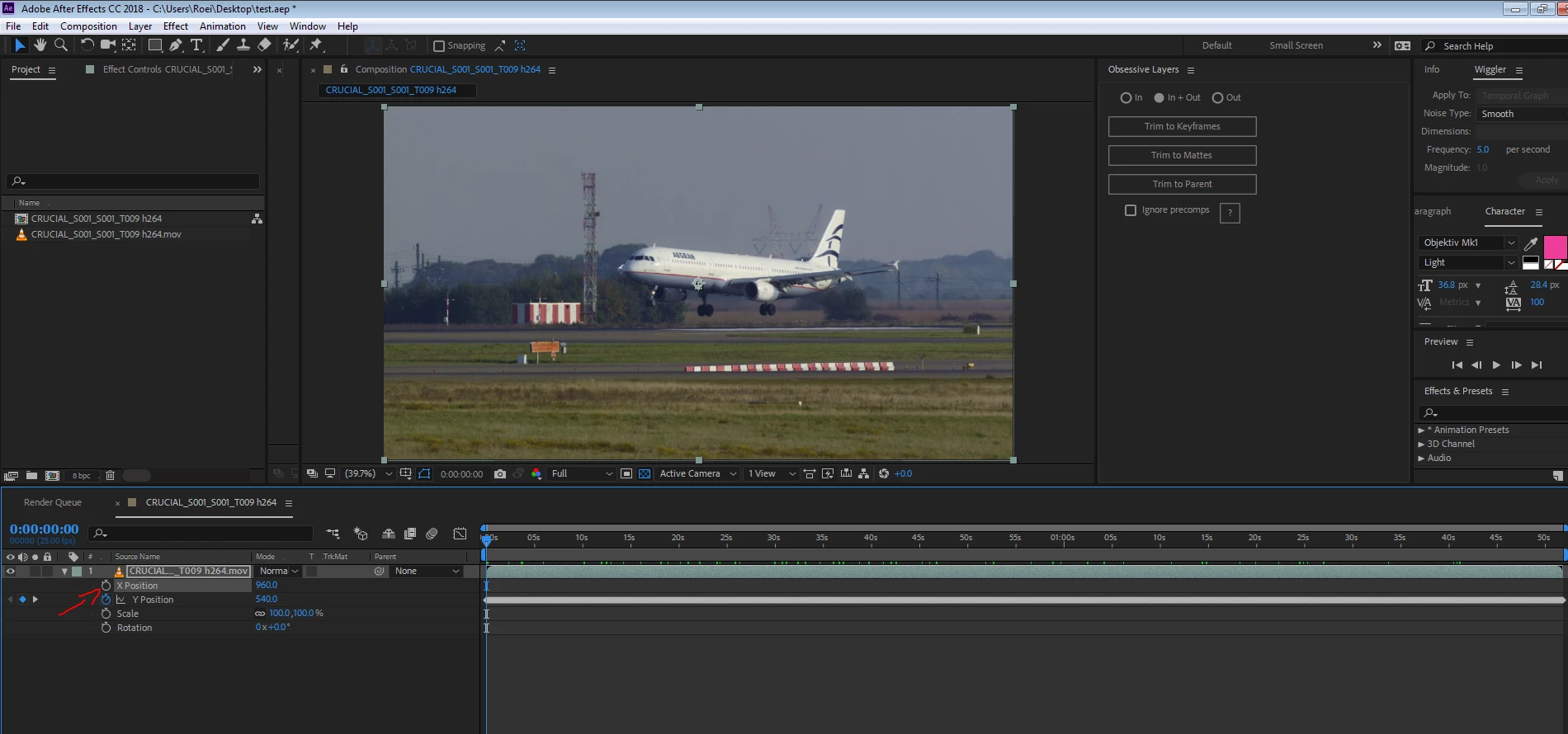
8. separate dimensions of X and Y and click on the stopwatch to remove the X movement

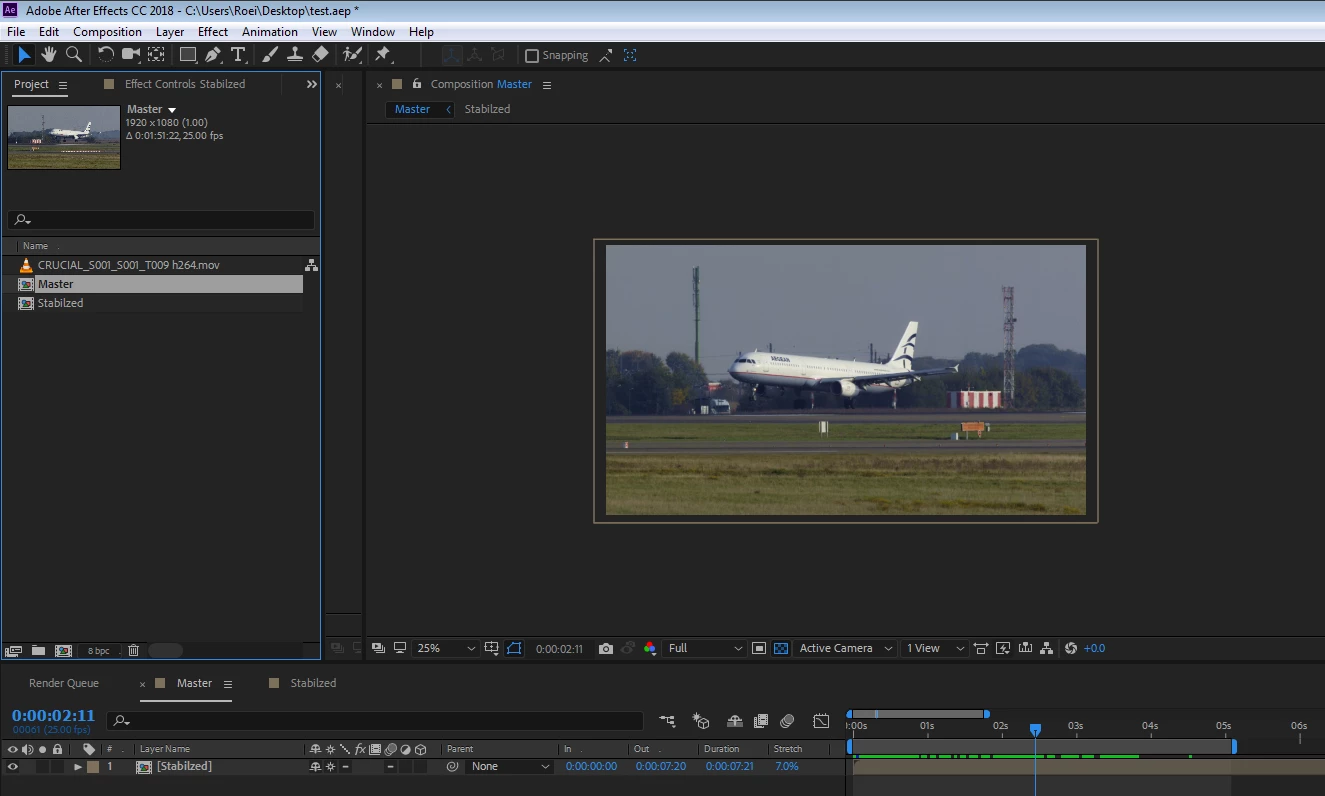
now you have stabilized the shot on the Y axis, all you have to do is precomp (for order sake...) make sure you collapse the precomp to avoid a render hit. make any speed changes you need. scale and position it a bit to make up for the missing part of the frame.

2 replies

Dave_LaRonde
Inspiring
November 17, 2017

I concur with Szalam.  I have no idea what you're ultimately trying to accomplish.  At 2000 fps conformed to... oh, say 60 fps, EVERYTHING should be smooth!

Known Participant
November 19, 2017

The idea here is to stabilize 1000fps footage, so that when speeded up to regular speed, it's still clean.

Actually, it's not, because shots were made with extreme long focal (560mm on a 2cm sensor, that is equivalent to 1000mm on a full frame camera). Follows are quite ok on the x axis, but there is serious wiggle on Y axis.

I agree that this wiggle is hardly noticeable at nominal speed, but I will need to do some speed effects in editing, switching from 1/40th to realtime speed, therefore my issue here, trying to stabilize 1/40th speed footage

Known Participant
November 19, 2017

And shots are actually planes at take off & landing. I follow the airplanes, so shot are never static, making it hard to track with regular tracker techniques...

Szalam
Community Expert
Community Expert
November 17, 2017

Could you please describe what you are trying to do in more detail? If it's so smooth that the Warp Stabilizer isn't doing anything, I don't understand what you are trying to do.

Can you use the legacy stabilizer to do what you're asking for?