


Participant
September 21, 2026
Question

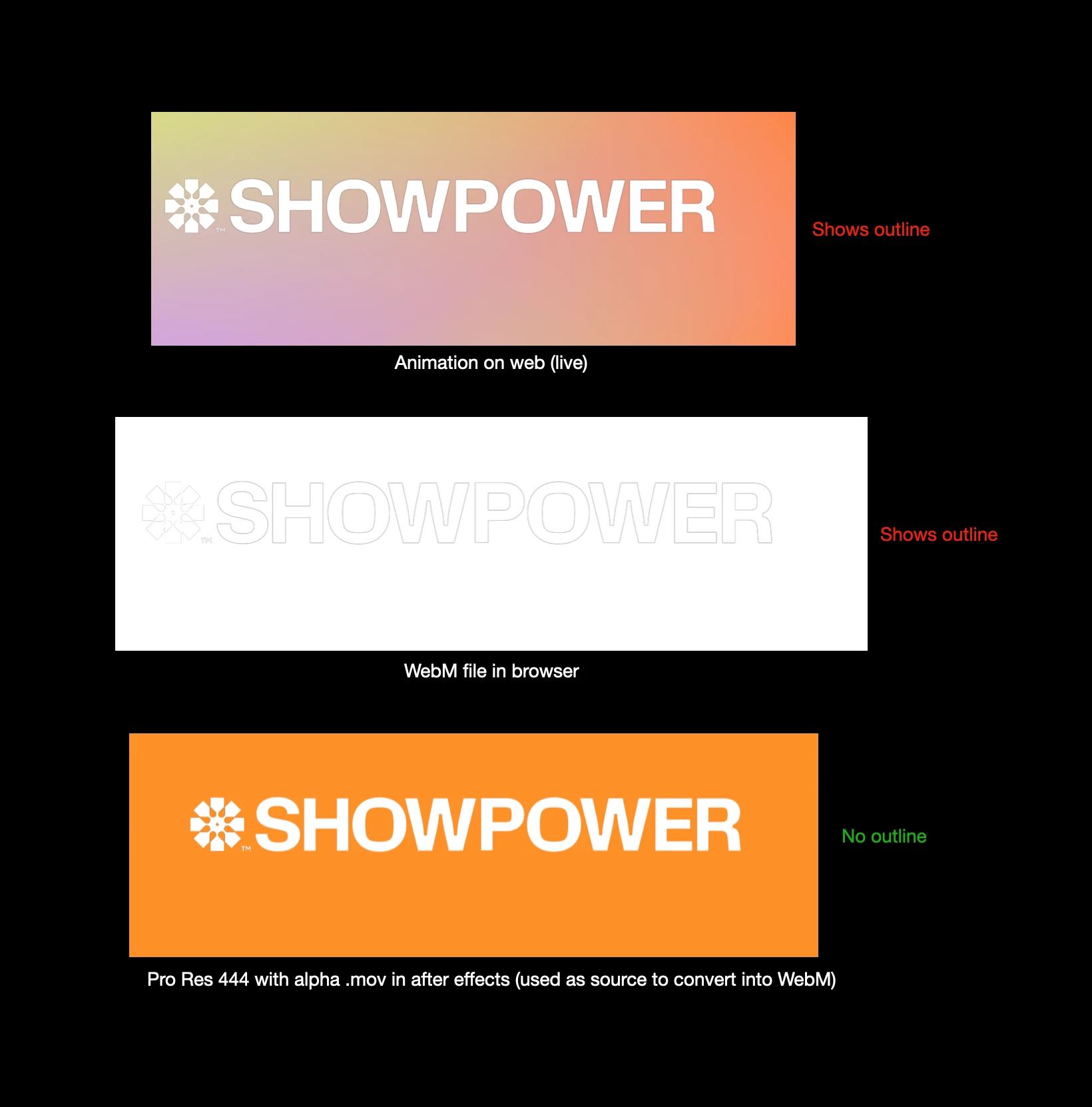
.WebM adds stroke?!

  • September 21, 2026
  • 1 reply
  • 9 views

Sooo, I am struggling with this animated logo I did for a client and they asked me to deliver a .WebM (which is a new type of file for me). Somehow it shows a grey outline to the animation which is not visible on the original .mov (pro ress 444 alpha). I tried multiple ways of exporting it into WebM but whatever I do it keeps showing this outline. How-the-hell do I remove this and make it a clean animation like the original?? I got asked for WebM by developers but open to any alternative if that's what it takes 🤓 Thanks!

 

    1 reply

    CORCTON34033231
    Community Expert
    Community Expert
    September 21, 2026

    That grey outline is a classic premultiplied-alpha fringe: the semi-transparent edge pixels are carrying the matte color (usually black/grey), and it shows up when the file is decoded and composited. Your ProRes 4444 master likely has premultiplied alpha, and the fringe got baked into the WebM.


    Two things to try:

    1. In AE, apply Effect > Channel > Remove Color Matting to the logo layers before exporting — it removes fringes from semi-transparent areas.

    2. Or render with straight (unmatted) alpha instead of premultiplied — straight channels retain more accurate color information.


    Adobe explains the difference here: https://helpx.adobe.com/after-effects/desktop/work-with-footage-items/import-and-interpret-footage-items/importing-interpreting-footage-items.html


    If the developers don't need transparency, baking in a solid background kills the issue entirely.