2 replies

oprie_ma
oprie_maAuthor
Inspiring
February 11, 2026

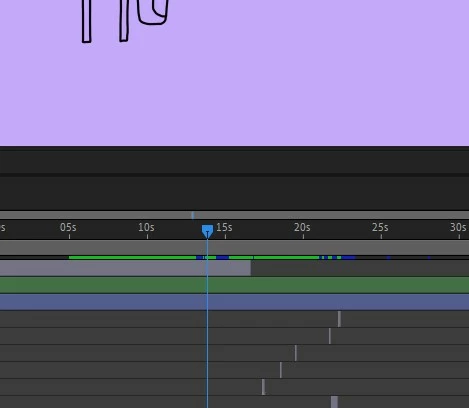
I'm still having the motion blur problem. The keyframe is set, the movement stops, and the motion blur stops. Next frame: motion blur is back. Next frame and the one after that: motion blur is gone. Then it's back again. This has been going on for months. I'm working around it by cutting the element after the blur and then turning off motion blur, or rendering on an older system, but it's annoying. I've reinstalled everything: After Effects, Nvidia drivers, plugins... but the problem persists.

I really don't know what else to do. And of course, Adobe doesn't have time for these kinds of problems.

I'm working with Windows 11, the latest version of After Effects, an AMD Ryzen 9 9900X 12-core processor, and a GeForce RTX 5070.


oprie_ma
oprie_maAuthor
Inspiring
February 11, 2026

I worked with ChatGPT on the problem. It recommended multiple tests, draws conclusions. In the end, i have installed a downgrad from 25.6. to 25.0. And at this time (and various tests)  it looks good. Thats what Chat says:


✅ Findings
Observed:

Blur when stationary

Blur starts before movement

Blur "pulses" after stopping

Also occurs in an empty composition

Clearing cache/prefs only helps temporarily

Switching renderers has no effect

Removing plugins doesn't provide a permanent solution

Version 25.0 stable → 25.6 unstable

This is classic regression in a sampling engine's motion blur layer.

🔬 Probable internal error (engine side)

Motion Blur in newer AE builds uses:

Subframe Transform Sampling

Motion Sample Accumulator

GPU/CPU Hybrid Pipeline

In version 25.6, the sample state doesn't seem to be invalidated correctly after several preview passes → old transform values ​​remain in the sample buffer → AE incorrectly detects motion.


The fact that the error only appears after several timeline iterations fits exactly with a state drift bug.


I hope that was the problem. 


nishu_kush
Community Manager
Community Manager
February 12, 2026

I see! Thanks for getting back.

Can you try using version 26.0 and see if the issue persists? You can keep the version 25.X and 26.0 simultaneously. 

Let me know how it goes.


Thanks,

Nishu

Community Manager
September 26, 2025

Hi oprie_ma,

Welcome to the community! If that motion is kind of a glitch, have you tried purging cache (Edit > Purge > All Memory & Disk Cache) to see if it's helping?


Thanks,

Sumeet

oprie_ma
oprie_maAuthor
Inspiring
September 28, 2025

Thank you. I will try it next time. my computer was in standby for 12 hours and after restarting, the blur issue was gone.. 🤷‍♂
