Inspiring
January 26, 2019
Answered

Weird preview behaviours - Blank screen, cmd+z goes bananaz...

  • January 26, 2019
  • 1 reply
  • 690 views

Hi,

Problem 1

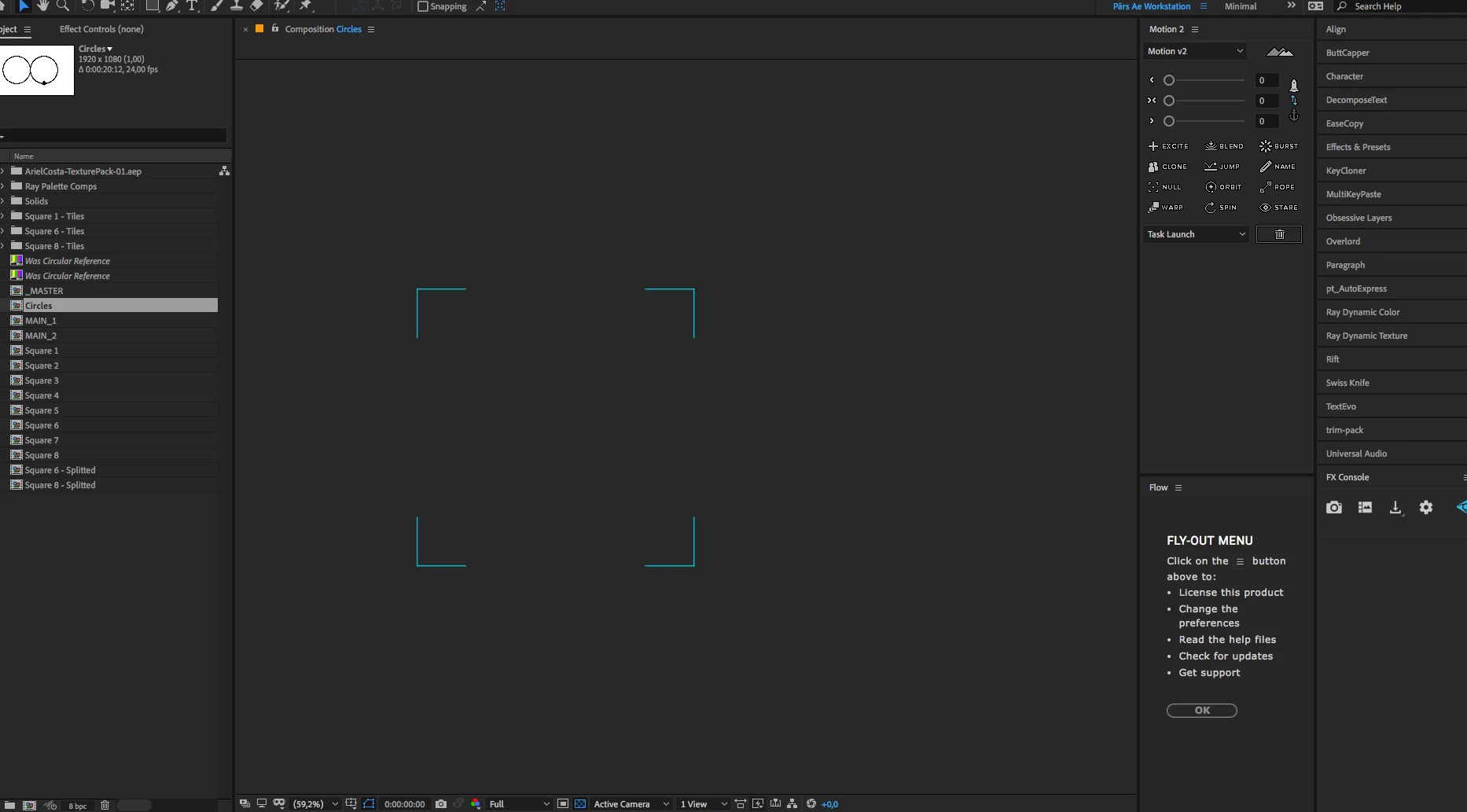
When creating a new layer in a comp, the preview window is just showing a black screen (I have not pressed play yet). When hovering over it I can still get the outlines indicating that the layer is there (see image 1). When hitting the play button everything works.

Image 1:
Problem nr 2 that might be related to Problem 1

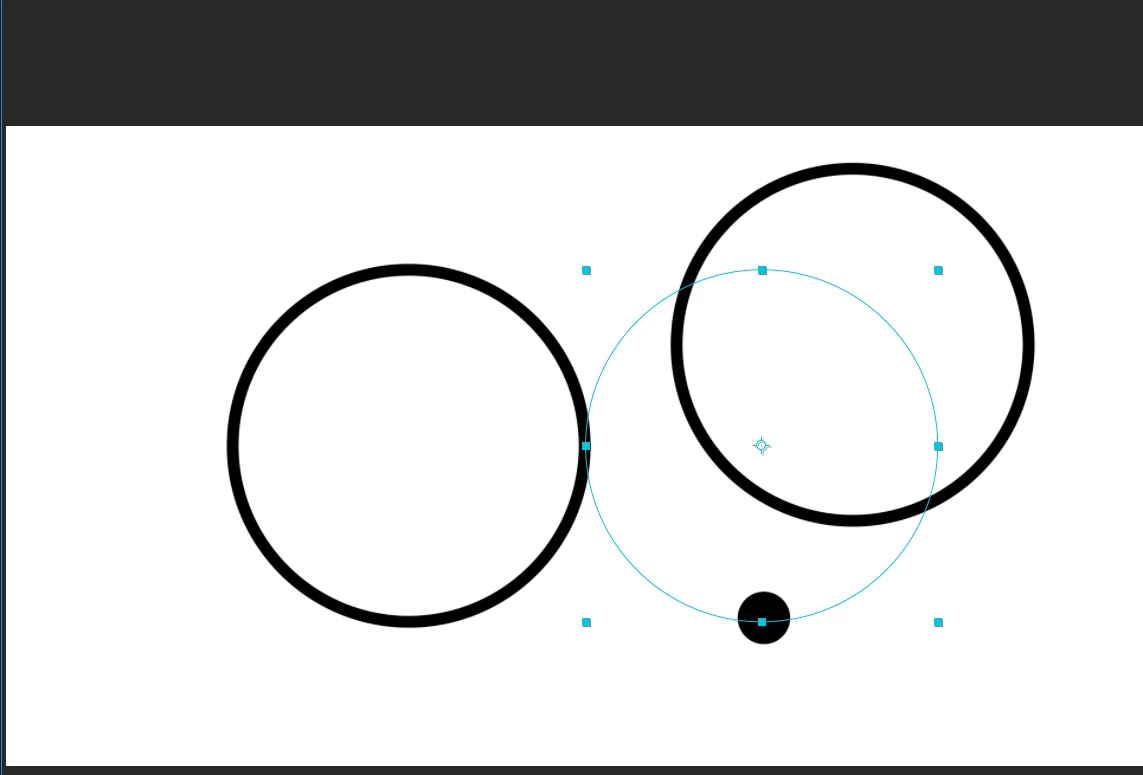
When moving a layer in the preview window that now works I want to undo. Cool. I press cmd+z and I can see that the layer is back to normal from the outlines, but the image is still the same. I need to hit the play button again to make it visible.

Image 2:
Problem 3 that also might be related

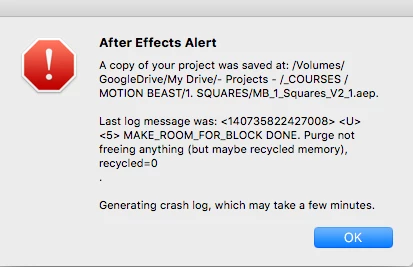
I use a shortcut command to make the anchor point go to the middle when it's created (cmd+shift+y). The irritating thing is that sometimes it works and sometimes its not. This happened in the project above where the small dot did not get the anchor point fixed with the shortcut. And now, when I wanted to try it, Ae Crashed with this error message (Image 3):
Any ideas what's going on?

Solutions I have tried

  • Cleared the Cash
  • Cleared the memory
  • Tried different settings in the Resolution preview list
  • Tried different settings in the Fast Preview list (I tried to understand a bit more from Preview without rendering in After Effects  - is it ONLY for 3D layers?)
  • I cranked up the Memory for Ae to maximum 15 GB (what is recommended here by the way? I hear some people go with 8GB if you have 16GB installed)
  • Restarted the computer
  • Shut off the computer

SPECS

I have Mac OS High Sierras latest updates (10.13.6)

Latest Nvidia and Cuda driver (which is showing in Ae)

Latest Ae (16.0.1)

16 GB 1600 MHz DDR3

2,5 GHz Intel Core i7

MacBook Pro (Retina, 15-inch, Mid 2014)

NVIDIA GeForce GT 750M 2048 MB Intel Iris Pro 1536 MB

Thanks

/Pär

    This topic has been closed for replies.
    Correct answer Roland Kahlenberg

    When highly strange things happen, it is a good idea to trash your prefs.

    1 reply

    P.M.B
    Legend
    January 26, 2019

    Hi,

    The first problem is likely just that you have your current time indicator (CTI)  "before" the start of yiour composition.  Check your comp settings and make sure your composition starts on frame 00.

    The second & third problems I don't know if I really follow what you're trying to describe.

    Maybe you can try to describe it another way or provide a screen shot and describe exactly what's happening in it.

    If you change the center anchor point shortcut back to it's default cmd+alt+home, does it work ok then?

    My final thought is about you keeping your projects on the cloud.  I don't know alot about that but I wonder if that might cause problems.

    ~Gutterfish
    Inspiring
    January 27, 2019

    Hi Gutterfish and thanks for your reply!

    The CTI and the comp settings are all in order so that's not the problem.

    Regarding the cmd+z: so after you pressed the shortcut I can see that the layer itself has moved back to its original place (see image 2 where the blue outlines are). But the image of the layer is still in the same place. Like a long lag. But the lag stays until I move the CTI with the mouse. Then the image of the layer also moves to the original place again. Has never happened before.

    I'm using Google File Streamer and yeah, that could be something. Yet I have used it for years, no problem. Also, when I create a new project that's not even saved anywhere, the same problem occurs.

    Tried changing the anchor point shortcut yet the same problem exists. So weird.

    Roland Kahlenberg
    Roland KahlenbergCorrect answer
    Legend
    January 27, 2019

    When highly strange things happen, it is a good idea to trash your prefs.

    Very Advanced After Effects Training | Adaptive & Responsive Toolkits | Intelligent Design Assets (IDAs) | MoGraph Design System DEV