

Welcome to Adobe Max 2024 and After Effects 25.0
Adobe MAX 2024

Adobe MAX 2024 is here, and this year, we’re taking over the vibrant Miami Beach!️
Get ready to ignite your imagination and dive into the latest trends and cutting-edge tools that are shaping the future of creativity. This is your chance to learn from the best, network with fellow creatives, and collaborate in an atmosphere buzzing with inspiration.
From October 14, 2024, be part of this electrifying event in person or join the excitement online. Don’t miss out on the creative event of the year!
Be there or tune in online – your creative journey awaits!
New in 25.0
After Effects has been crushing it in terms of stability and performance, and this update takes it to the next level. Dive into the details here and see what’s new in After Effects for your creative projects!
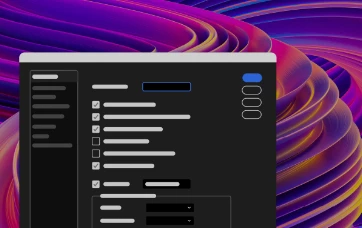
Refreshed, modern design
After Effects now features a fresh, new design that’s modern and more consistent. With two dark, light, and a high-contrast accessibility mode, you can customize the look and feel to your preference.
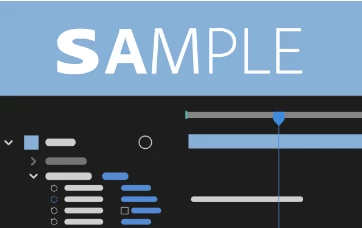
Per-character Text and Paragraph styling in Expressions
Use extended text and paragraph styling capabilities in Expressions, including per-character control for efficient text-based animations.
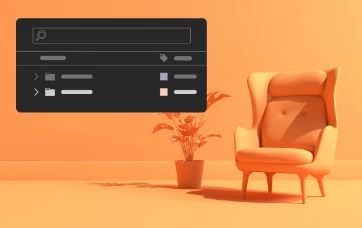
Decluttered 3D Model Import
Import 3D models while keeping the Project panel organized and clutter-free without introducing dependent files or extra folders
Fixed issues in 25.0
After Effects 25.0 is coming to you with a lot more stability and performance. Below are some fixes that are being released in this version.
Not just that, the After Effects team has squashed a ton of bugs in the previous 24.6 release, ensuring that 25.0 not only meets but exceeds your expectations. Here’s the list of fixes that will make your creative journey smoother and more enjoyable.
- Home Screen no longer goes blank after you press the Esc key twice when the Open project Finder dialog is open.
- After Effects no longer needs to be restarted to load team projects after encountering an "unknown exception" error.
- Green cache markings now update properly during RAM preview caching.
- When exporting in QuickTime format, the encoding date is accurately set to the current date, regardless of the codec.
- Small changes to a Text layer's Fill & Stroke color values are now properly respected.
- Separating a spotlight's position dimension no longer keeps the original Position attribute.
- All new projects will now use the JavaScript expression engine by default rather than the last-used expression engine.



 AdChoices