Ah ok you need to add also a key frame for the point of interest parameter.
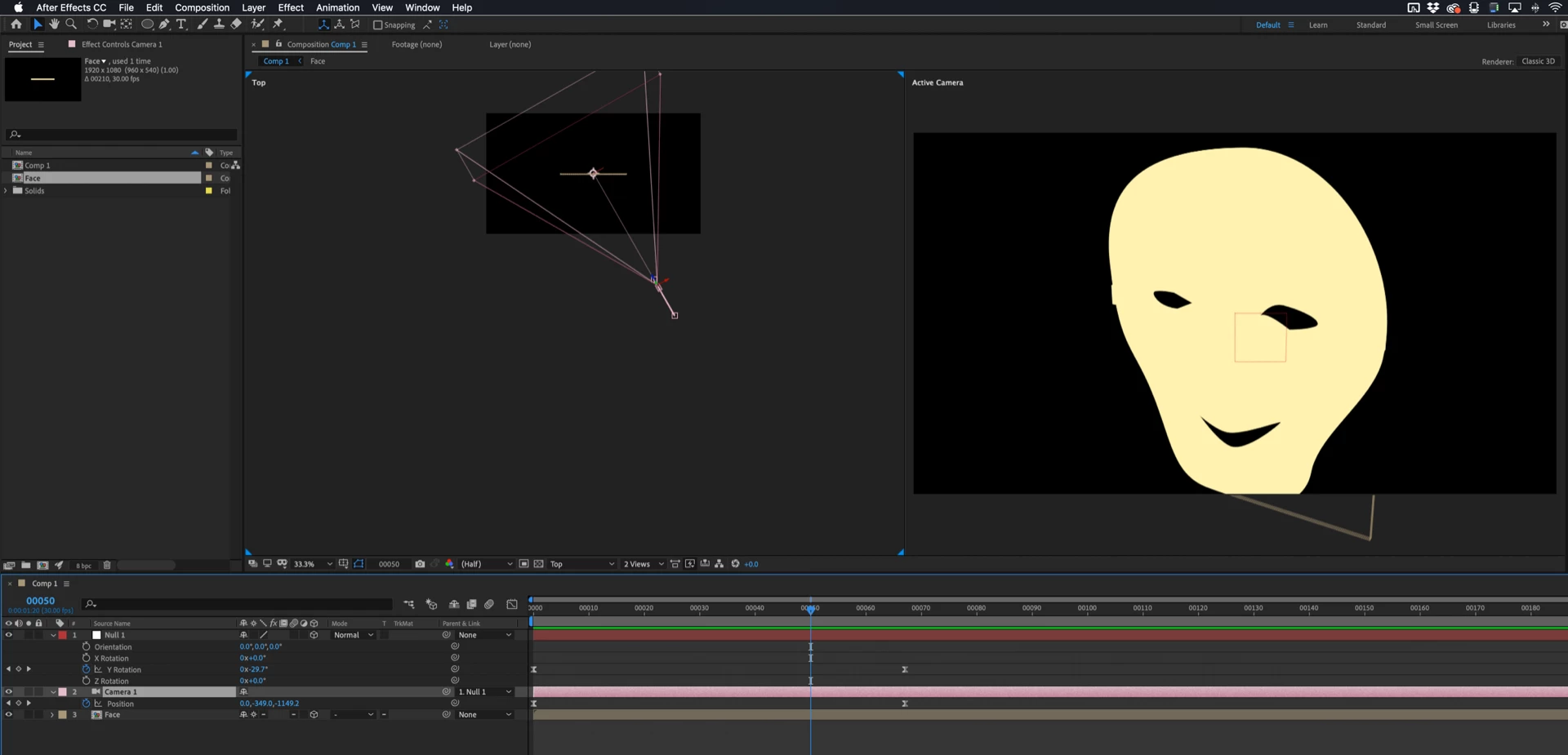
also the easy way to control a camera is to create a null object and make it 3D than link you camera to this null and animate the null it self
When you are animating a camera it is important to have at least 2 views. That way you can see the motion path of the camera.
Position properties are always in a straight line. You set one keyframe looking at the right side of the face, then another looking at the left side. There is a straight line between these keyframes. This means that the camera is going to be much closer to the face with it gets halfway between keyframes.
You have two options. One way to do this animation would too enable two views, active camera, and top. Set your two keyframes, then move the CTI (current time indicator) to the place where the camera is perpendicular to the face. Now switch to the pen tool (g), hold down the Alt/Option key to change to the convert point tool, then click on the first keyframe and drag out a bezier handle to curve the motion path. Then repeat with the second keyframe so you have a curved path that keeps the same distance between the camera and the face for the entire motion path. The comp would look like this:
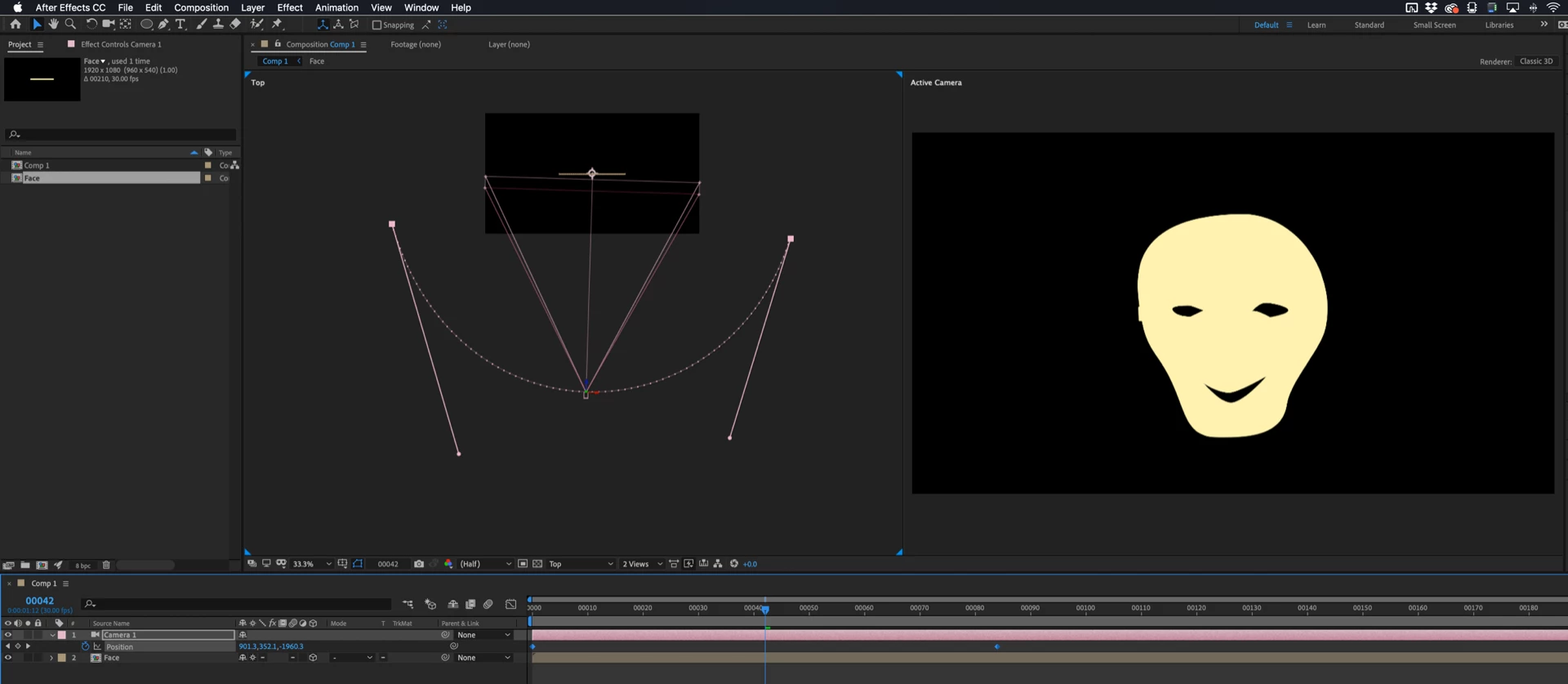
The second option is to use the Layer>Camera>Create Orbit Null tool to put an orbit null at the point of interest of the camera. Then you make sure the orbit null is precisely at the center of the face layer. If the anchor point of that layer is in the center of the face you can hold down the shift key and parent the orbit null to the face layer. This will move the orbit null to the same position as the face. Now you animate the Y property of the Orbit Null to animate the camera move from left to right and you adjust or animate the z position of the camera to move the camera closer or farther away from the face.
It would be a very good idea for you to spend some time with the User Guide. Type Animate Camera in the Search help field at the top right corner of After Effects and do some studying. AE's camera is very easy to control if you understand a few basic principals.

In the future please just drag your screenshots to the reply field on the forum or if you are on Windows, PrintScreen and paste. There is no easier or faster way to show us what you are having problems with.
 AdChoices