ChrisCrystalize
Inspiring
November 25, 2018
Question

When color keying doesn't work in certain areas
  • November 25, 2018
  • 4 replies
  • 4044 views

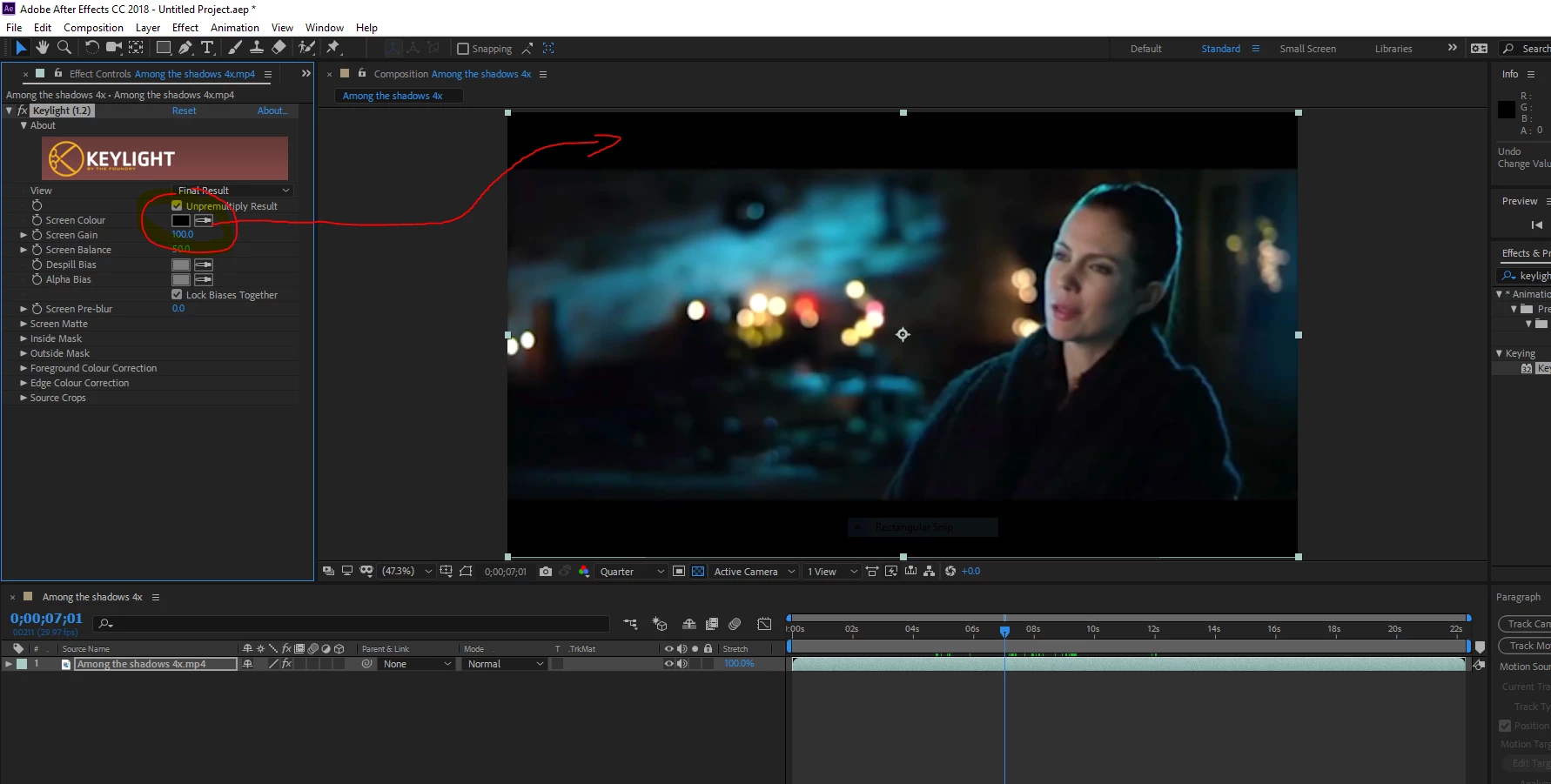
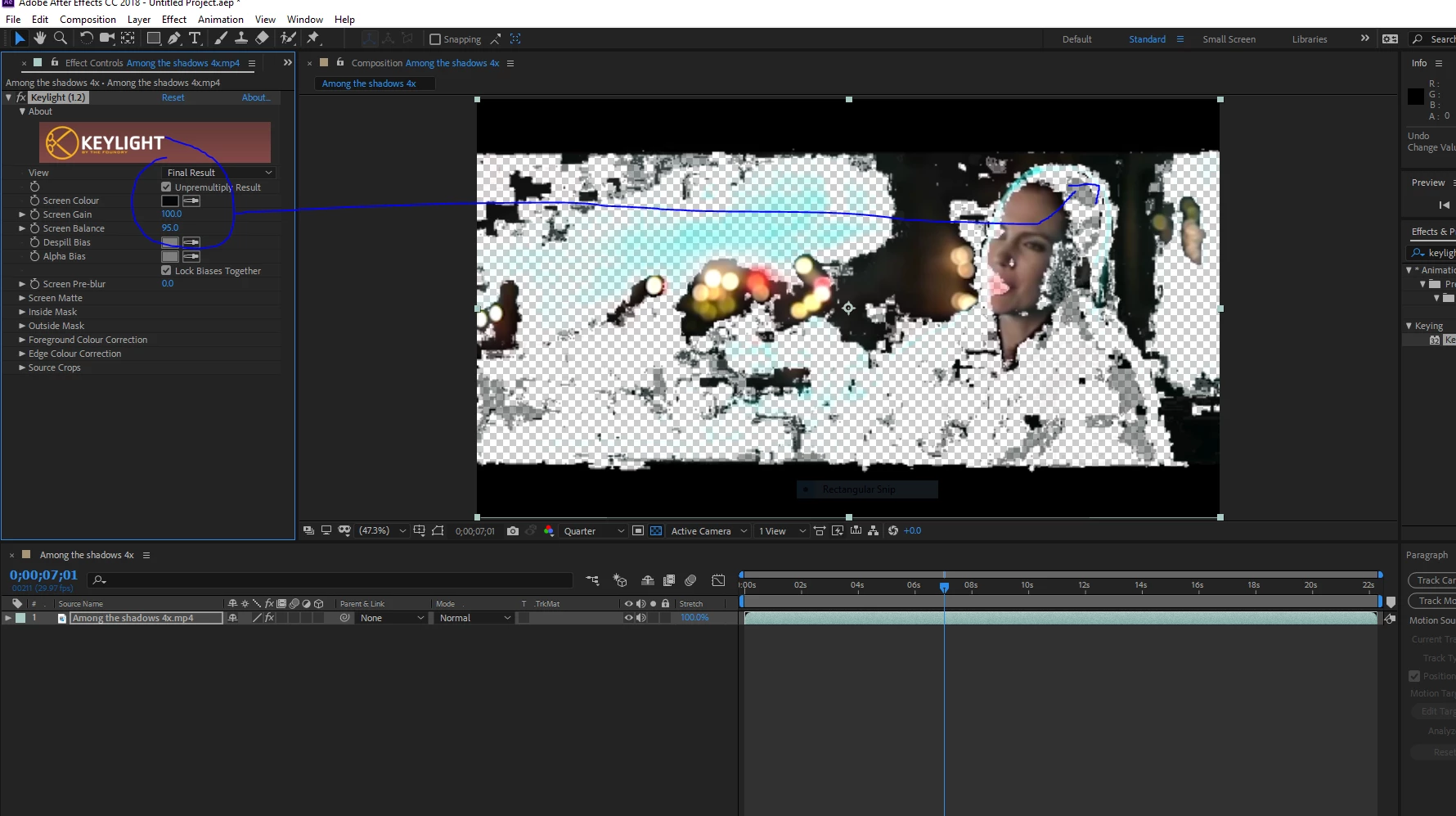
When i use the eyedropper in keylight 1.2 to key out the black in the letterboxed area of the trailer the program won't key the color out. However it will key out color within the movie itself. i want to key out the black letterboxing so I can put a picture behind it, however the program won't allow me to do it. Any solutions? I could make a picture vignette, however I want to know why the color key fails inside the letterboxed area. What makes those pixels so different that they can't be colorkeyed?

Thank you,

Chris

    This topic has been closed for replies.

    4 replies

    the_dudes
    Inspiring
    November 26, 2018

    So here's the thing: The pixels in the letterbox are 100% black, or rather RGB000. But the pixels that you're keying out are somewhat in the grey. – More often than not, movies don't go to a 100% black because it feels like there's a hole, and no more visual information. The movie could also be exported in Video Legal Range, while the letterbox contained black from full RGB range.

    ChrisCrystalize
    Inspiring
    December 10, 2018

    I decided to put a picture over it and make a rectangular mask with feathering. I'm just using trailers off YouTube, no copyright infringement intended. If there's no text on screen I'll crop. I just wanted to know why the color keying doesn't work sometimes. Green and blue are the most popular colors to key out but I've keyed black before.

    the_dudes
    Inspiring
    November 26, 2018
    1. It's cool to see Dave and Rick are still around after such a long time.
    2. Yet all three anwers fail to solve OPs problem ("What makes those pixels so different that they can't be colorkeyed?")
    3. Rick even warning about "monkeying" and copyrights stuff, when you know nothing about the project. Maybe it's a private project? Maybe it was the subject in an training course? Or maybe ChrisCrystalyze is legally working on this trailer?

    Just imagine how that feels to a person asking a question here.

    ChrisCrystalize
    Inspiring
    December 10, 2018

    I post my creations on YouTube with no copyright infringement intended and will take down if requested. So far nobody's shut me down, worst case YouTube will block the content from being viewed. I'm surprised the trailer's even viewable on YouTube to begin with, let alone downloadable by using RealDownloader. Pretty crappy resolution though, 360p. I'm just learning the ropes with the Adobe CC Suite and would like to be able to create marketing infomercials for businesses one day.

    the_dudes
    Inspiring
    December 10, 2018

    Try 4KVideodownloader. It's awesome. Very little ad, almost no intrusion. There's also a portable version.

    Andrew Yoole
    Inspiring
    November 25, 2018

    Why don't you just mask the letterbox out with a rectangular mask?

    Community Expert
    November 26, 2018

    If you just want to add something to the letterboxed area just use a rectangular mask and put another layer below the original footage. This is day 1 AE basics. You are making things way way way too difficult.

    By the way, monkeying with a trailer for a major motion picture is putting a lot of pressure on the fair use portion of copyright laws. You should really carefully consider what you are doing to make sure you won't get into trouble.

    ChrisCrystalize
    Inspiring
    December 10, 2018

    So far nobody's shut down my YouTube channel nor have I been contacted by an attorney via certified mail. I do my work strictly for my own enjoyment and not for any monetary profit.

    Dave_LaRonde
    Inspiring
    November 25, 2018

    You're trying to key BLACK?  With footage that's had the bejeezus compressed out of it?  You're lucky to have your current results.

    You may want to blow off keying and try Rotobrush instead to isolate the subject.