
edraconus
Participant
May 12, 2026 9:10 AM UTC
Answered

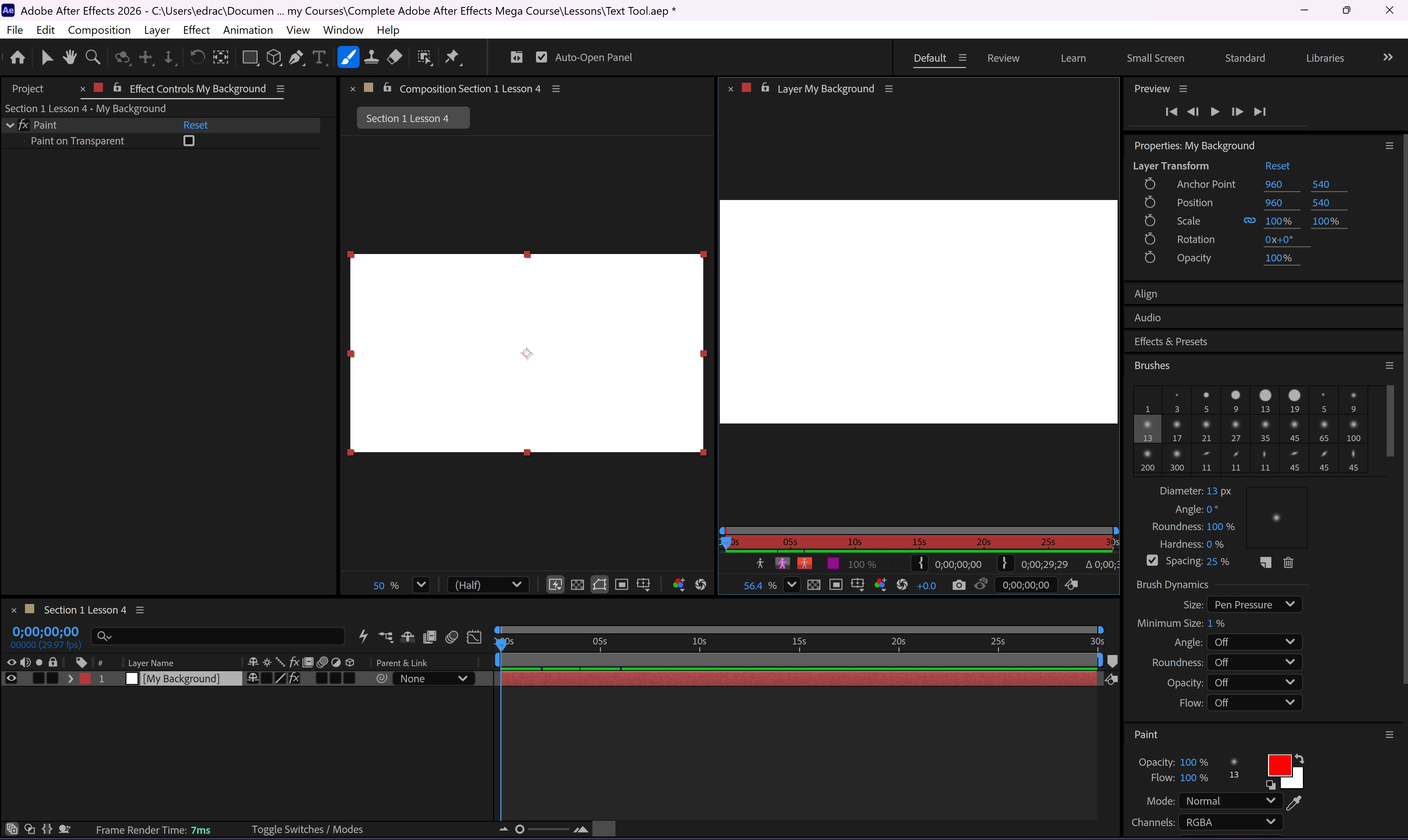
When double clicking I layer am getting a new window beside the composition window

Havent used after effects for awhile, when I doubled clicked before it use to fill the window with anything else going to a tab. Now it opens a new window beside the composition window which makes it small I dont need to see the composition window just what I am working on.
 

    edraconus
    edraconusCorrect answer
    Participant
    May 13, 2026 8:46 AM UTC

    Set everything back to default and its now working properly.

    4 replies

    Nishu Kushwaha
    Community Manager
    Community Manager
    May 12, 2026 12:44 PM UTC

    Hi there,


    Thanks for reaching out.

    It is expected behavior that when you double-click a layer in After Effects, it can open the Layer panel/source viewer in a separate tab or window instead of staying in the Composition viewer. The Layer panel is used for things like masks, paint, roto brush, and viewing the original source independently from the comp.

    Also, if this behavior suddenly changed recently, check whether a Paint/Roto Brush tool is active. Those tools can force double-clicks to open the Layer panel instead. If you want the composition tab to open when you double-click a comp in the Timeline, double-click it with the Selection tool active.

    Let me know if it helps.


    Thanks,

    Nishu

    Translate
    edraconus
    edraconusAuthor
    Participant
    May 12, 2026 7:34 PM UTC

    No it does it with the selection tool as well, paint/roto brush tools are not active. 

    Translate
    edraconus
    edraconusAuthorCorrect answer
    Participant
    May 13, 2026 8:46 AM UTC

    Set everything back to default and its now working properly.

    Translate