
Participant
May 16, 2026
Question

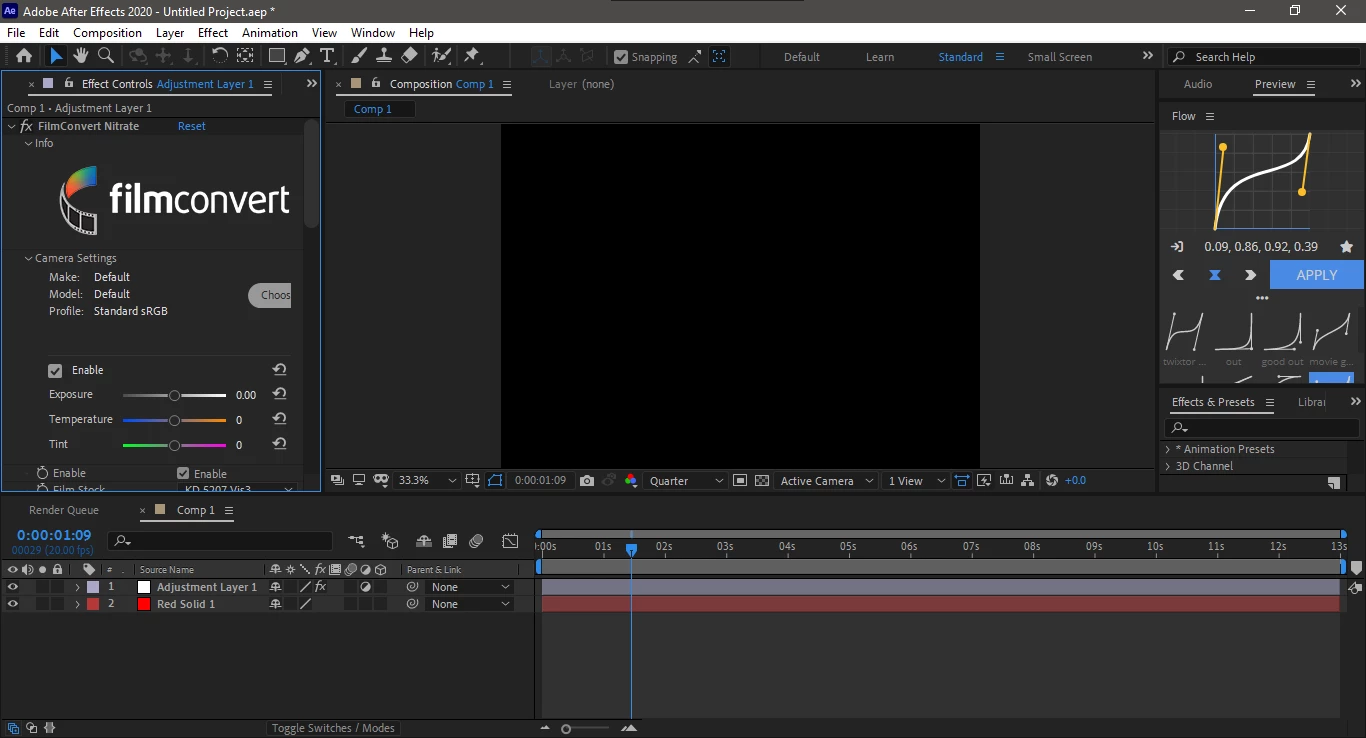
When I apply Film Convert Nitrate On a layer in After Effects 2020, its making the preview black and when i turn off the effect the vision is coming back like how to fix this?

  • May 16, 2026
  • 2 replies
  • 75 views

I’m using Adobe After Effects 2020 and running into a serious issue with the FilmConvert Nitrate plugin. Whenever I apply the FilmConvert Nitrate effect to any video layer or adjustment layer, the entire preview/composition window immediately turns completely black. The footage becomes invisible as if the layer is not rendering at all.

The project itself is still active and responsive:

  • The layer remains visible in the timeline
  • Playback still runs normally
  • Audio continues to work
  • Other effects work fine
  • The footage reappears instantly when I disable or remove the FilmConvert Nitrate effect

The issue only happens when FilmConvert Nitrate is enabled. As soon as I toggle the effect off, the video preview returns to normal with no black screen.
 

    2 replies

    Nishu Kushwaha
    Community Manager
    Community Manager
    May 18, 2026

    It seems like a plug-in issue. As basic troubleshooting, update your GPU driver and the plug-in if they are not already up to date.


    Thanks,

    Nishu

    Participant
    May 19, 2026

    Thanks but, my friend has no GPU and it works in his PC and he uses the same Version as mine

    Nishu Kushwaha
    Community Manager
    Community Manager
    May 19, 2026

    Thanks for getting back. What are your system specifications? If you have a GPU, it is recommended to keep its drivers up to date. Also, do you encounter the issue when you don’t use the plug-in? If you’d like, you can install the latest version of After Effects separately and see if that works better with the plug-in.

    Note: If you remove the 2020 version of After Effects, you won’t be able to reinstall it.

    Let me know.


    Thanks,

    Nishu

    Community Expert
    May 18, 2026

    You may want to check with the plug-in manufacturer tech support.

    Participant
    May 19, 2026

    I contacted them But no Use