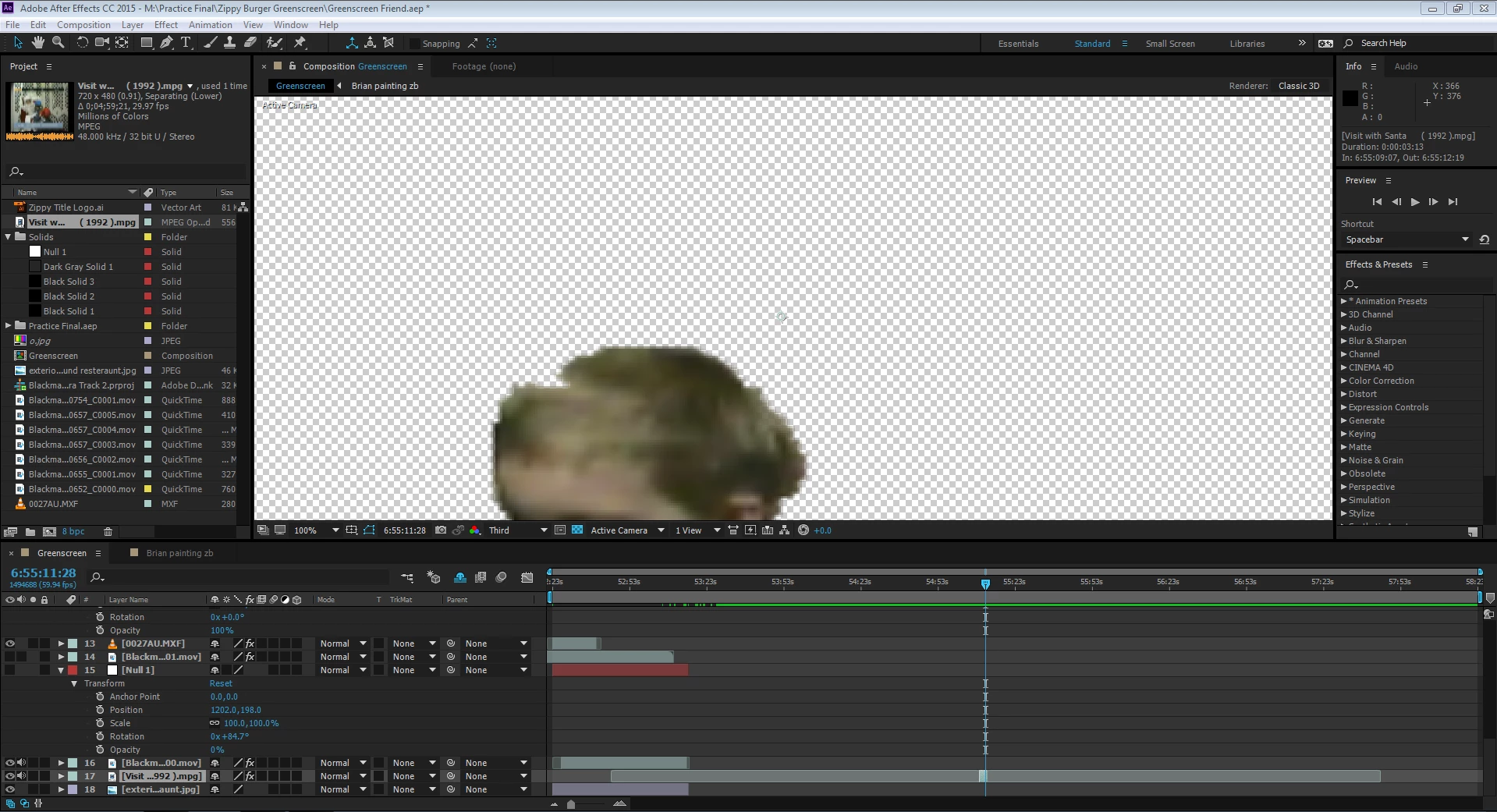
 Where the time indicator is is the clip I need to trim down.
o.k good  hold it right there. the tutorial instructions probably tell you that because it's assuming you have one layer in your timeline and probably instruct you to work efficiently to just the duration you need. that's a lot of assumptions on my part and since I don't know which tutorial is it, it could also be bad or unneeded workflow instructions (because every one can make a tutorial). this trim may not be necessary (more about it later). but to achieve a trimmed comp to the duration of your footage when it's already in another composition with other assests, you can just precomp the footage ctrl+alt+c and choose this:
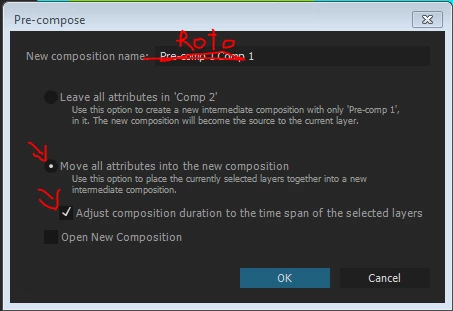
this will create a composition with just that footage and adjust the duration to the trim. inside you can make the roto work if you want. I am not even sure you need to trim it, unless you plan to composite things inside making this a composite shot that will be easier to focus on if it's in it's own composition
 AdChoices