dhiraj14k
Participant
Jun 23, 2019 1:16 PM UTC
Answered

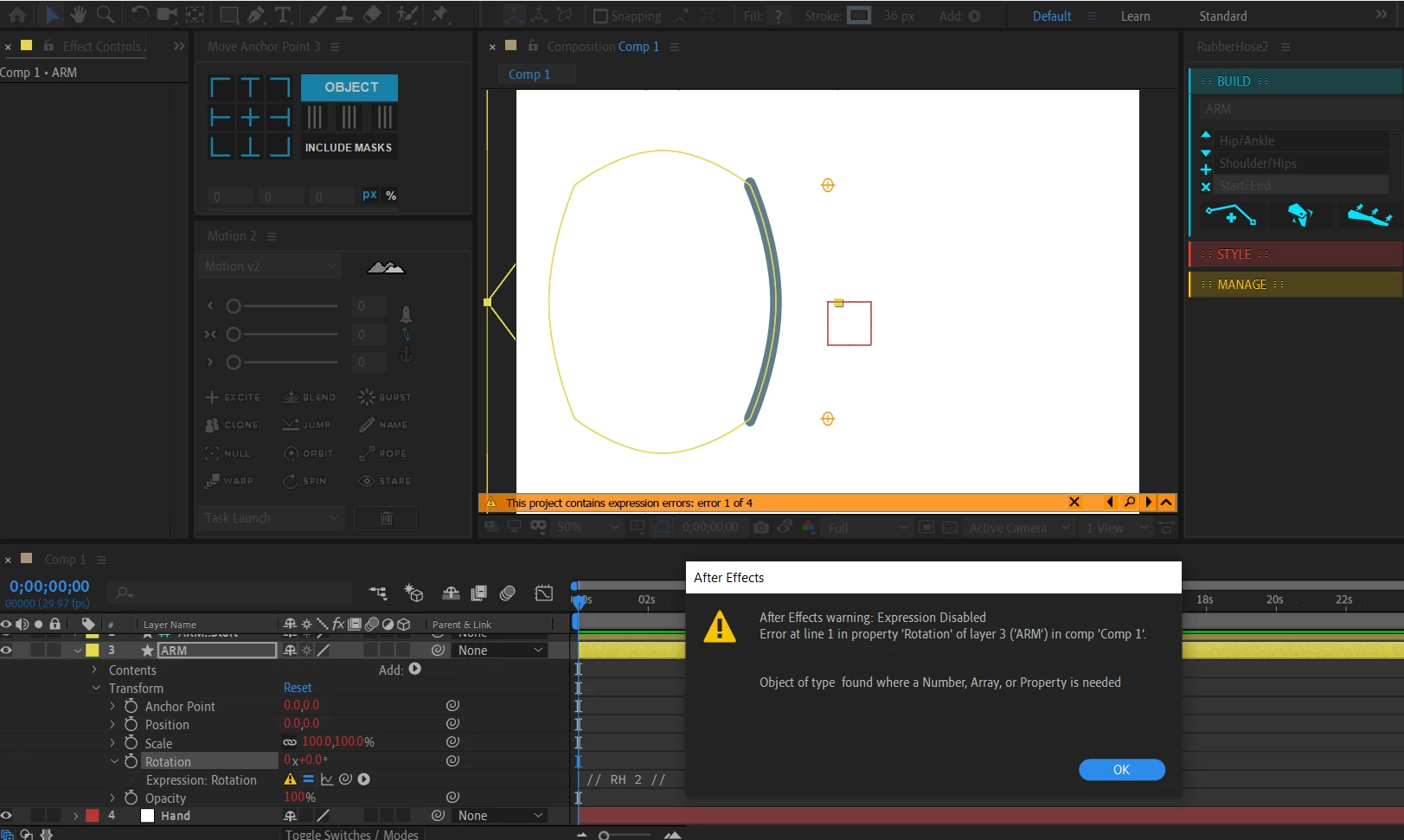
When I use Rubber hose "After Effects warning: Expression Disabled" 4 error messages pop up.

"  After Effects warning: Expression Disabled

Error at line 1 in property 'Rotation of layer 3 ('ARM') in comp 'Comp 1'

Object of type found where a Number, Array, or Property is needed "

This is one of the 4 errors but all have - "Object of type found where a Number, Array, or Property is needed" this message in common.

[ Rubber hose 2 on After effects cc 2019 ]

This topic is closed to new replies. Start a new post to keep the conversation going.
OussK
OussKCorrect answer
Community Expert
Jun 23, 2019 2:54 PM UTC

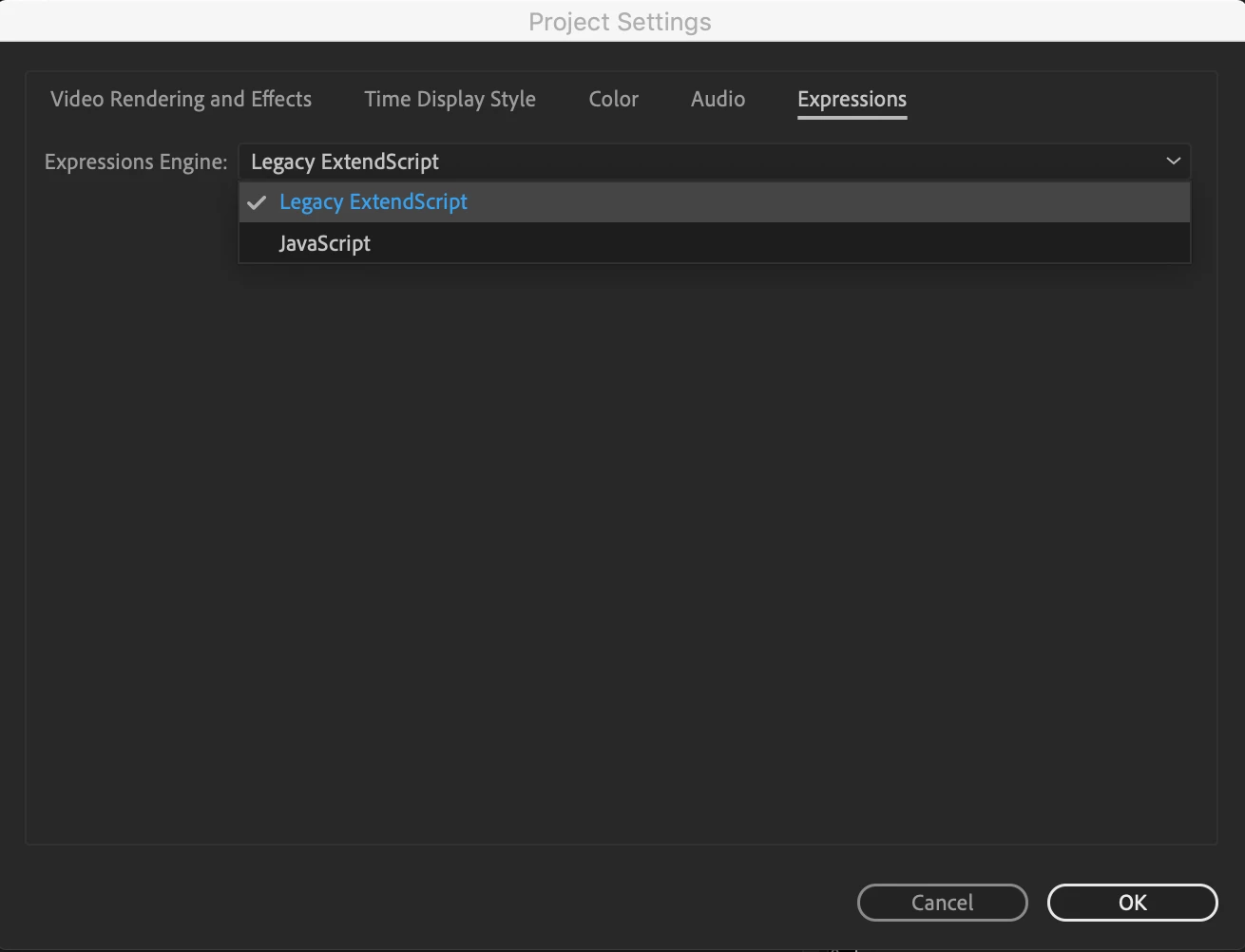
i'm not sure about this error on Rubber hose, but if you face it only on CC 2019 so may it happen because the new javaScript engine, so try to change this from you project settings to legacy

also it's a good idea to ask the script developer.

3 replies

LW0121
Inspiring
Dec 20, 2020 10:35 PM UTC

How about After effects 2020. I followed your method, they don't have expression errors anymore but the animation looks terrible. However, if I chose the other one, I have a bunch of expression errors but the animation still looks good. Do you know how to fix this? Thank you!

Translate
Participant
Dec 17, 2019 8:50 PM UTC

Thank you, actually gave up hope before running into this. Worked like a charm

Translate
OussK
Community Expert
OussKCommunity ExpertCorrect answer
Community Expert
Jun 23, 2019 2:54 PM UTC

i'm not sure about this error on Rubber hose, but if you face it only on CC 2019 so may it happen because the new javaScript engine, so try to change this from you project settings to legacy

also it's a good idea to ask the script developer.

Translate