Participant
January 30, 2025
Answered

When morphing objects with path animation, path points wouldn't align correctly

  • January 30, 2025
  • 2 replies
  • 451 views

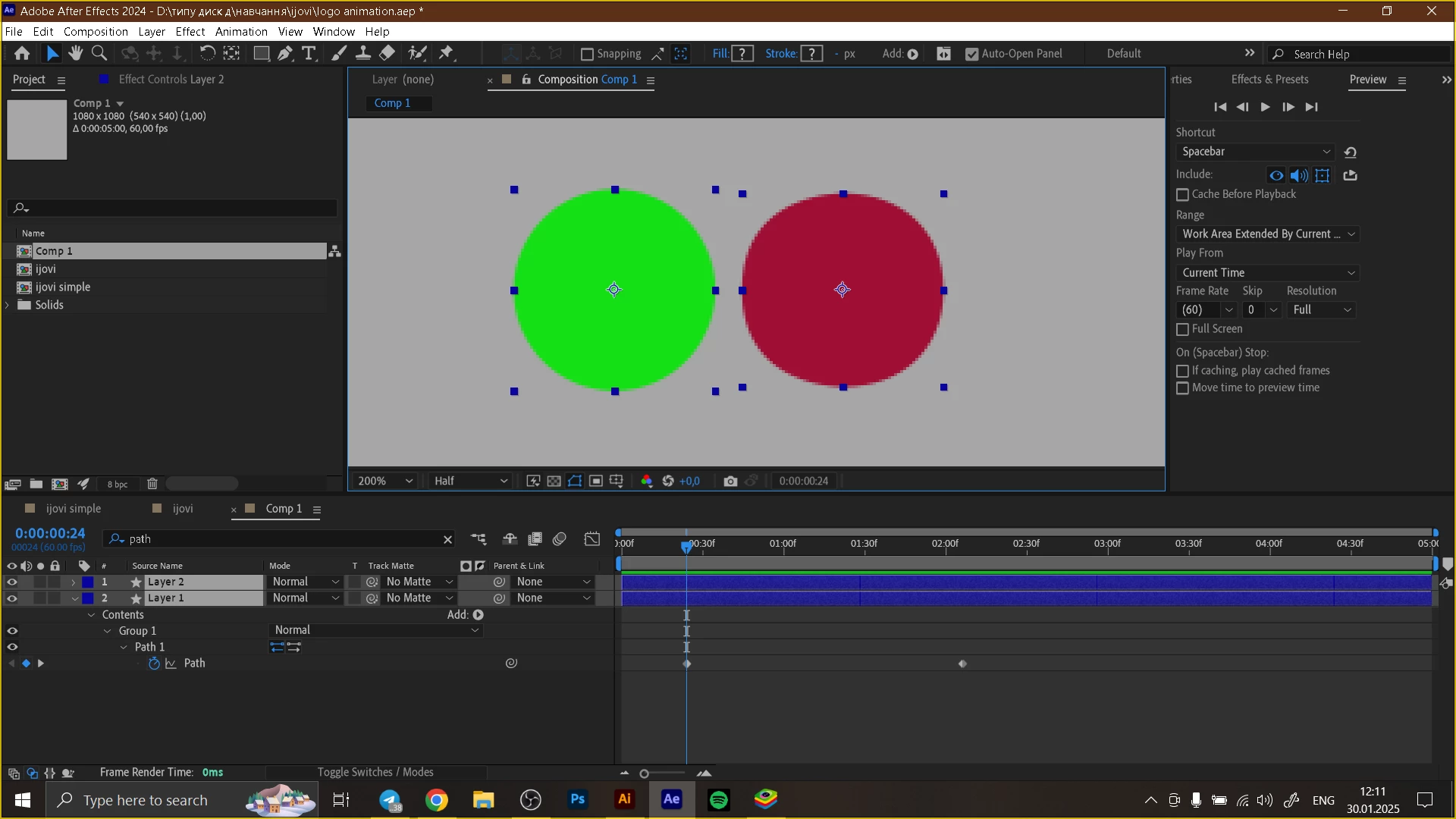
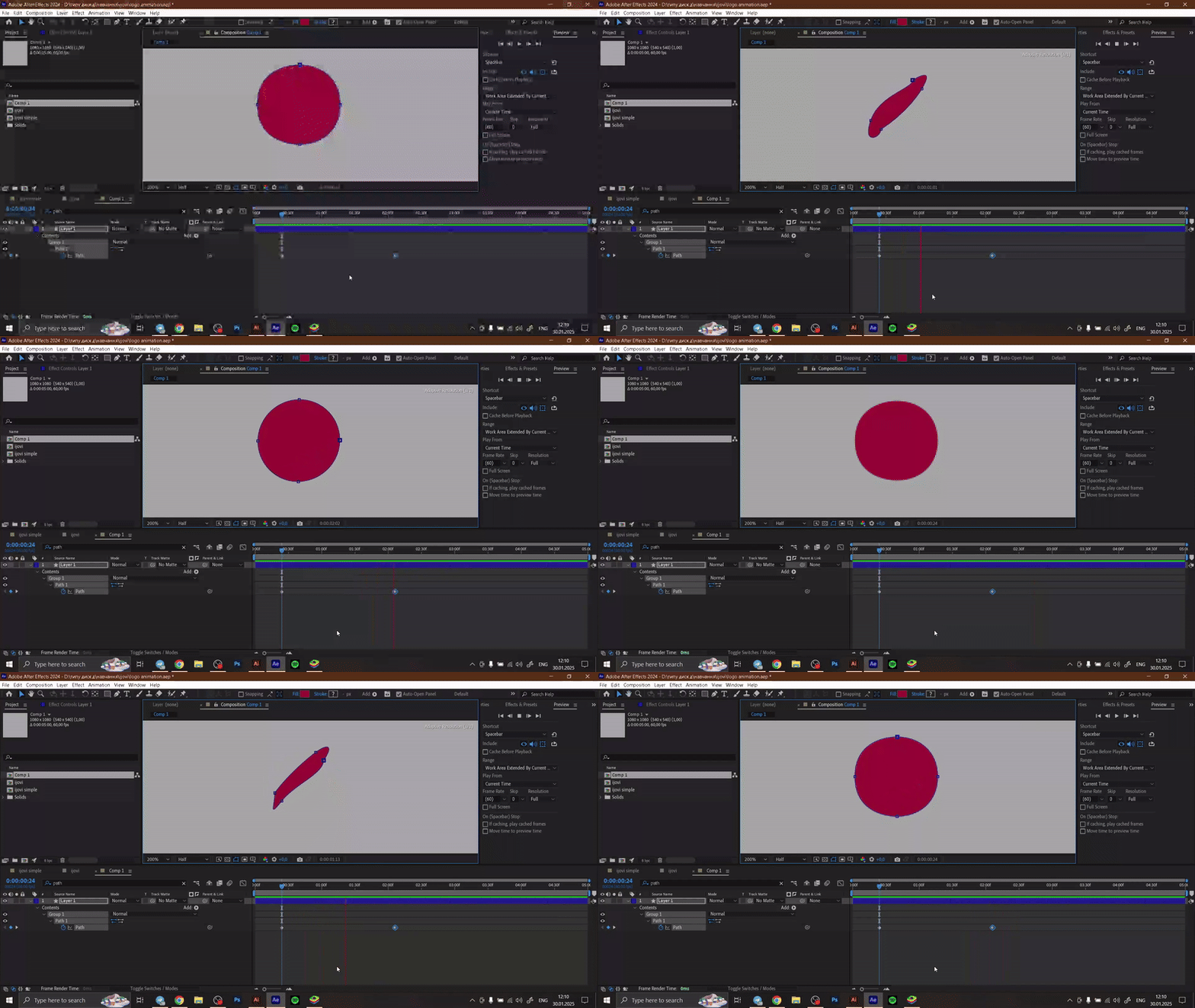
So I'm trying to morph a boxy circle shape into a circle. However, when copying the shape from Illustrator, this happens ↓. Even though the points are very close to the points of the other shape After Effects still reads them incorrectly.
I tried rotating the circle, but it wouldn't help.
Is there anything I can do other than editing morphing manually? 
Correct answer ShiveringCactus

See if this works:

  • For each shape, right-click on one of the vertex points and choose Mask and Shape Path > Set First Vertex.

This tells After Effects where to start counting from, and so as the morph happens, it should line up better.


It's not always perfect though, so if you don't get the result you need, try this instead:

  • Fade between your two shapes
  • Add an adjustment layer
  • Add the Fast Blur effect and keyframe the blur to rise and fall back to 0.
  • Add the simple choker effect and set the amount to a negative number.


I made a quick tutorial a while back about this:

https://www.youtube.com/watch?v=Vpd9n5d3thc


Actually I also made one about shape morphing:

https://www.youtube.com/watch?v=l8WIkD1jA2o 

2 replies

ShiveringCactus
Community Expert
ShiveringCactusCommunity ExpertCorrect answer
Community Expert
January 31, 2025

See if this works:

  • For each shape, right-click on one of the vertex points and choose Mask and Shape Path > Set First Vertex.

This tells After Effects where to start counting from, and so as the morph happens, it should line up better.


It's not always perfect though, so if you don't get the result you need, try this instead:

  • Fade between your two shapes
  • Add an adjustment layer
  • Add the Fast Blur effect and keyframe the blur to rise and fall back to 0.
  • Add the simple choker effect and set the amount to a negative number.


I made a quick tutorial a while back about this:

https://www.youtube.com/watch?v=Vpd9n5d3thc


Actually I also made one about shape morphing:

https://www.youtube.com/watch?v=l8WIkD1jA2o 

Participant
February 2, 2025

Thanks, ShiveringCactus for the reply
Changing the vertex point's primacy helped in this case as well as the more complex one I was struggling with

nishu_kush
Legend
January 30, 2025

It's possible that copying shapes from Illustrator changed the sequence of the anchor points. For this animation I'd recommend creating a Rounded Rectangle and then animating its roundness.

Hope it helps.


Thanks,
Nishu

Participant
January 30, 2025

Thanks, Nichu for the reply,
Your suggestion would work for this case, but I had it happen in my other project, where shapes were more complex. However, I was wondering how can I manage the anchor points' sequence properly.