
katiah63552613
Participant
January 25, 2017
Answered

Where do I access the wiggle effect?

  • January 25, 2017
  • 1 reply
  • 4464 views

I have the newest version of Adobe After Effects, and for some odd reason, the contents section of a layer is not showing up. I want to add a wiggle effect to my water layer. I imported it from Adobe Illustrator
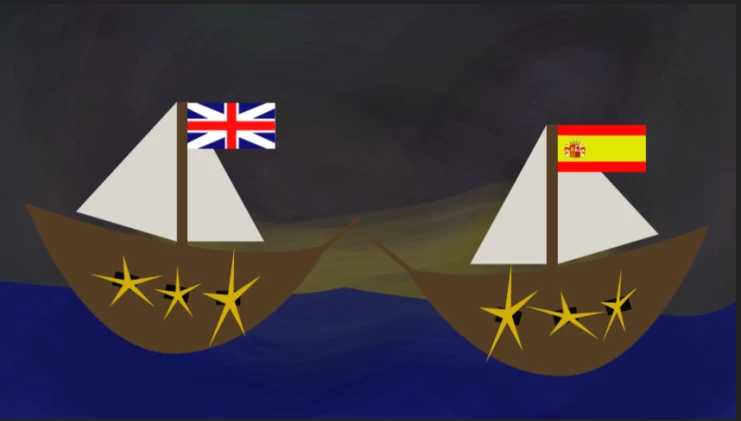
Everything in here is a layer. I want to make the flags wiggle and perhaps the water unless I can figure out another way to make it look water-like. Anyways, I have attempted to bring up the contents section of the layer options, my instructor wasn't able to find it herself.
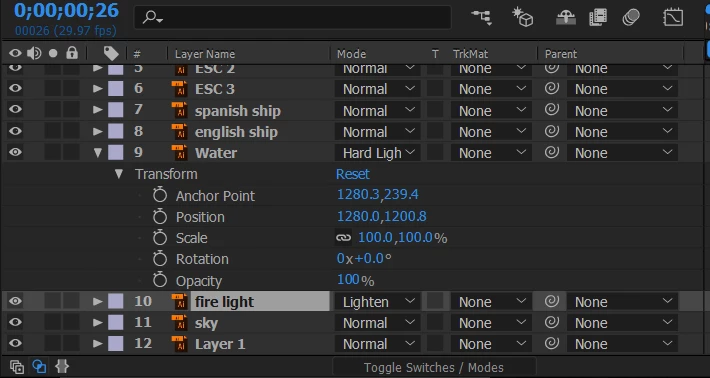
I don't know if I'm providing enough details, I'm not entirely sure what details are needed. Let me know what else you need to know.
This topic has been closed for replies.
Correct answer Rick Gerard

You need to convert the vector layer from illustrator to a shape layer. The clue comes from the first couple of sentences in the teaser tutorial and from the timeline:

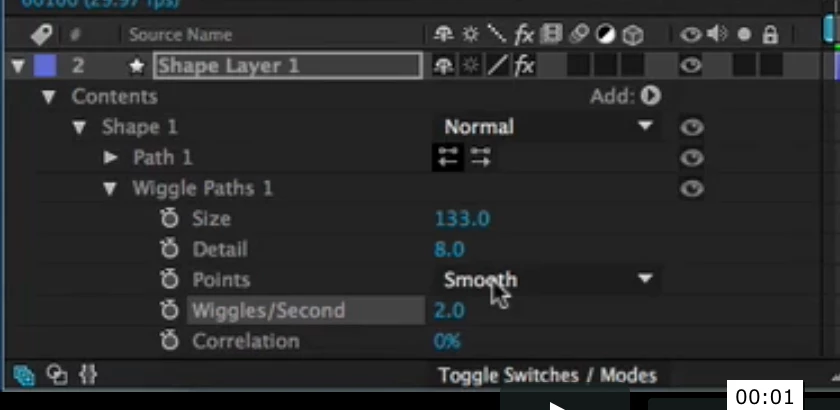
You'll find the wiggle command under the Add button at the upper right.

Again, sounds like your are new to AE. If so try using the search help field. Typing wiggle shape in the search help field will bring up instructions for wiggling a path, Shape attributes, paint operations, and path operations for shape layers in After Effects

Wiggle path works best on stroked paths, not so predictable on filled shapes and it may not give you what you want on the water layer because it only effects the edges.

If there is a texture or gradient applied to your water layer it may not come through when you convert the layer to a shape or you may end up with a bunch of separate shape layers.

I think what you really want is some kind of distortion. Maybe even a pre-composed Fractal noise layer used as a displacement map to make the water look like it's moving.

1 reply

Community Expert
January 25, 2017

Wiggle??? I would think you want to distort.

To wiggle you would add the wiggle expression to position and probably rotation. Type "wiggle" in the search help field at the top right corner of AE and check out the help files and community resources for examples.

If you are new to AE I strongly suggest that you spend some time here to get a handle on the basics: Basic AE

katiah63552613
Participant
January 25, 2017

The wiggle path, I mean.

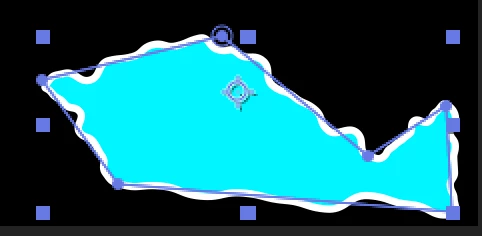
After Effects Hidden Gems Weekly: Wiggle Paths on Vimeo

This is what I mean; I do not know how to pull up the contents section of the layer - as shown above.

Rick GerardCommunity ExpertCorrect answer
Community Expert
January 25, 2017

You need to convert the vector layer from illustrator to a shape layer. The clue comes from the first couple of sentences in the teaser tutorial and from the timeline:

You'll find the wiggle command under the Add button at the upper right.

Again, sounds like your are new to AE. If so try using the search help field. Typing wiggle shape in the search help field will bring up instructions for wiggling a path, Shape attributes, paint operations, and path operations for shape layers in After Effects

Wiggle path works best on stroked paths, not so predictable on filled shapes and it may not give you what you want on the water layer because it only effects the edges.

If there is a texture or gradient applied to your water layer it may not come through when you convert the layer to a shape or you may end up with a bunch of separate shape layers.

I think what you really want is some kind of distortion. Maybe even a pre-composed Fractal noise layer used as a displacement map to make the water look like it's moving.