Participant
November 20, 2017
Question

Where's my Project?

  • November 20, 2017
  • 3 replies
  • 261 views

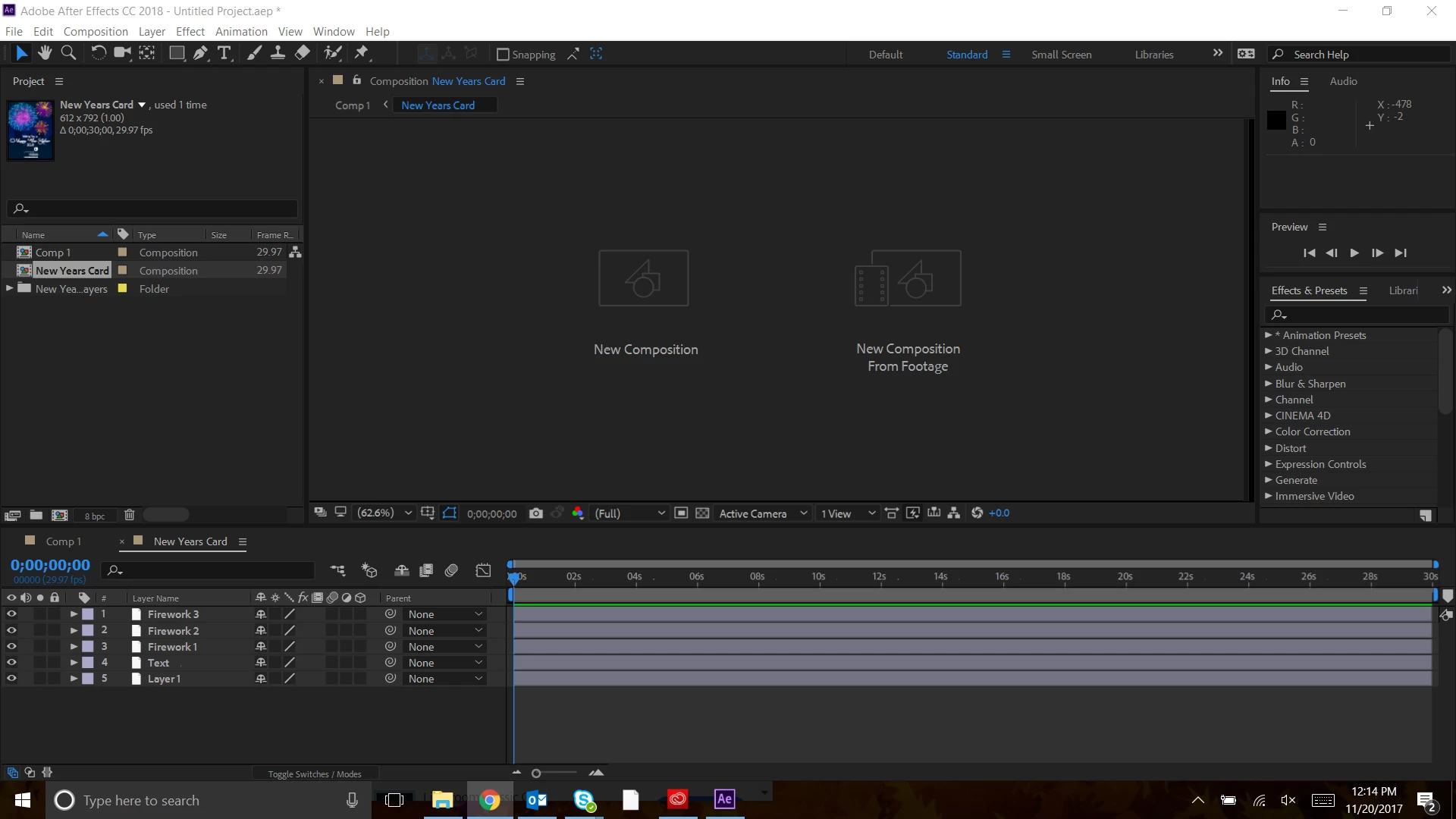
I can't figure out how to see my project. I have the composition uploaded but can't seem to be able to view it on the stage. I've tried resetting my workspace and couble clicking on my composition Please help!
    This topic has been closed for replies.

    3 replies

    Kevin J. Monahan Jr.
    Legend
    December 14, 2017

    Hi SamanthaG,

    Still having trouble with monitoring this project? Let us know what happened.

    Thanks,
    Kevin

    Kevin Monahan - Sr. Community and Engagement Strategist – Adobe Pro Video and Audio
    Community Expert
    November 20, 2017

    Something is out of sync. Try closing both timelines and then just double-click on the New Years Card comp in the project panel. If that does not work try picking a different workspace. If that does not work try resetting your preferences. You can either browse to the preference file using the AE Preferences panel or basically mash down on all the keys at the bottom right corner of AE as you open the app. (Shift + Alt/Option + Ctrl/Cmnd).  All of this assumes that your version of AE is up to date. They just released an update for CC 2018...

    Roei Tzoref
    Legend
    November 20, 2017

    weird. of restarting the software does not fix it try resetting your workspace or choosing standard workspace (or resetting standard workspace).

    if this does not work - reset Ae preferences

    if this does not work - uninstall